4-11
IV2 Series User's Manual (Control Panel)
1. Image Optimization (Clearly Image a Target)
Setting the Trigger Options
1
Start the Settings Navigator.
“Starting the Settings Navigator” (Page 4-4)
2
Display the main screen for Image Optimization.
“SettingsNavigatorscreenandoperationow”(Page
4-6)
3
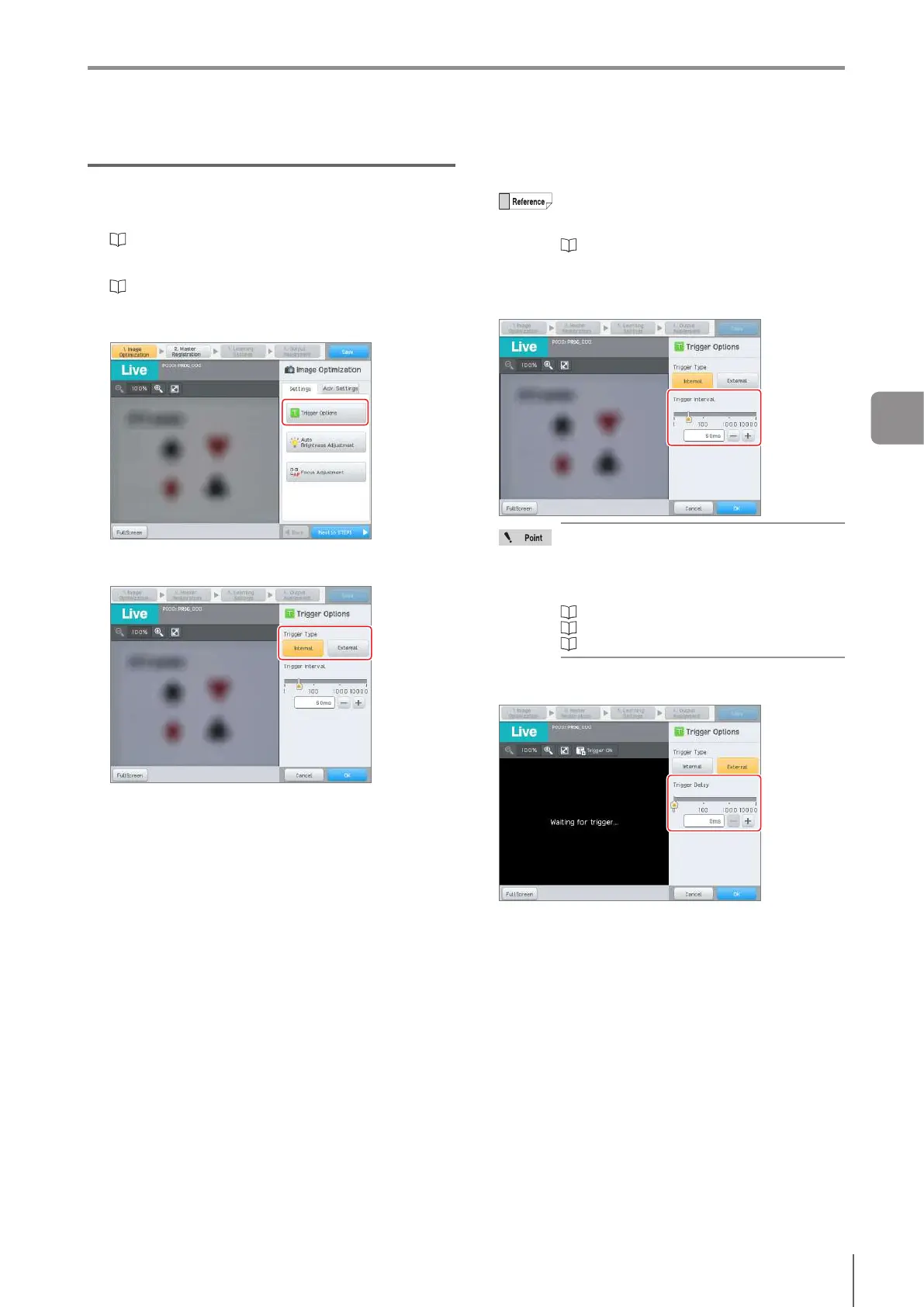
Tap the [Trigger Options] button.
4
Select the trigger type.
Select the [Internal] or [External] button.
5
Set [Trigger Interval] or [Trigger Delay].
The setting of [Trigger Interval] and [Trigger
Delay] can be changed by using the slider or
inputting the value.
“Editing Numbers” (Page 3-20)
When [Internal] is selected in step 4
Set the trigger interval within the range of 1 to 10000
ms.
A trigger error occurs in the following cases:
[Trigger Accept Timing] is set to [Send after
BUSY Output OFF] and busy output is ON
An internal trigger is input when ready
output is OFF for [Link with READY Output].
“Trigger Accept Timing” (Page 7-17)
“Internal trigger” (Page 10-4)
“Error Messages” (Page A-9)
When [External] is selected in step 4
Set the trigger delay within the range of 1 to 10000 ms.
6
When setting is completed, tap the [OK] button.
The system returns to the main screen for the Image
Optimization.
4
Settings Navigator



 To Next Page