4-10
IV2 Series User's Manual (Control Panel)
1. Image Optimization (Clearly Image a Target)
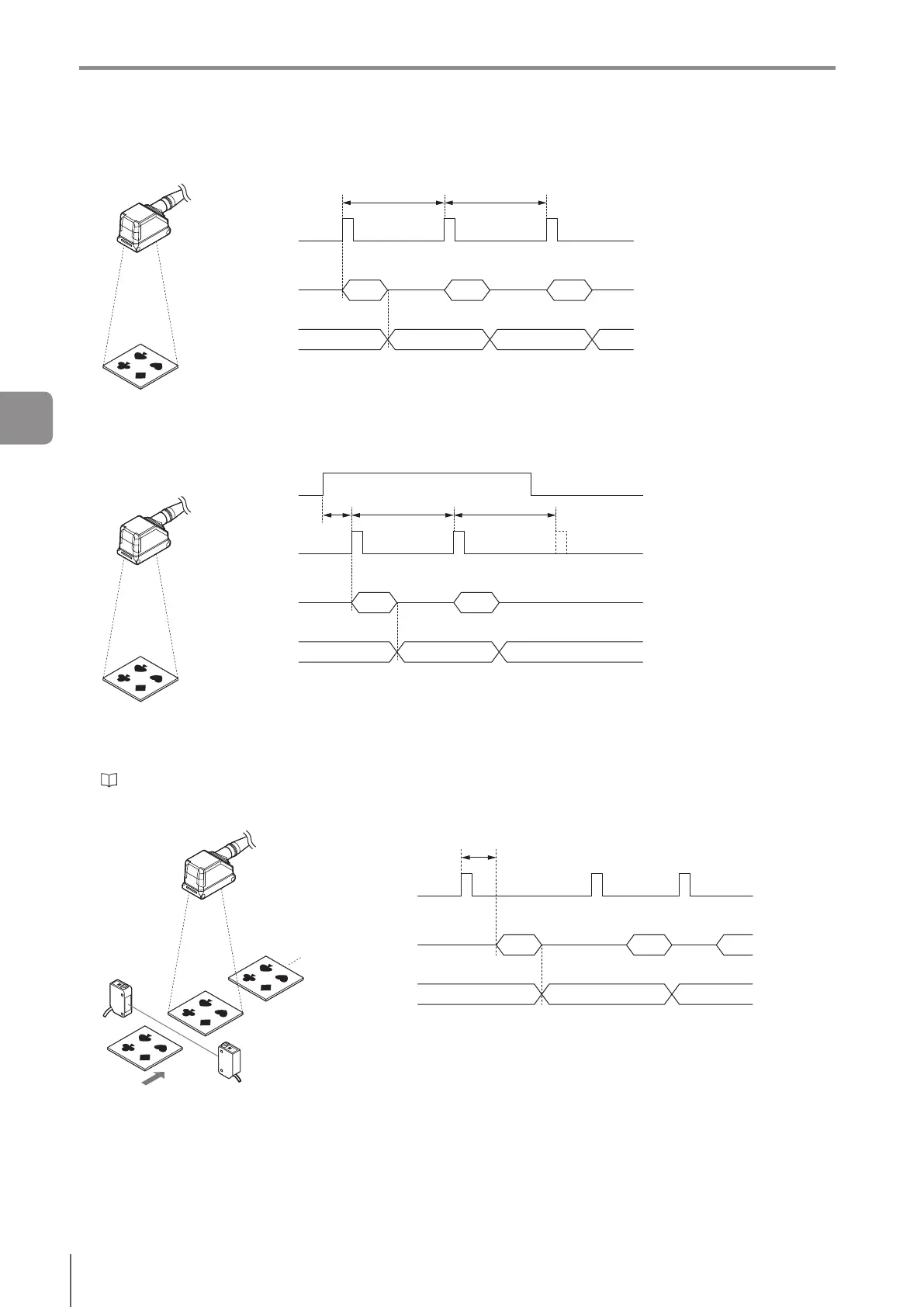
Internal trigger
(1)
(2)
(3)
Internal trigger
Imaging/internal
processing
Status output
Trigger Interval Trigger Interval
(1) The trigger interval is determined according to the trigger interval settings.
(2) Perform internal processing after the imaging.
(3) Output the status result.
If [Internal Trigger Control with IN1 Input] is set to [Yes]
(1)
(2)
(3)
Internal trigger
IN1
Imaging/internal
processing
Status output
Trigger Interval Trigger Interval
(1) The sensor will trigger within the period of “internal trigger interval + 1ms” after IN1 is activated (the sensor will
trigger while IN1 is input). Thereafter the trigger interval is determined according to the trigger interval settings.
(2) Perform internal processing after the imaging.
(3) Output the status result.
“Internal Trigger Control with IN1 Input” (Page 7-15)
External trigger
(1)
(2)
(3)
External trigger
Imaging/internal
processing
Status output
Trigger Delay
(1) Start imaging by inputting the trigger signal from another device.
Whenthetriggerdelayintervalisset,theimagingstarttimewillbedelayedbythespeciedperiod.
(2) Perform internal processing after the imaging.
(3) Output the status result.
4
Settings Navigator


 To Next Page
 Loading...