2-8
IV2 Series User's Manual (Control Panel)
Mounting the control panel
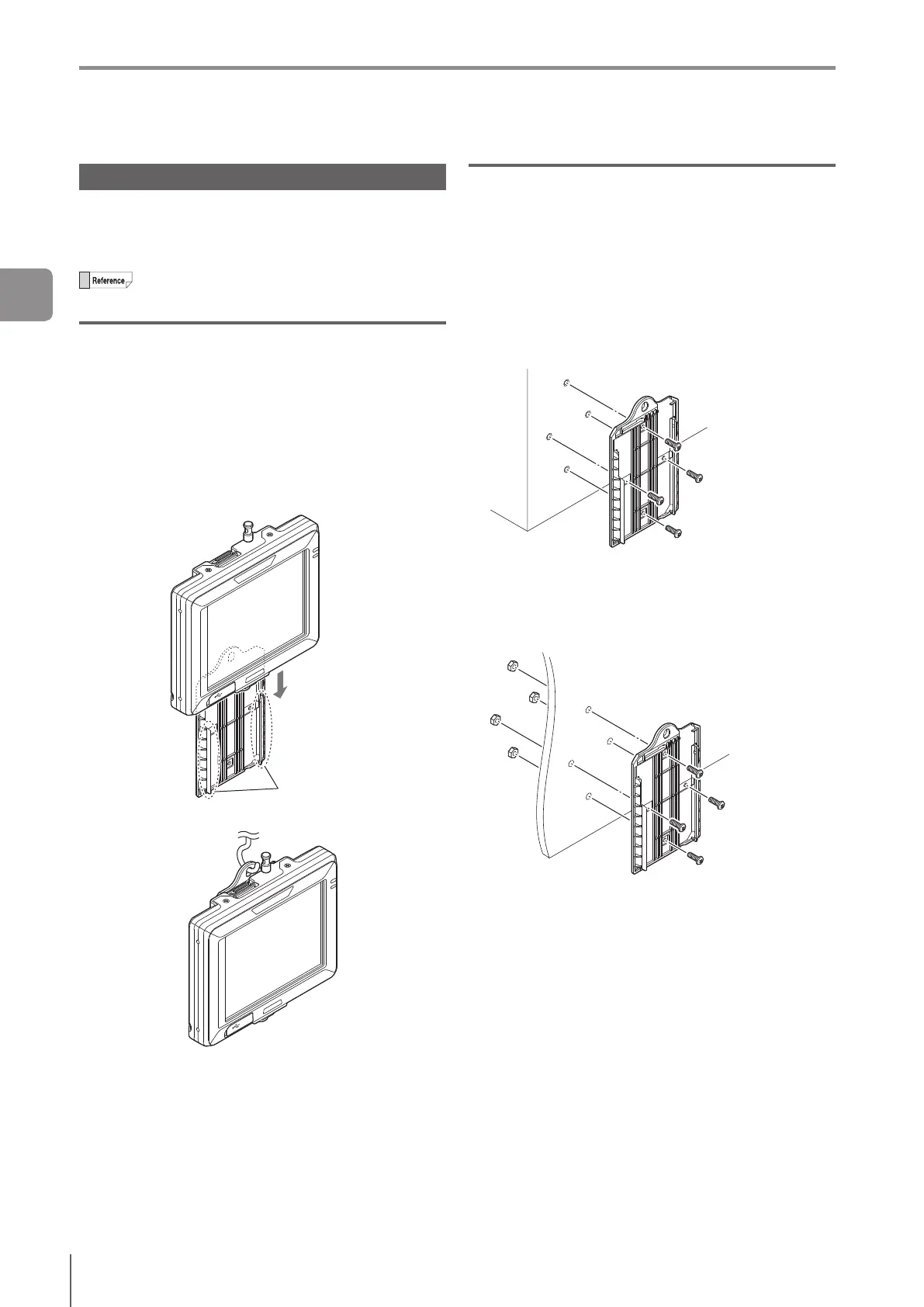
Mounting to a wall
Use the wall mounting adapter (accessories or OP-88349).
Hang it on a hook with the wall mounting adapter mounted
to the control panel, or mount the control panel to the wall
mounting adapter that is mounted on the wall.
The control panel is shipped installed on the wall
mounting adapter.
Hanging on a hook
While operating, take the control panel from the hook and
hold it in your hands.
1
Mount the control panel to the wall mounting
adapter by aligning the stopper of the wall
mounting adapter to the groove on the rear
control panel.
Slidethecontrolpaneldownalltheway,andconrm
that the control panel is locked.
Stopper
2
Hang the control panel on a hook.
Mounting with the wall mounting adapter
The monitor can be operated using the following methods.
Remove the control panel from the wall mounting adapter
and operate while holding in your hand.
Operate it while mounted on the wall.
1
Mount the wall mounting adapter to the wall.
Mounting by creating a screw hole in the wall
Screw : M3 x 4
Use the attached screws.
Tightening torque : 0.27 to 0.33 N·m
Mounting by creating a plated through hole on
the panel
Screw : M3 x 4, Nut : M3 x 4
Use the attached screws and nuts.
Mountable board thickness : 5 mm or lower
Tightening torque : 0.27 to 0.33 N·m
Mounting the control panel
2
Installation and Connection



 To Next Page