9-12
IV2 Series User's Manual (Control Panel)
Connecting to the SNTP Server to Set the Time
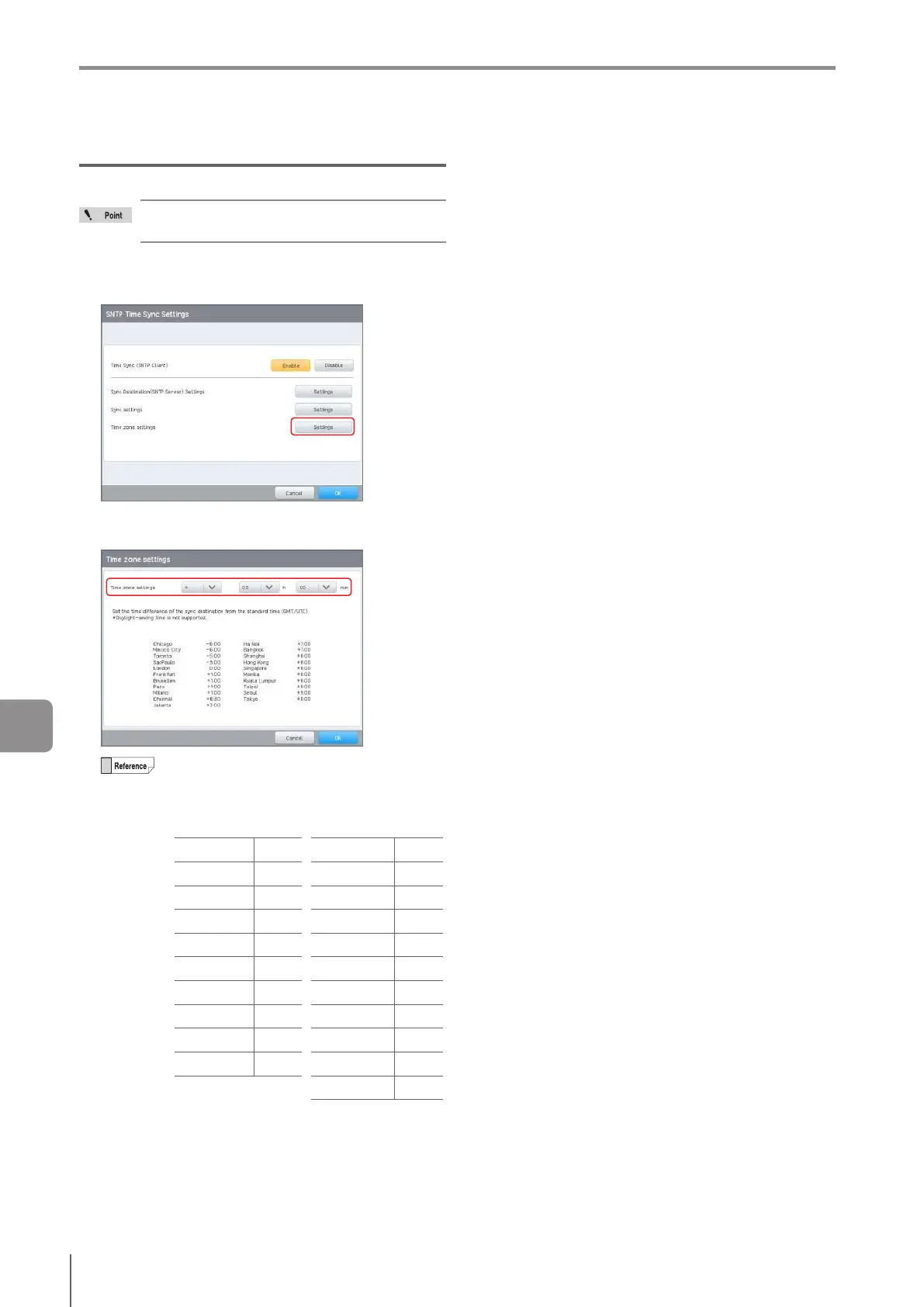
Time zone Settings (Time oset)
Correctly set the time zone settings (time oset)
according to the region the device is used in.
1
Tap the [Settings] button for [Time zone
settings].
2
Set the time dierence of the sync destination
from the standard time (GMT/UTC).
GMT: Greenwich Mean Time
UTC: Coordinated Universal Time
To support daylight saving time (DST), set the
timeosettakingDSTintoaccount.
Timedierenceofmajorcities.
Chicago -6:00 Jakarta +7:00
Mexico City -6:00 Hanoi +7:00
Toronto -5:00 Bangkok +7:00
São Paulo -3:00 Shanghai +8:00
London 0:00 Hong Kong +8:00
Frankfurt +1:00 Singapore +8:00
Bruxelles +1:00 Manila +8:00
Paris +1:00 Kuala Lumpur +8:00
Milan +1:00 Taipei +8:00
Chennai +6:30 Seoul +9:00
Tokyo +9:00
Factory default: 0:00
3
When setting is completed, tap the [OK] button.
9
Connecting to a Network



 To Next Page