4-5
IV2 Series User's Manual (Control Panel)
Basic Operation of the Settings Navigator
When the program which has been set is
selected
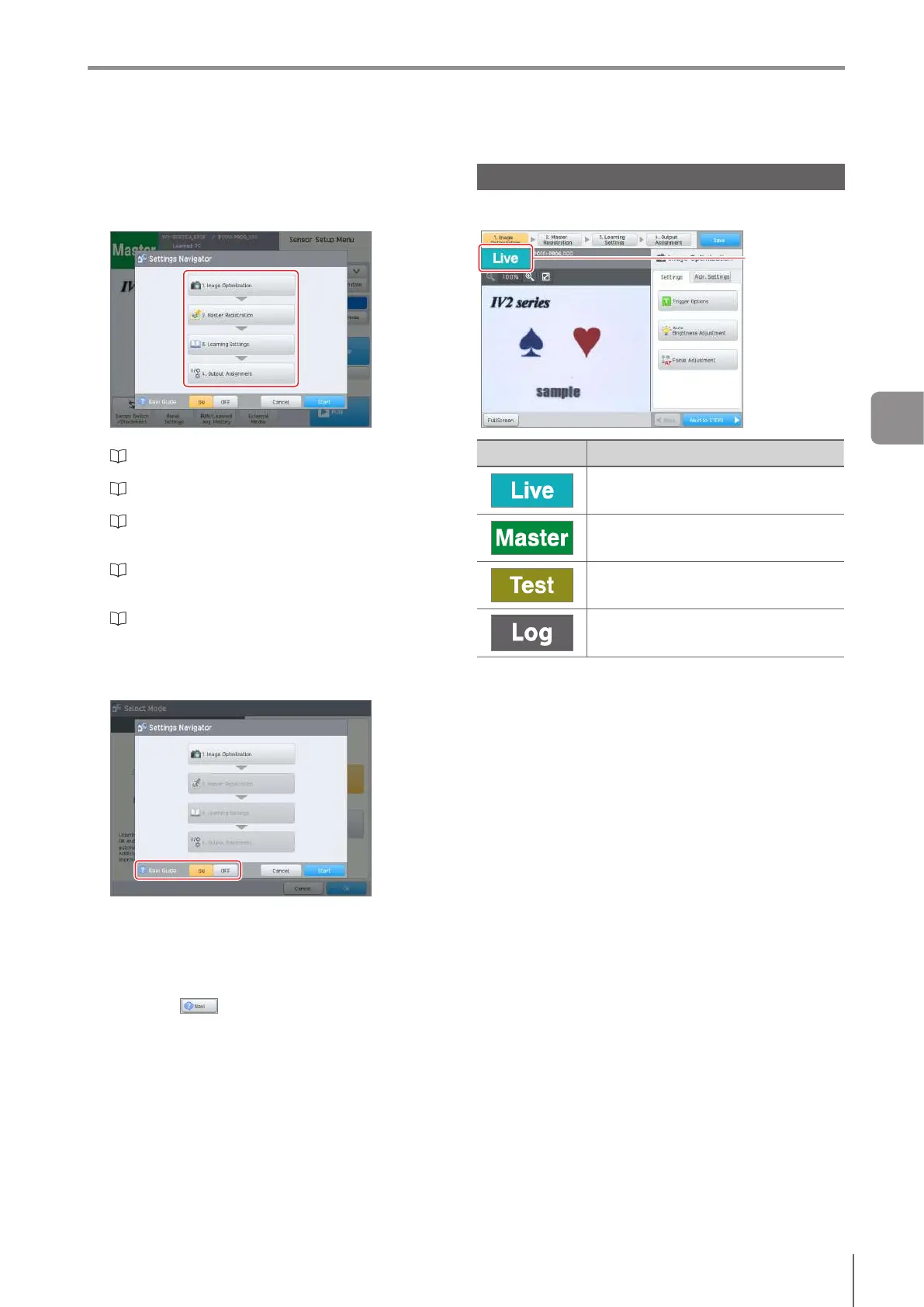
The startup screen of the Settings Navigator opens.
Tap the button for the step to be viewed.
The Settings Navigator screen opens.
“1. Image Optimization (Clearly Image a Target)”
(Page 4-8)
“2. Master Registration (Registering an Image as a
Reference)” (Page 4-18)
“3. Learning Settings (Setting the Judgment Method
of the Target in Learning Mode)” (Page 4-24)
(Learning Mode)
“3. Tool Settings (Setting the Judgment Method
of the Target of Standard Mode)” (Page 4-41)
(Standard Mode)
“4. Output Assignment (Setting Details of Outputting
to Output Line)” (Page 4-149)
Settings “Navi Guide”
Select [OFF] or [ON] and change the display of the
Settings “Navi Guide”.
By selecting [ON], [Settings Navi Guide] opens
automatically according to the step progress of the
Settings Navigator or operation contents.
[Settings Navi Guide] is displayed automatically only
onceduringtheinitialsetup.BynishingtheSettings
Navigator and restarting, it will appear again.
By tapping displayed in the screen, [Settings
Navi Guide] can be displayed at any time.
Image Types of the Settings Navigator
The image types displayed in the Settings Navigator screen
are as follows.
Image Type
Type Description
The current taken image.
The image registered as the master.
Test operation screen.
Displays the taken image.
Theimageviewedfromlesorimage
history.
4
Settings Navigator



 To Next Page