4-4
IV2 Series User's Manual (Control Panel)
Basic Operation of the Settings Navigator
Starting the Settings Navigator
1
Turn on the power of the sensor and control
panel.
When the sensor is in one of the following conditions,
the [Sensor Setup Menu] screen will be displayed.
Proceed to step 5.
Whenthepoweristurnedonforthersttime
If a program has not been set
When a sensor head has been changed
2
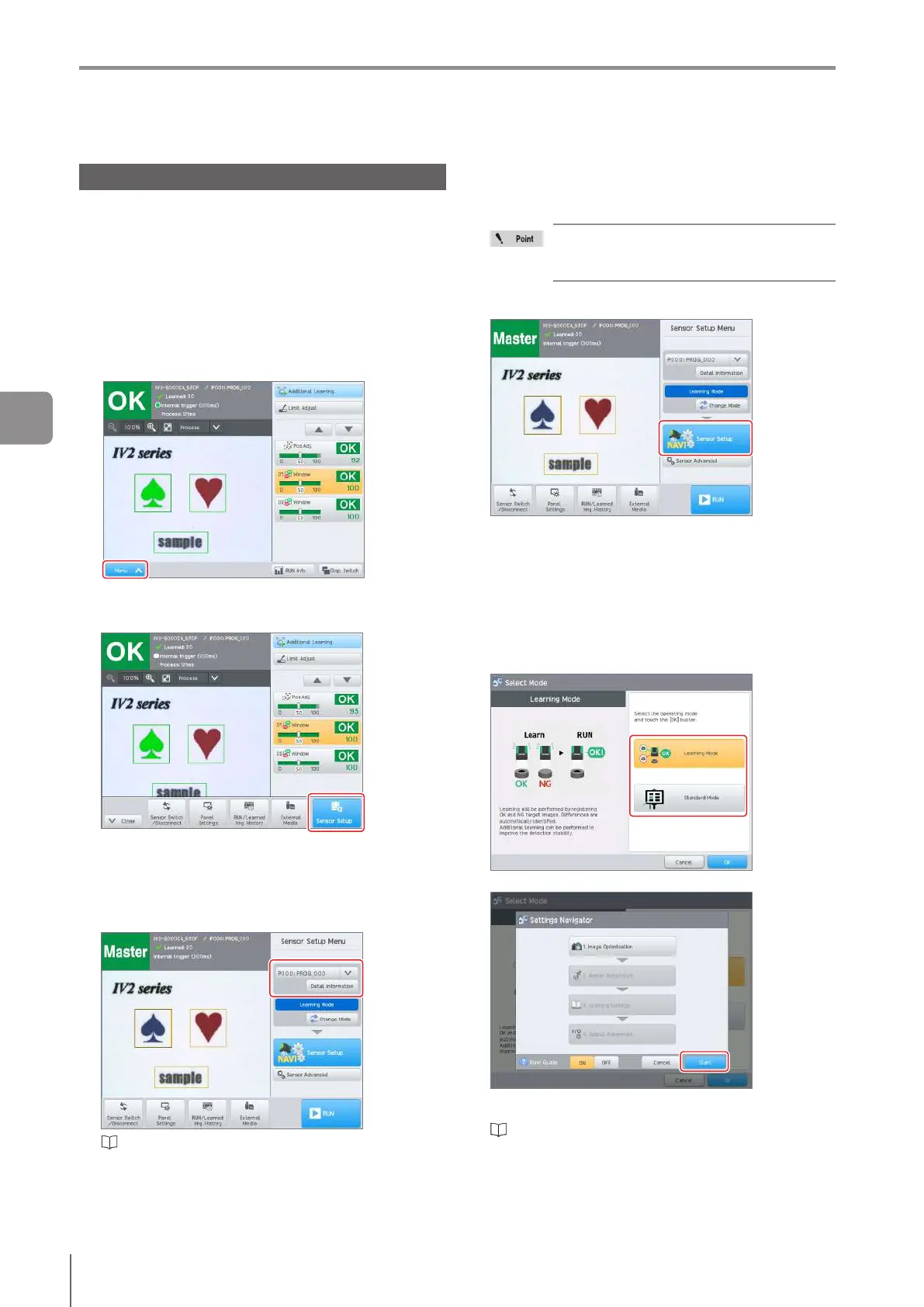
Tap the [Menu] button.
The menu bar opens.
3
Tap the [Sensor Setup] button.
Theconrmationscreenopens.
4
Tap the [Yes] button.
The [Sensor Setup Menu] screen opens.
5
Select the program to be set.
“Changeover for a Target (Program Functions)” (Page
7-3)
6
Tap the [Change Mode] button when changing
the operation mode.
TapOKintheconrmationscreen.
Settings other than “1. Image Optimization”
and “2. Master Registration” are initialized
when the mode is switched.
7
Tap the [Sensor Setup] button.
When a program which has not been set is
selected
The [Select Mode] screen is displayed when the sensor
amplieris“IV2-G30F”.
Select the mode (Learning Mode/Standard Mode) to be
used for judgment and click [OK].
When the mode has been changed in step 6, or the
sensoramplieris“IV2-G30”,the[SelectMode]screen
will not be displayed.
The startup screen of the “Settings Navigator” opens.
Tap the [Start] button and start setting [1. Image
Optimization].
“1. Image Optimization (Clearly Image a Target)”
(Page 4-8)
Basic Operation of the Settings Navigator
4
Settings Navigator



 To Next Page