4-13
IV2 Series User's Manual (Control Panel)
1. Image Optimization (Clearly Image a Target)
4
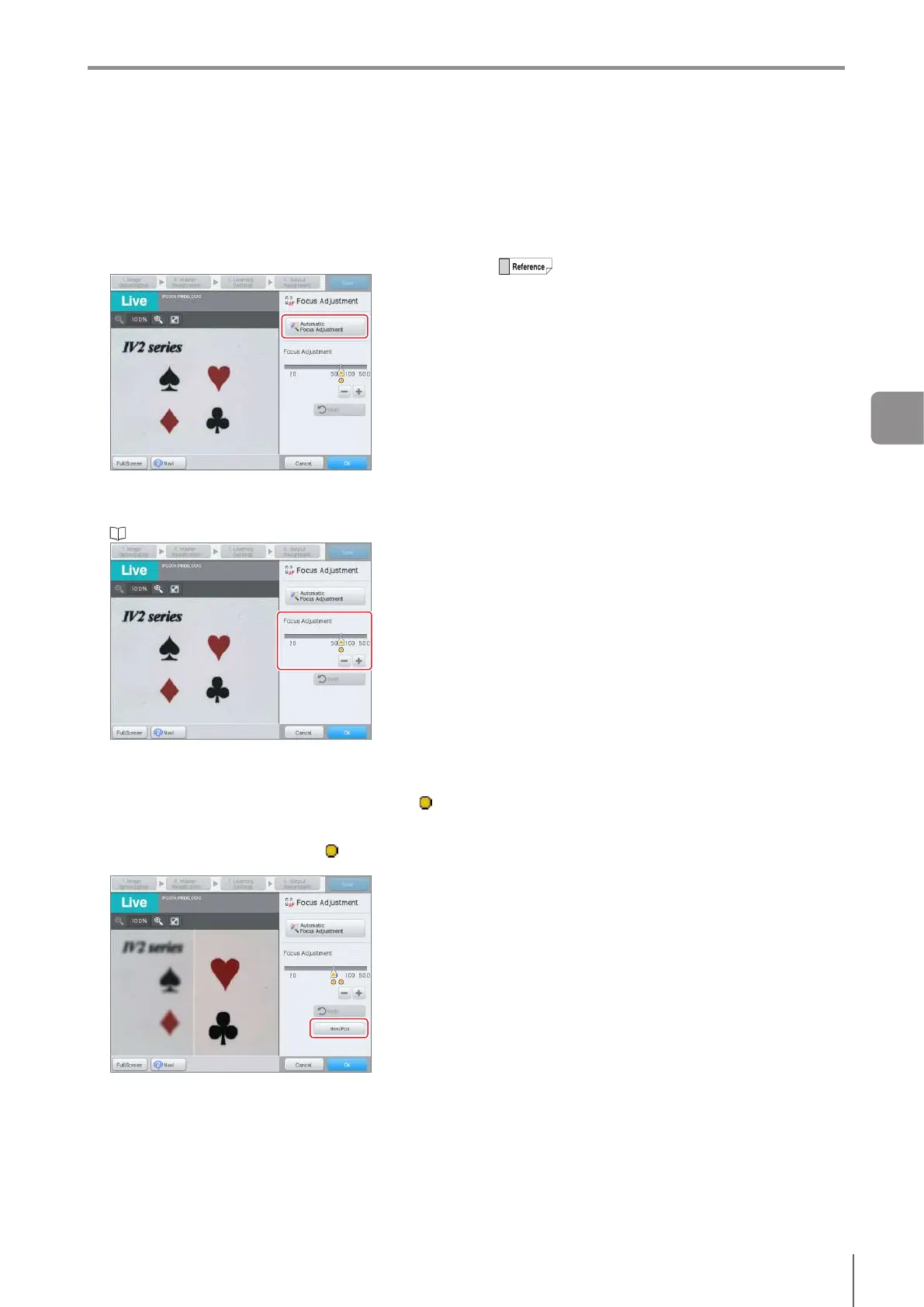
Adjust the focusing position as needed.
When the focusing position is to be adjusted
automatically again
When the [Automatic Focus Adjustment] button is
tapped, the focusing position is adjusted automatically
again.
When the focusing position is to be adjusted
manually
Adjust the focus using the slider.
“Editing Numbers” (Page 3-20)
When multiple focusing positions exist
When there are multiple focusing positions, the sensor
adjusts to the position closest to the sensor. The
available focusing positions will be indicated with ( )
mark.
Tochangethefocusingpositiontoadierentposition,
tap the [Next Pos] or the indicator ( ) of the focusing
position.
5
When setting has completed, tap the [OK] button.
The system returns to the main screen for Image
Optimization.
When the [Cancel] button is tapped, the focus will be
reset to the previous position.
During auto adjustment, imaging will be
performed automatically using the internal
trigger regardless of the settings of the Trigger
Options (Page 4-9). Also, when continuous
lighting (Page 4-17) is set, imaging will be
performedwithashlighting.
Auto adjustment searches positions that
canbefocusedovertheentireeldofview
regardless of the settings of the imaging area
(Page 4-15).
4
Settings Navigator



 To Next Page