F-code communications
5
5-20 Konica Minolta 240f
5.4
Registering/editing secure F-code boxes
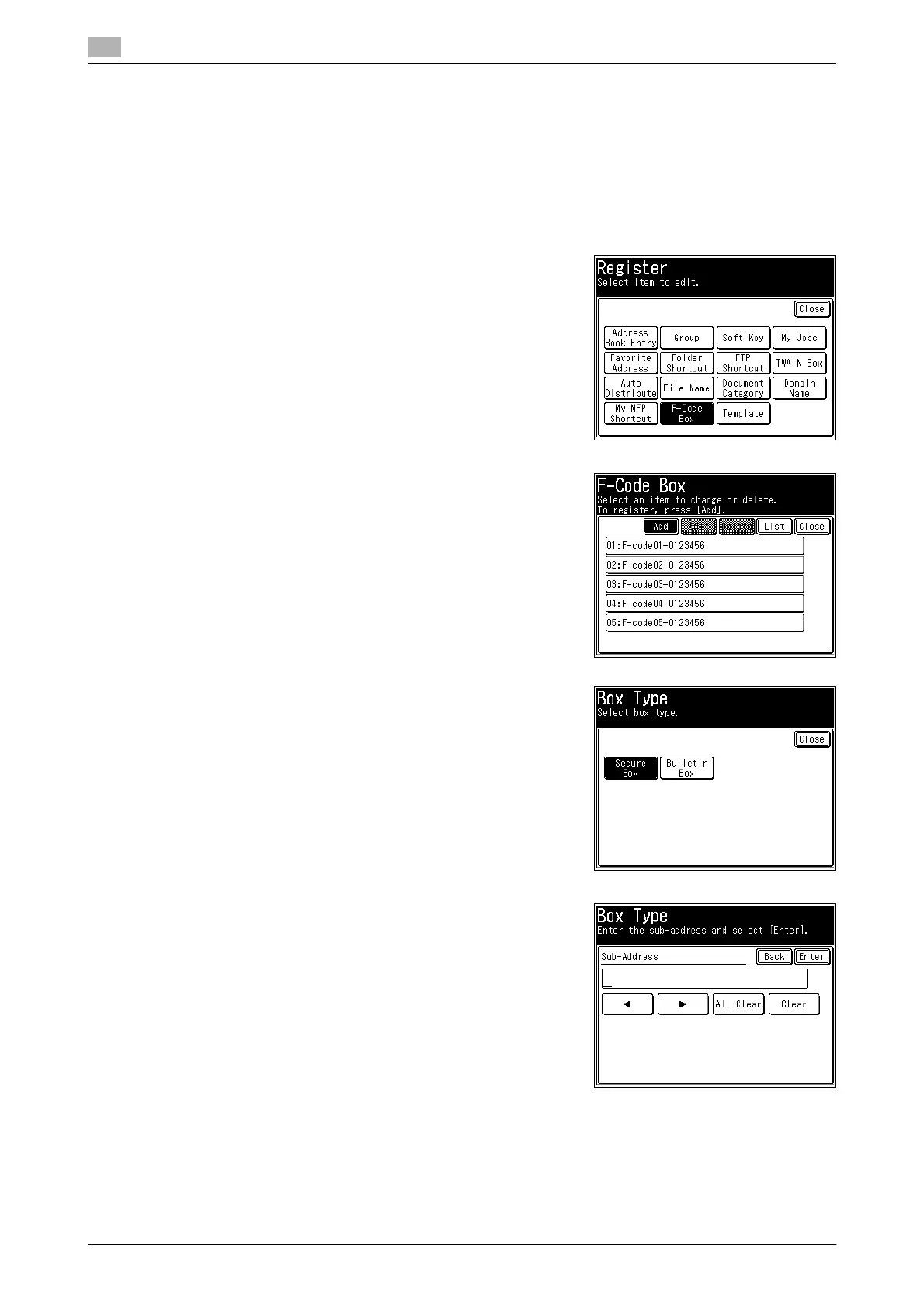
This section describes the procedure for registering secure F-code boxes. When editing, select the box you
want to edit in step 4, and press [Edit]. Enter the I.D. Code and press [Enter], and then select the item you
want to edit.
1 Press <Setting>.
2 Press [Register].
3 Press [F-Code Box].
4 Press [Add].
% When editing, select the box you want to edit, and press
[Edit].
5 Press [Secure Box].
6 Enter the sub-address using the numeric keys, and press [En-
ter].














 To Next Page