Konica Minolta 240f 5-21
5.4 F-code communications
5
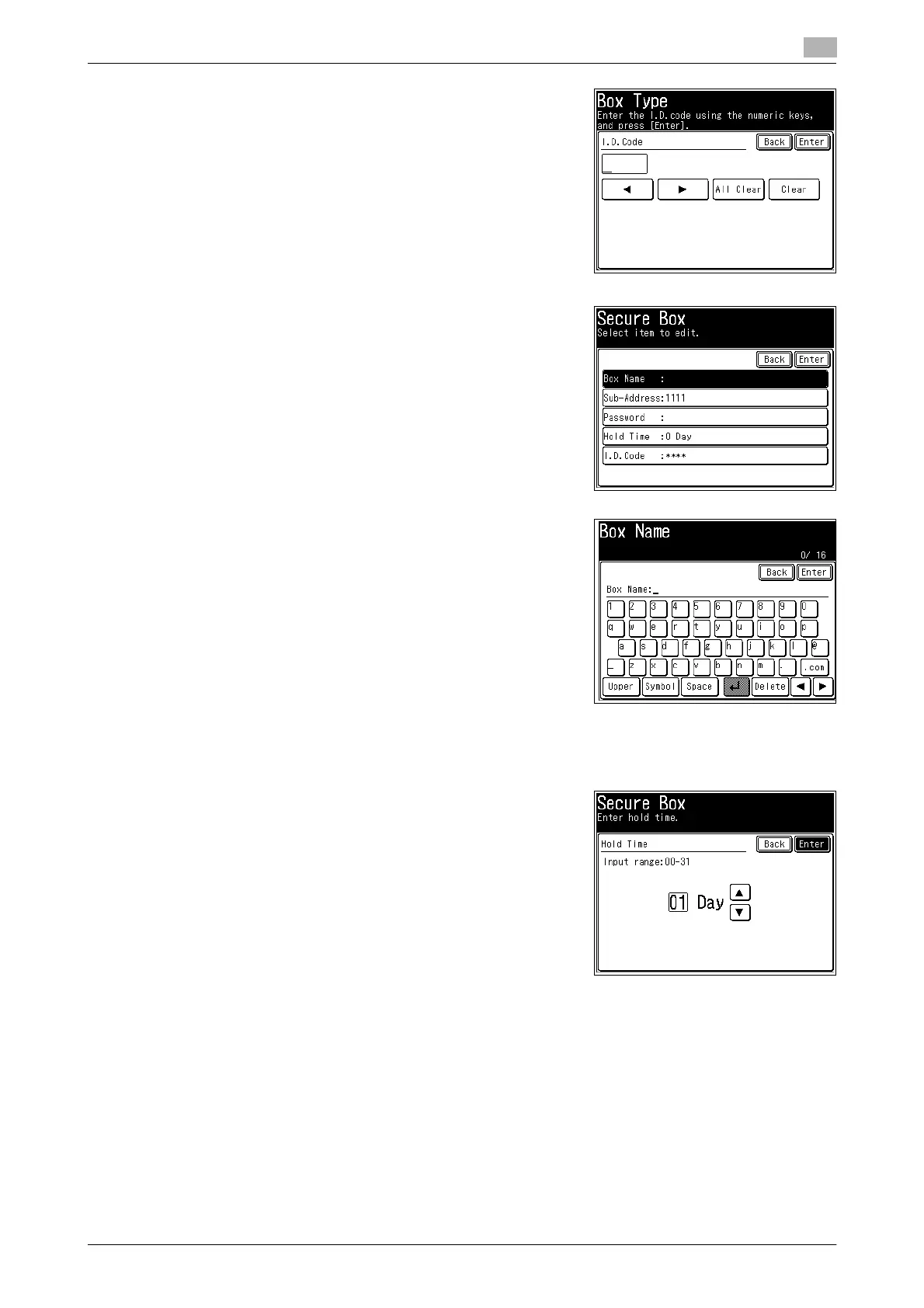
7 Enter the I.D. code using the numeric keys, and press [Enter].
8 To set the box name, press [Box Name].
% If you do not want to set it, proceed to step 10.
9 Enter the box name, and press [Enter].
% For details on entering characters, refer to Chapter 2, "En-
tering Characters" in the User's Guide Administrator Oper-
ations.
10 To set the storage period, press [Hold Time].
% If you do not want to set it, proceed to step 12.
11 Enter the storage period, and press [Enter].
% You can use [+], [,], and the numeric keys.
12 To set a password, press [Password].
% If you do not want to set it, proceed to step 14.


 To Next Page
 Loading...










