Konica Minolta 240f 6-5
6.1 Specifying destinations
6
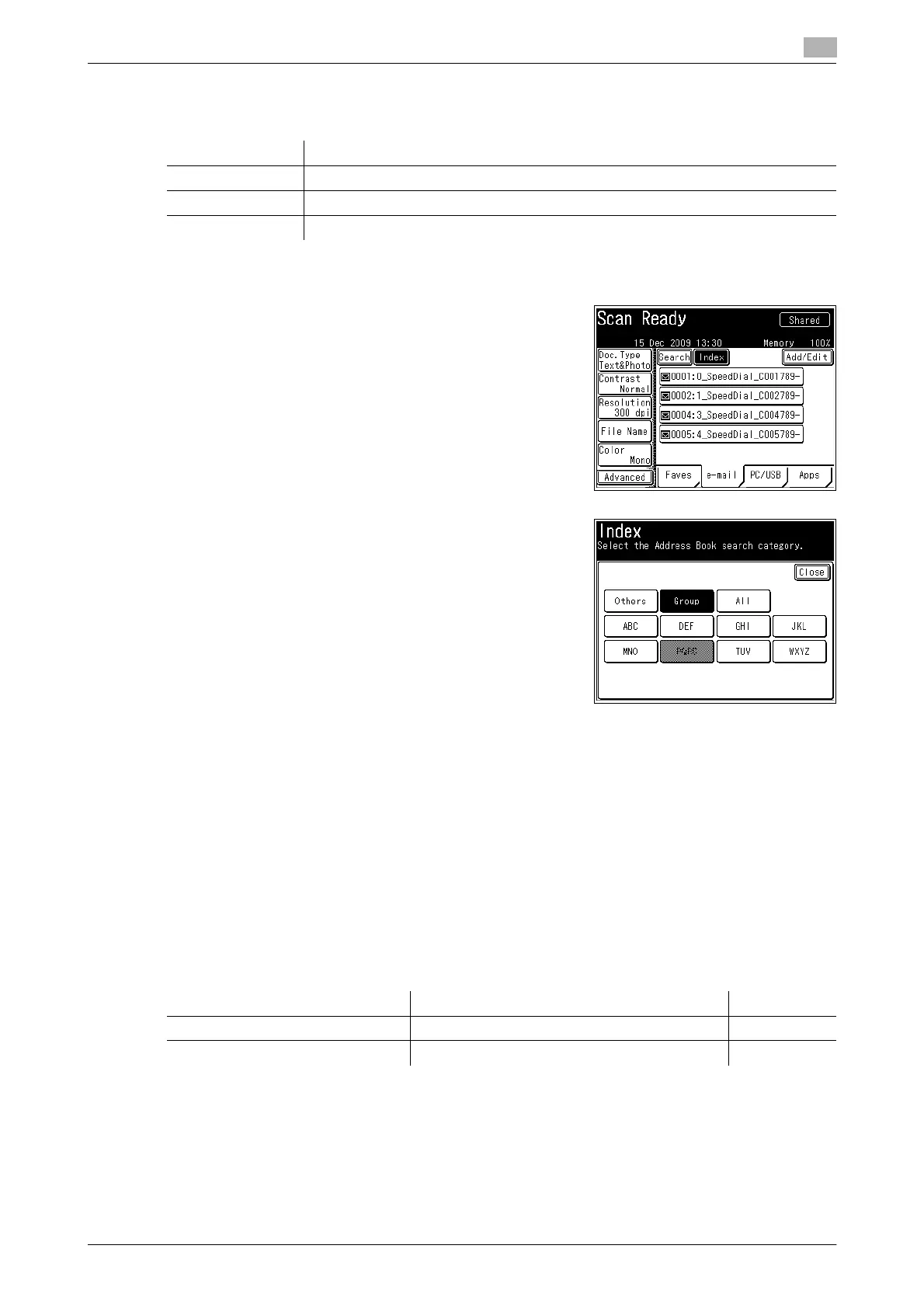
Using the [Index] function
When there are many destinations registered, you can press [Index] to sort or filter the displayed destinations.
1 Press <Scan> or <Fax>.
2 Press [Index].
% On the scanner screen, press the [e-mail] tab.
3 Press the desired button.
4 Select the destination.
% You can press the [Fax] tab on the fax screen to display destinations registered with a fax number.
You can also press the [e-mail] tab to display destinations registered with an e-mail address or the
[All] tab to display all destinations.
% If you enable the Broadcast function in advance, you can specify multiple destinations. For details,
refer to page 3-7 and page 4-7.
% Press [+] or [,] to switch the displayed pages.
% To use the personal address book, press <Personal Mode> to switch to the personal address book.
Perform a user login before using the personal address book. For details on logging in, refer to
Chapter 2, "Logging In / Logging Out" in the User's Guide Administrator Operations.
d
For details on registering destinations, refer to the following pages.
You cannot use prefixes when selecting a destination from the address book.
Item Description
Others Lists the destination names starting with a symbol or number.
Group Lists the registered group names.
[ABC] to [WXYZ] Lists the destination names starting with the selected alpha characters.
Destination Type Reference Page
Fax number or e-mail address Registering / Editing Address Book Destinations p. 8-3
Group Registering / Editing Groups p. 8-12














 To Next Page