Konica Minolta 240f 8-9
8.1 Registering destinations
8
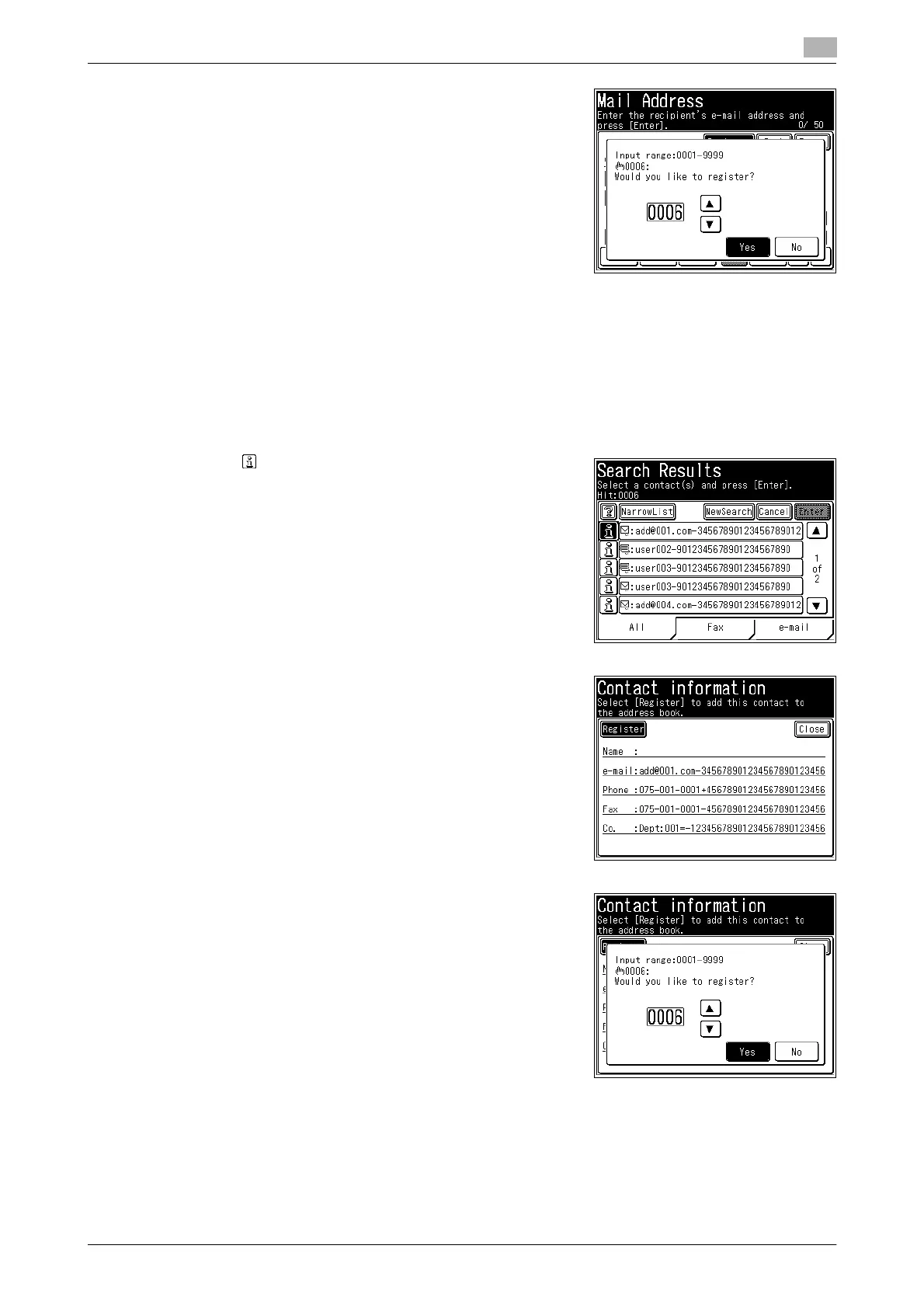
6 Select the button you want to register, and press [Yes].
% You can use [+], [,], and the numeric keys.
% Press [No] to return to the screen in step 4.
7 The procedure is then the same as for registering an address book destination. Continue from step 6
of Registering/editing. (page 8-4)
Useful registration method 4: Registering a search result
1 Search for a destination.
% See page 6-7 for how to search destinations.
2 Press on the screen displaying the search results.
3 Press [Register].
4 Select the button you want to register, and press [Yes].
% You can use [+], [,], and the numeric keys.
% Press [No] to return to the screen in step 2.
5 The procedure is then the same as for registering an address book destination. Continue from step 6
of Registering/editing. (page 8-4)














 To Next Page