Konica Minolta 240f 8-13
8.1 Registering destinations
8
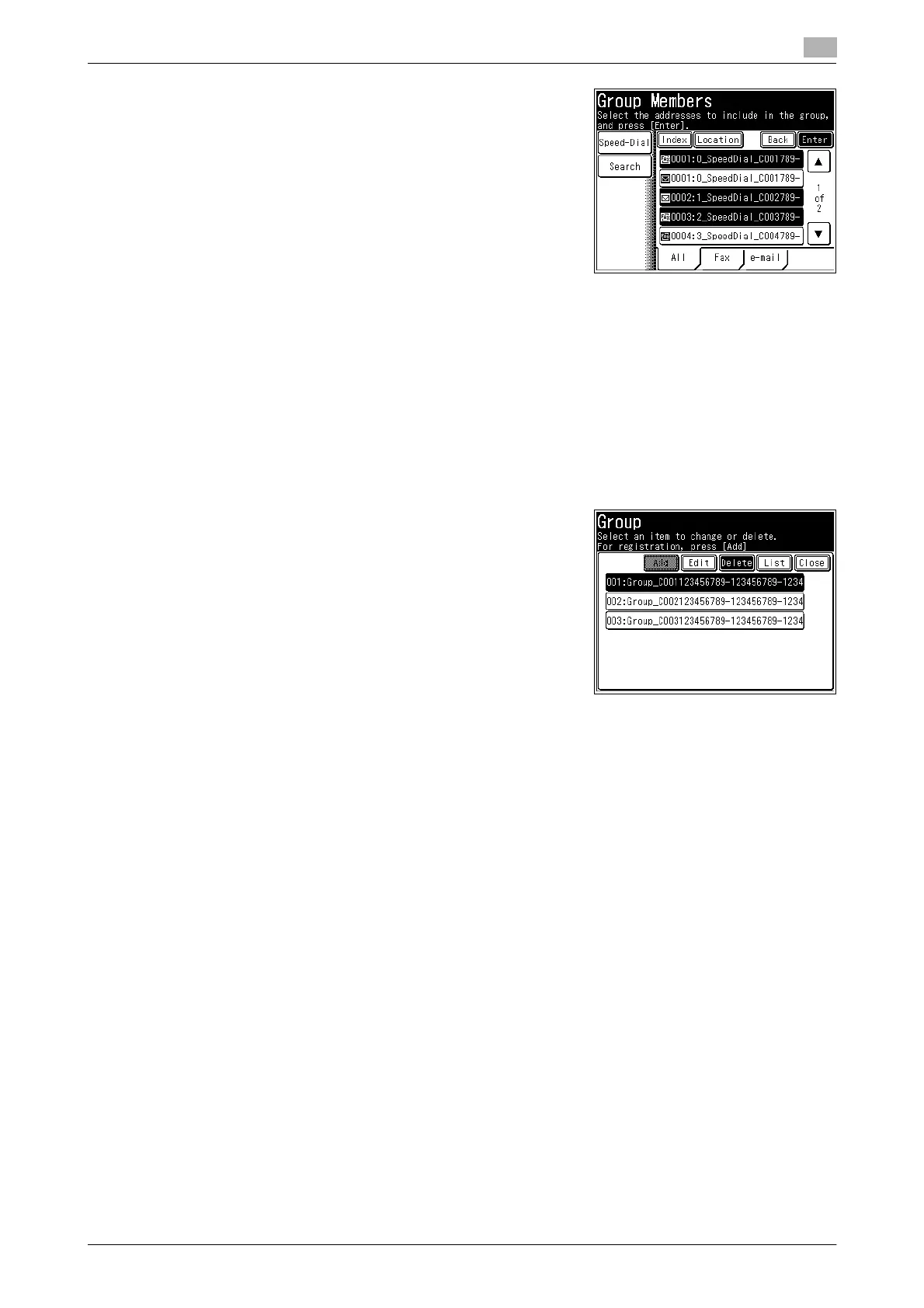
7 Select the destinations to register from the address book, and
press [Enter].
% Select a destination that is already selected to deselect it.
% If you press [Speed-Dial], you can select a destination us-
ing a search number. For details on selecting search num-
bers, refer to page 6-12.
% If you press [Search], you can search a destination. For de-
tails on searching destination, refer to page 6-7.
8 Press [Enter].
% To continue to register or edit groups, repeat the procedure in step 4 to 9.
Deleting
1 Press <Setting>.
2 Press [Register].
3 Press [Group].
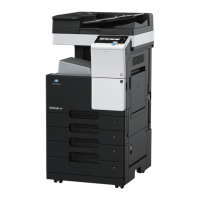
4 Select the group you want to delete, and press [Delete].
5 Press [Yes].
% Press [No] to close the screen without deleting the data.
% To continue deleting groups, repeat the operation in steps 4 to 5.









 To Next Page