Registering destinations
8
8-14 Konica Minolta 240f
8.1
Printing a group list
1 Press <Setting>.
2 Press [Register].
3 Press [Group].
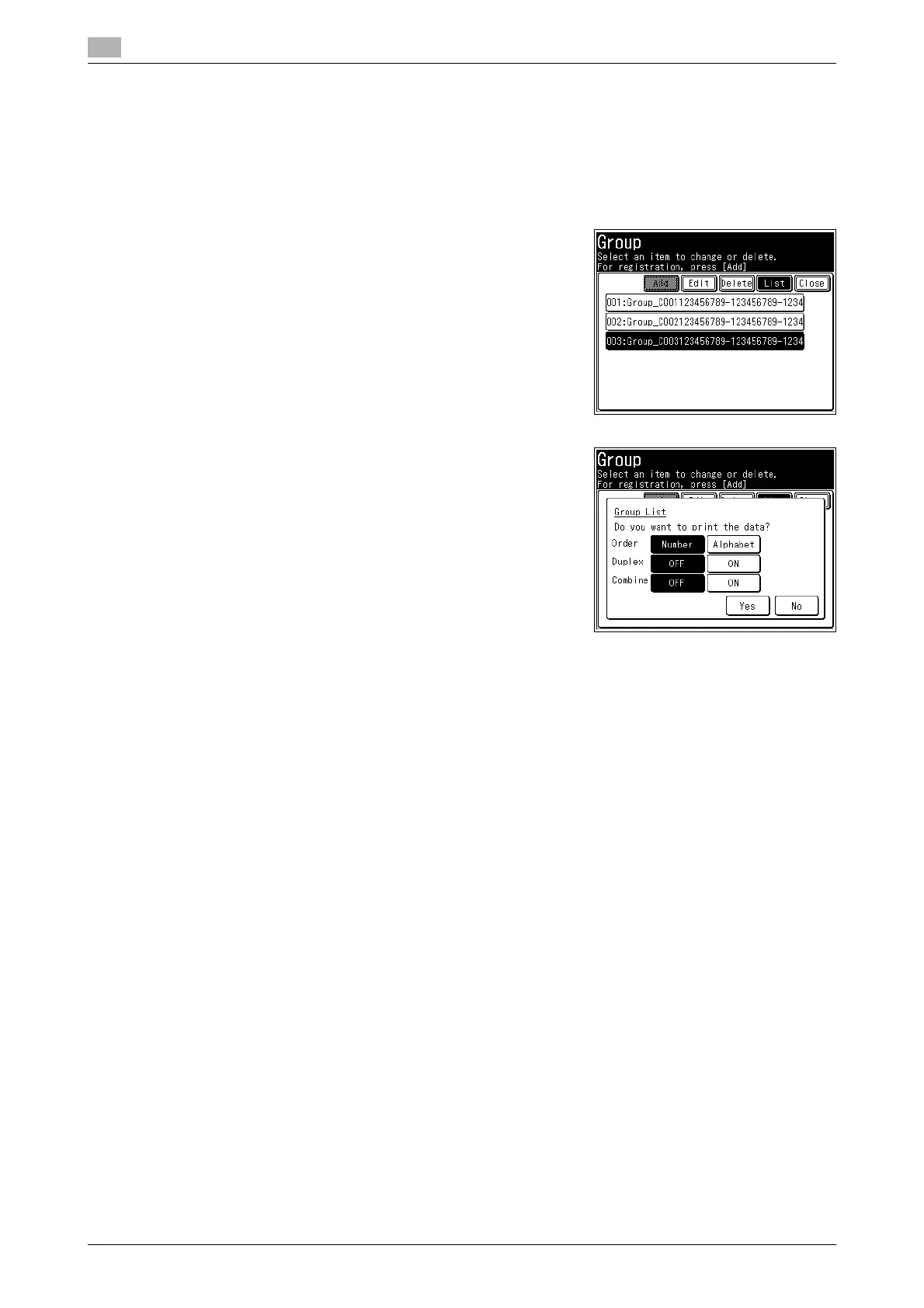
4 Select the group you want to print, and press [List].
5 Press [Number] or [Alphabet].
6 Select [ON] to enable duplex printing, or [OFF] to disable it.
7 Select [ON] to enable combined printing, or [OFF] to disable it.
8 Press [Yes].
d
The group list can also be printed from [Group List] in [List] after pressing <Setting>.









 To Next Page