Applications 8-31
Applications
Text/Photo Enhance (continued)
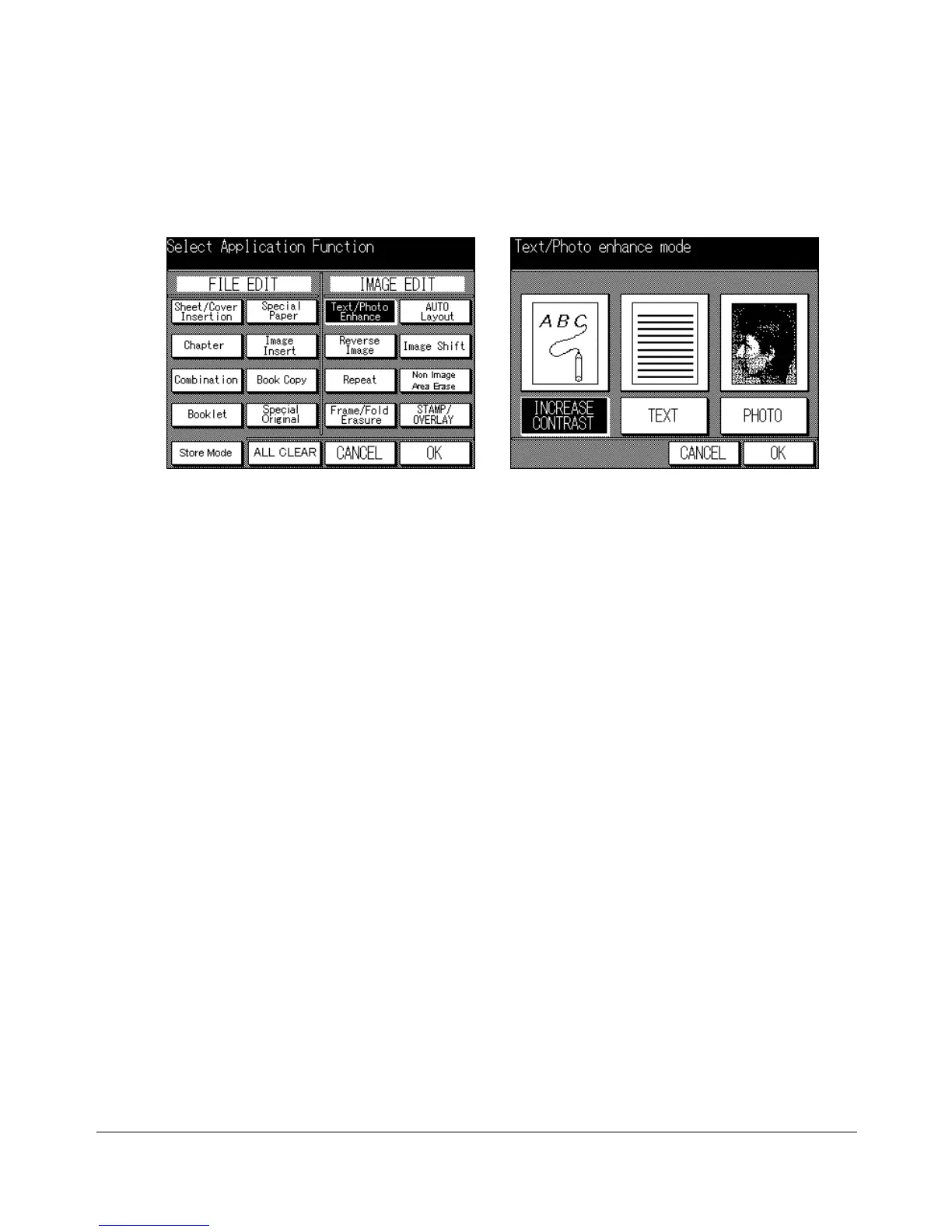
1 Press [APPLICATION] on the control panel to display the Application Selection
Screen.
2 Touch Text/Photo Enhance to enter the Text/Photo Enhance Screen.
3 Touch TEXT, PHOTO, or INCREASE CONTRAST, as required.
4 Touch OK to return to the Application Selection Screen.
5 Make additional application selections, or touch OK to return to the Basic Screen.
6 Enter the desire print quantity from the control panel keypad.
7 Position original(s) FACE UP in the document feeder or FACE DOWN on the platen
glass.
Option: Press [CHECK] to view the selection, and make the Proof copy, if desired; then touch EXIT to return
to the Basic Screen. See p. 6-29 to p. 6-30.
8 Press [START].
After copying is completed, press [AUTO RESET] to release the mode and reset the
machine.
Application Selection Screen Text/Photo Enhance Screen










 To Next Page