Key Operator Mode 11-55
Key Operator Mode
KRDS Host [16]
When activated, the Remote Diagnostics option is automatically monitored by a Konica
service representative. In case of machine trouble, select the KRDS host option. Your
service representative will contact you to determine the appropriate means for resolving
the problem.
❒ Setting options: Call for JAM; SC; No toner; No paper; Copy quality; Other reason
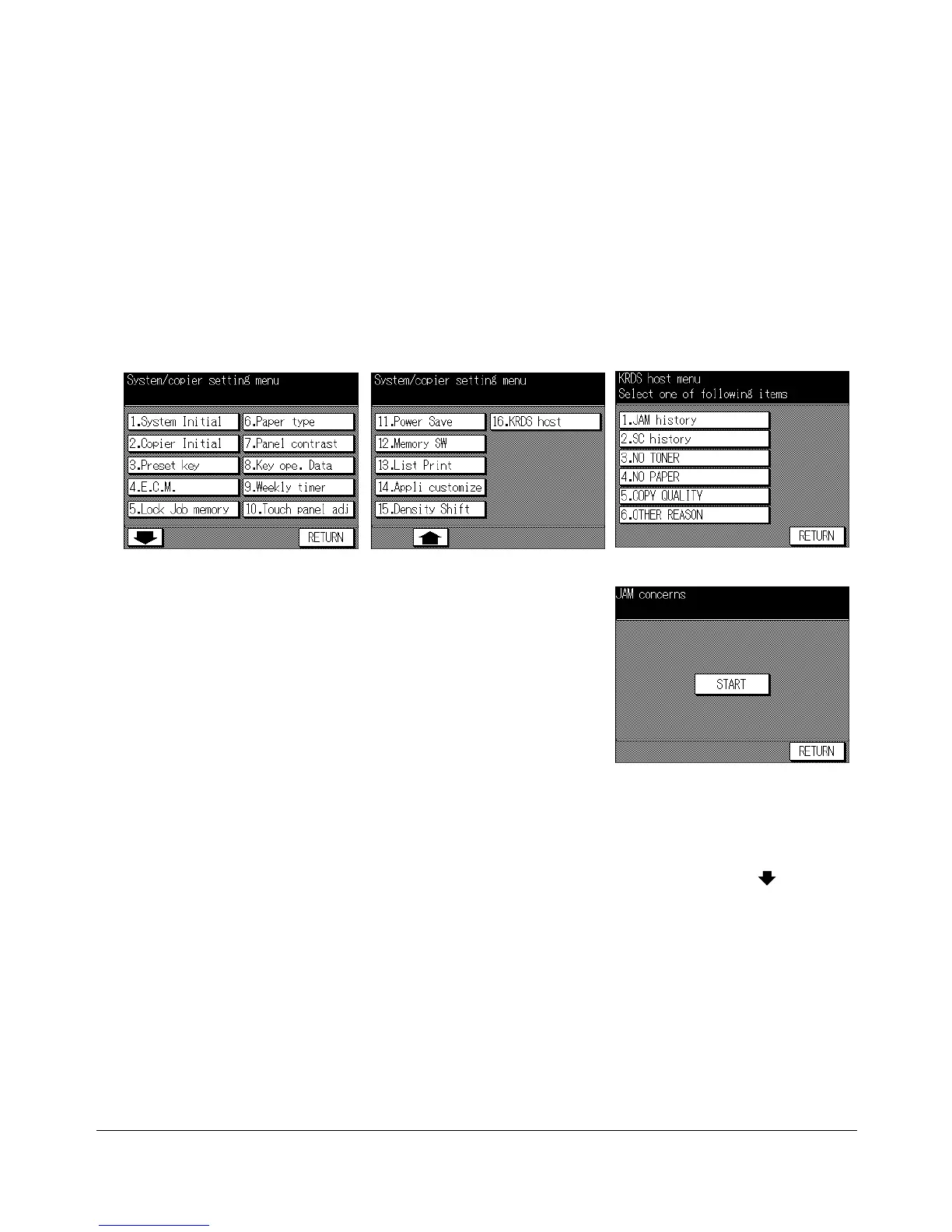
Key Operator Mode Screen 1 Key Operator Mode Screen 2 KRDS Host Menu Screen
Start Call Screen
1 Press [HELP] to display the Help Screen, then touch Key-Ope mode.
Enter a 4-digit key operator password, then touch OK to display the Key Operator
Mode Screen.
NOTE: If an invalid Key operator password is entered, continue by entering the valid 4-digit password.
2 To display menus 11. to 16. of the Key Operator Mode Screen, touch the Lower
arrow key.
3 Touch 16. KRDS host to display the KRDS Host Menu Screen.
4 Touch 1. JAM concerns, 2. SC concerns, 3. NO TONER, 4. NO PAPER, 5. COPY
QUALITY
, or 6. OTHER REASON, as required.
The Start Call Screen will be displayed.
5 Touch START to call remote service representative.
6 Touch RETURN to restore the Key Operator Mode Screen. If other key operator
settings are required, select the desired menu item.
7 If no further changes are required, touch RETURN to restore the Basic Screen to
perform copying operations.










 To Next Page