Key Operator Mode 11-15
Key Operator Mode
Copier Initial [2] (continued)
Non-Image Erase [6]
Select the mode of Non-Image Area Erase function to be in effect when this feature is
selected on the Application Selection Screen after power is turned on or after Auto/Reset
occurs.
❒ Setting options: Oblique erase, Rectangular erase; Original density Auto/Manual
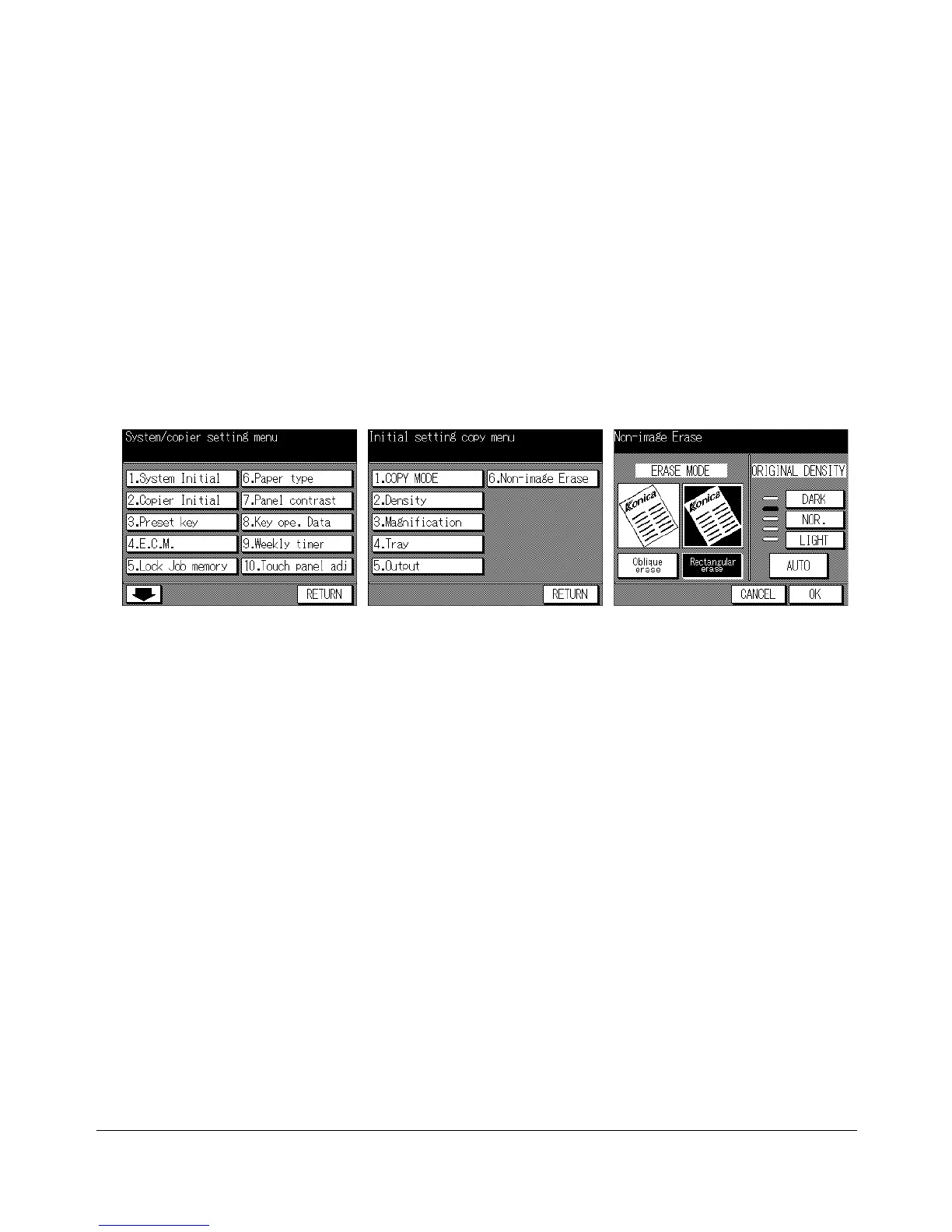
Key Operator Mode Screen
Copier Initial Setting Menu Screen
Non-Image Erase Initial
Setting Screen
1 Press [HELP] to display the Help Screen, then touch Key-Ope mode.
Enter a 4-digit key operator password, then touch OK to display the Key Operator
Mode Screen.
NOTE: If an invalid Key operator password is entered, continue by entering the valid 4-digit password.
2 Touch 2. Copier Initial to display the Copier Initial Setting Menu Screen.
3 Touch 6. Non-image Erase to display the Non-Image Erase Initial Setting Screen.
4 Touch Oblique erase or Rectangular erase, as desired.
You can also select the original density level to obtain the optimum copy effect using
this function. Touch AUTO, or select the density level required. Five exposure levels
are provided.
5 Touch OK to complete the setting and return to the Copier Initial Setting Menu
Screen. If other copier initial setting changes are required, touch the desired key.
6 Touch RETURN to restore the Key Operator Mode Screen. If other key operator
settings are required, touch the desired key.
7 If no further changes are required, touch RETURN to restore the Basic Screen to
perform copying operations.










 To Next Page