6-26 Basic Operations
Basic Operations
Rotation
This function allows you to utilize APS or AMS and copy the original size documents
onto size 8.5"x11" or 5.5"x8.5", irrespective of the copy paper loading direction.
By default, Rotation requires APS or AMS to function; however, the key operator may
set this function ON, OFF, to operate when APS, AMS or reduce functions, or to operate
when APS functions. See p. 11-46 to p. 11-50.
❒ Rotation copying uses memory.
❒ Copy size: 8.5"x11", 8.5"x11"R, 5.5"x8.5" (landscape type loading (
) only)
❒ Original size: 11"x17", 8.5"x14", 8.5"x11", 8.5"x11"R, 5.5"x8.5", 5.5"x8.5"R
❒ Incompatible: Book Copy, Repeat, AUTO layout, Non-image area erase
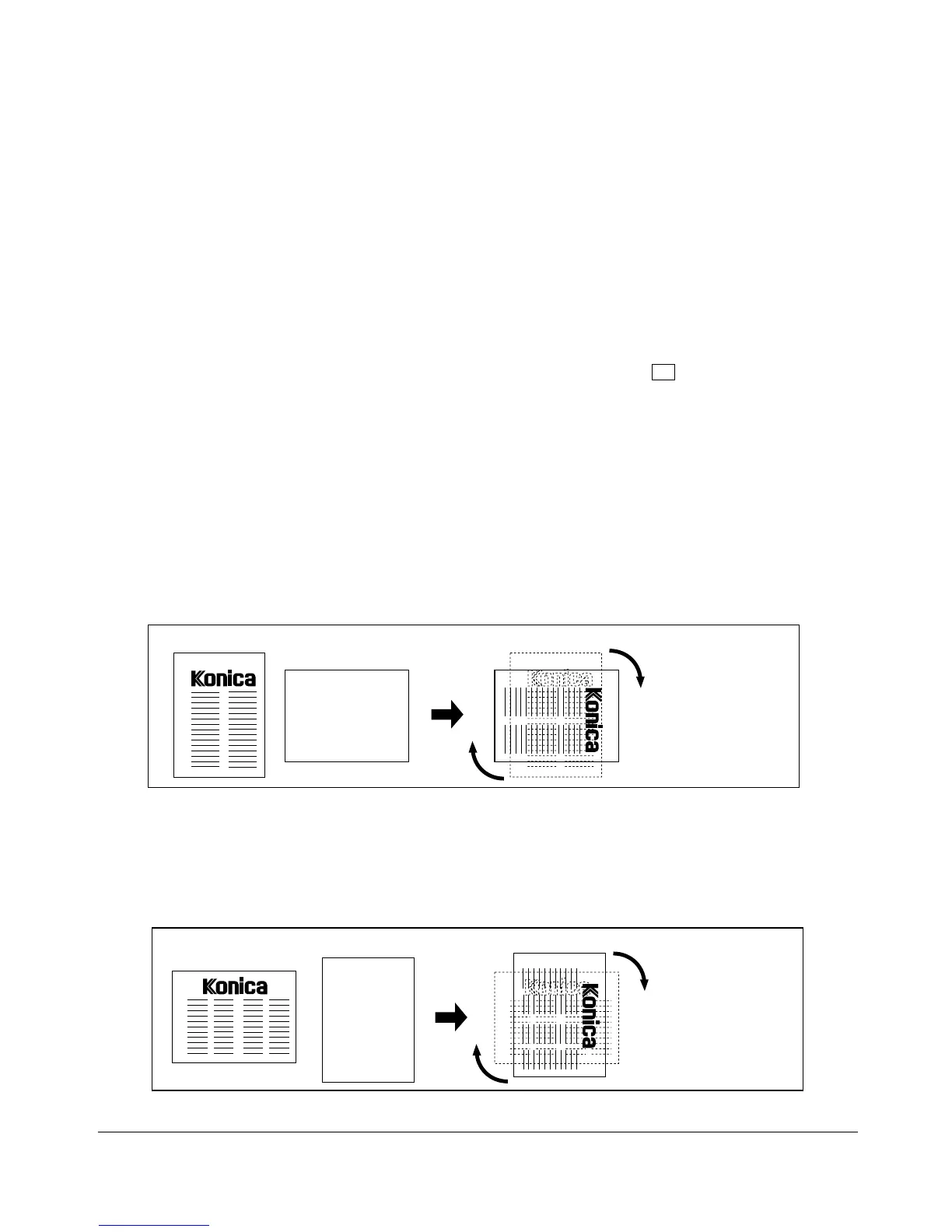
Rotation and APS
In APS, the copier automatically copies onto the same paper size as the original(s) in 1:1.
For example, when size 8.5"x11" copy paper is loaded in the tray in landscape
orientation and the copier detects that the original is placed in portrait orientation,
Rotation and APS function together to rotate the original image by 90° and output the
8.5"x11" copy to match the orientation of the copy paper.
Similarly, when size 8.5"x11" copy paper is loaded in the tray in portrait orientation and
the copier detects that the original is placed in landscape orientation, Rotation and APS
function together to rotate the original image by 90° and output the 8.5"x11" copy to
match the orientation of the copy paper.
Original Copy paper Rotation and APS
APS cannot be
used alone.
Original Copy paper Rotation and APS
APS cannot be
used alone.










 To Next Page