8-32 Applications
Applications
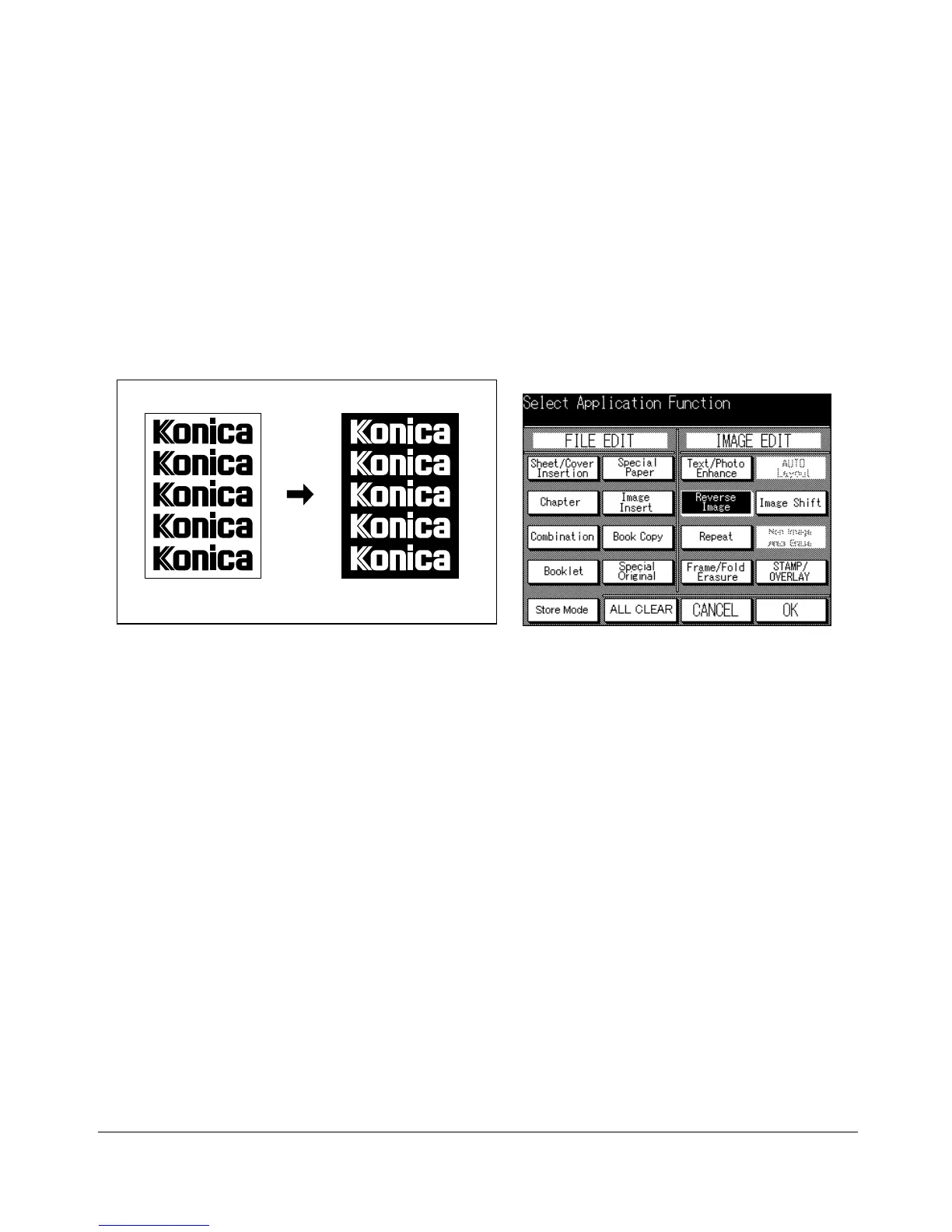
Reverse Image
Use Reverse image to reverse the image from black-on-white to white-on-black, and
vice versa.
❒ Incompatible Basic Copying Conditions: None
❒ Incompatible Output Modes: None
❒ Incompatible Applications: AUTO Layout, Non-Image Area Erase
Original Reverse Image copying
Application Selection Screen
1 Press [APPLICATION] on the control panel to display the Application Selection
Screen.
2 Touch Reverse Image. The incompatible function keys will be dimmed to show
inactivity.
3 Make additional application selections, or touch OK to complete the setting and
return to the Basic Screen.
4 Enter the desired print quantity from the control panel keypad.
5 Position original(s) FACE UP in the document feeder or FACE DOWN on the platen
glass.
Option: Press [CHECK] to view the selection, and make the Proof copy, if desired; then touch EXIT to return
to the Basic Screen. See p. 6-29 to p. 6-30.
6 Press [START].
After copying is completed, press [AUTO RESET] to release the mode and reset the
machine.










 To Next Page