11-16 Key Operator Mode
Key Operator Mode
Preset Key [3]
Set two USERSETs of copy density and three Presets of magnification.
Density [1]
Output copying samples from 16 density levels from LIGHT to NORMAL or NORMAL to
DARK, then select the desired exposure and program it as Userset 1 or 2.
The programmed copy density can be recalled by selecting USER 1 or USER 2 on the
Basic Screen.
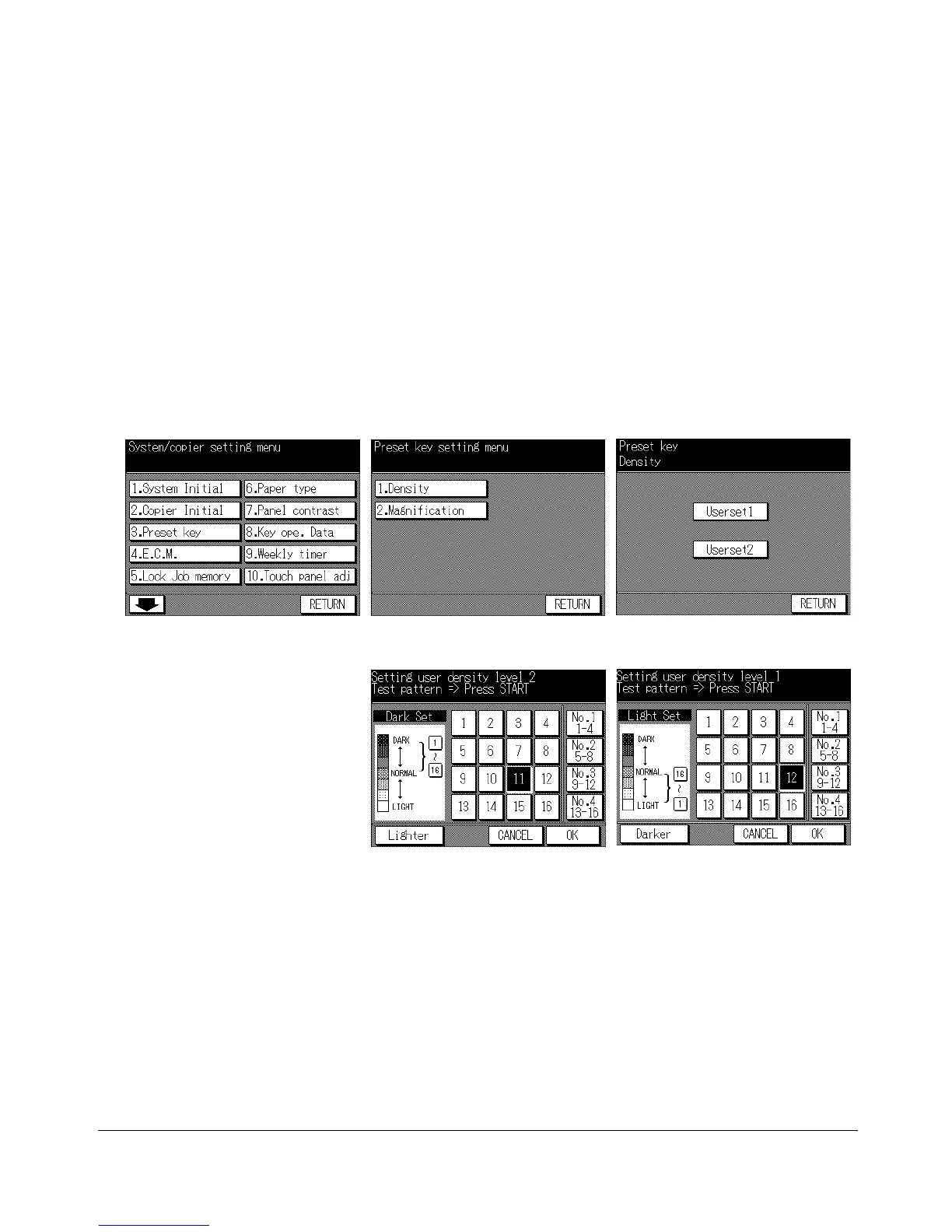
Key Operator Mode Screen Preset Key Setting Menu Screen Userset Density Selection Screen
Userset Density Darker Setting Screen Userset Density Lighter Setting Screen
1 Press [HELP] to display the Help Screen, then touch Key-Ope mode.
Enter a 4-digit key operator password, then touch OK to display the Key Operator
Mode Screen.
NOTE: If an invalid Key operator password is entered, continue by entering the valid 4-digit password.
2 Touch 3. Preset key to display the Preset Key Setting Menu Screen.
3 Touch 1. Density to display the Userset Density Selection Screen.
4 Place the original on the platen glass.
5 Touch Userset 1 or Userset 2. The Userset Density Darker Setting Screen will be
displayed.










 To Next Page