Paper Information 4-5
Paper Information
Using the Reversing Automatic Document Feeder (RADF) (continued)
Positioning Mixed Originals
Mixed size originals can be copied together from the document feeder in either APS
mode or AMS mode. In APS mode, copies will be output on mixed paper sizes to match
the originals. In AMS mode, copies will be output on one common paper size that you
select in which case an appropriate AMS magnification ratio will be selected
automatically. To use the mixed original mode, see procedure on p. 8-23 to p. 8-24.
❒ Mixed original size: 11"x17", 8.5"x14", 8.5"x11" and 5.5"x8.5" mixed (16 lb~32 lb)
8.5"x14", 8.5"x11"R, 8.5"x11" and 5.5"x8.5" mixed (16 lb~32 lb)
5.5"x8.5"R original is available in horizontal direction only.
❒ RADF capacity: Max. 50 sheets
❒ Print quantity: Max. 999 sheets
❒ Incompatible: Rotation exit, Staple-sort, V/H zoom, Sheet/Cover Insertion, Combination,
Booklet, Transparency Interleaving and Thin/Thick Paper modes in Special Paper, Image
Insert, Book Copy, Repeat, AUTO Layout, Image Shift, Non-Image Area Erase, STAMP/
OVERLAY
Before using the Mixed Original mode, be sure the document feeder is closed
completely.
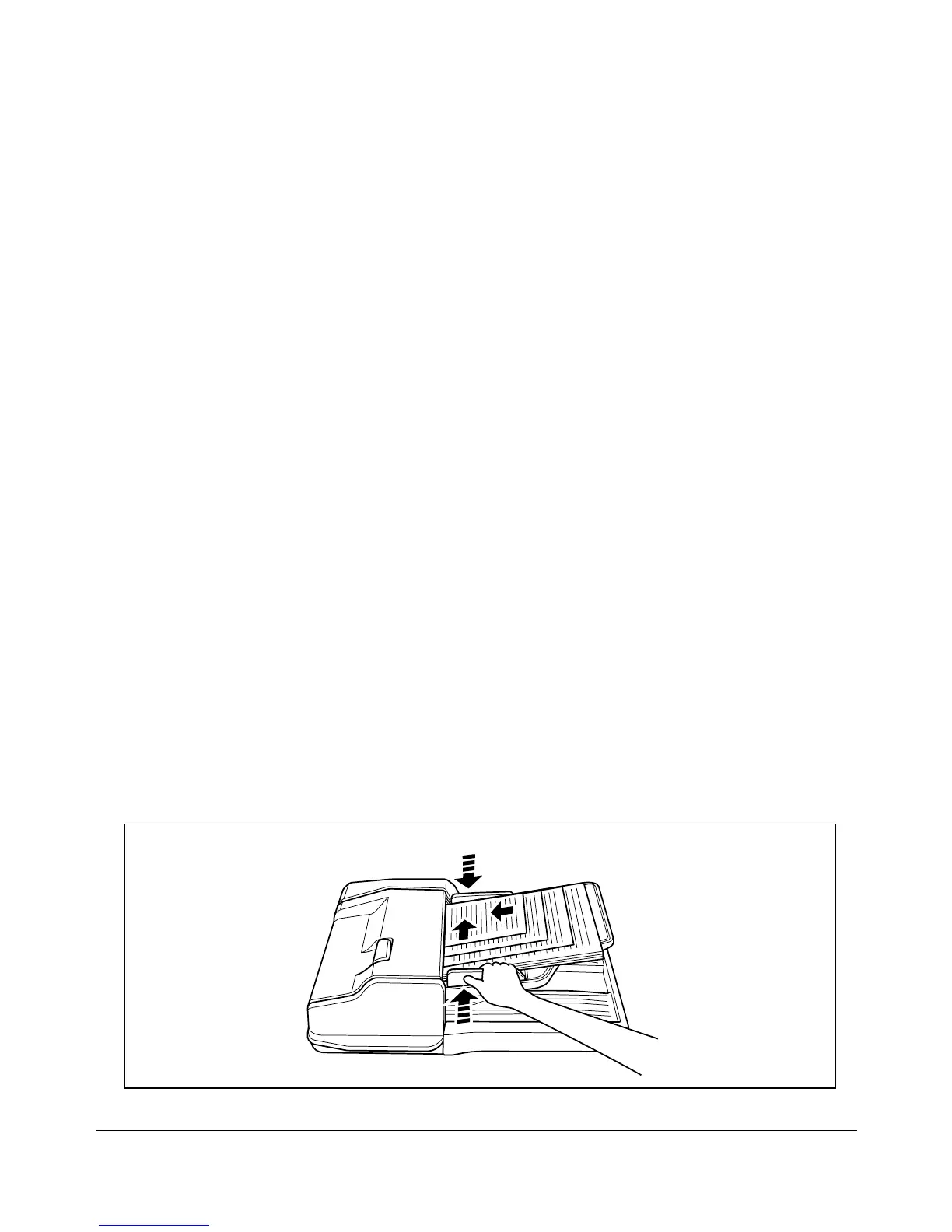
1 Arrange originals in order, and place them as described below:
Place 11"x17"/8.5"x14" originals face up or side 1 up in the document feeder, in
landscape orientation, i.e., with short edge feeding.
Position 8.5"x11" and 5.5"x8.5" sizes in either portrait or landscape orientation.
2 Position mixed originals FACE UP, aligned with the left rear side of the RADF tray.
3 Adjust the original guide to originals.










 To Next Page