Basic Operations 6-21
Basic Operations
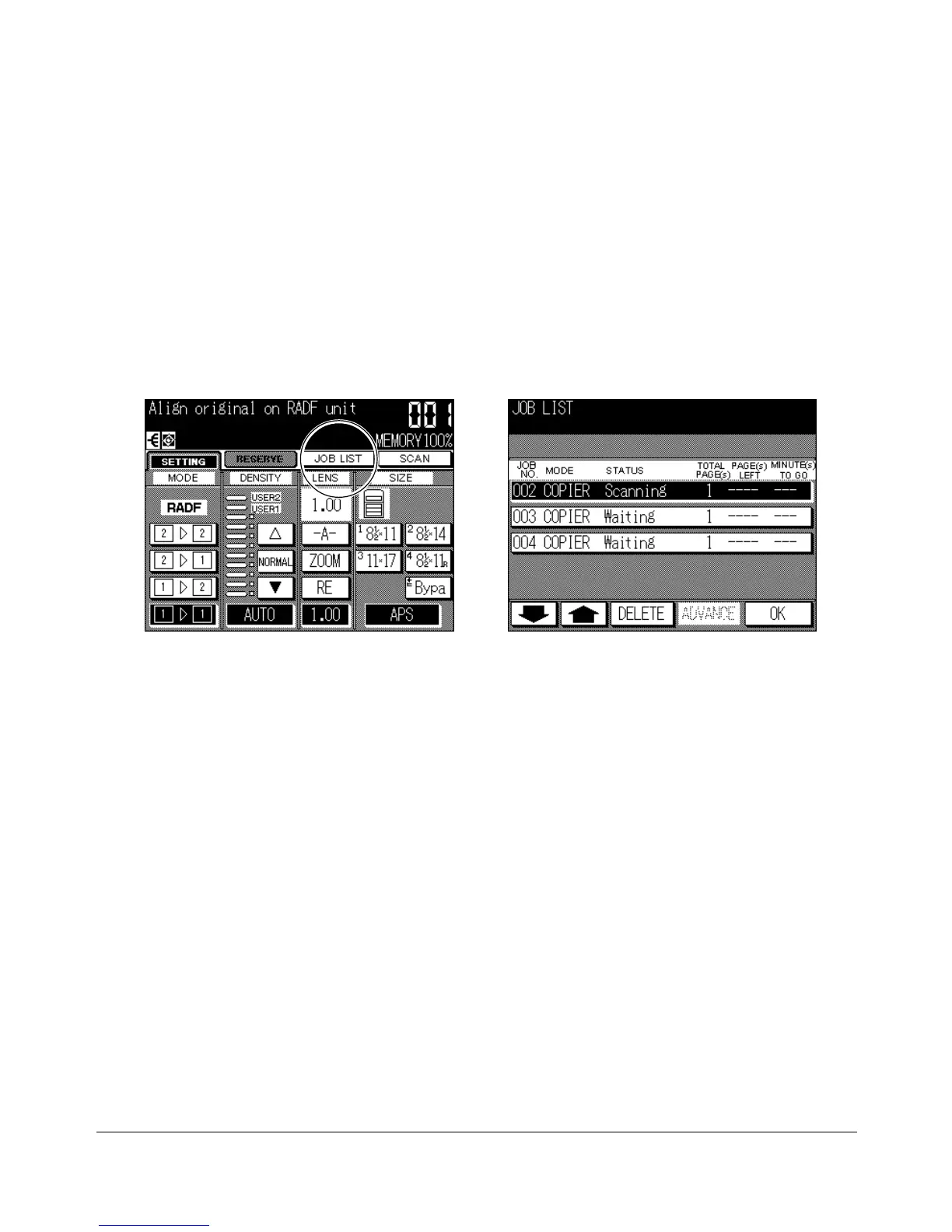
Job List Screen
Touch the JOB LIST key on the Basic Screen to display the Job List Screen (see below).
The Job List Screen allows you to perform the following functions.
• Confirm machine status
• Change order of reserve job
• Delete reserve job
To return to the Basic Screen, touch OK on the Job List Screen.
To change the order of reserve job
1 Touch the lower/upper arrow key to highlight the desired reserve job.
2 Touch ADVANCE. The highlighted reserve job is advanced by one in printing order
unless the job preceding the selected one is already in progress.
3 To return to the Basic Screen, touch OK on the Job List Screen.
To delete reserve job
1 Touch the lower/upper arrow key to highlight the desired reserve job.
2 Touch DELETE. The Job Clear Confirmation Screen will be displayed.
3 Touch YES. The highlighted reserve job is cleared.
3 To return to the Basic Screen, touch OK on the Job List Screen.
Basic Screen
Job List Screen










 To Next Page