Key Operator Mode 11-35
Key Operator Mode
Weekly Timer [9] (continued)
Weekly Timer Setting [1]
❒ Setting options: Weekly timer ON; OFF
❒ Default setting: Weekly timer OFF
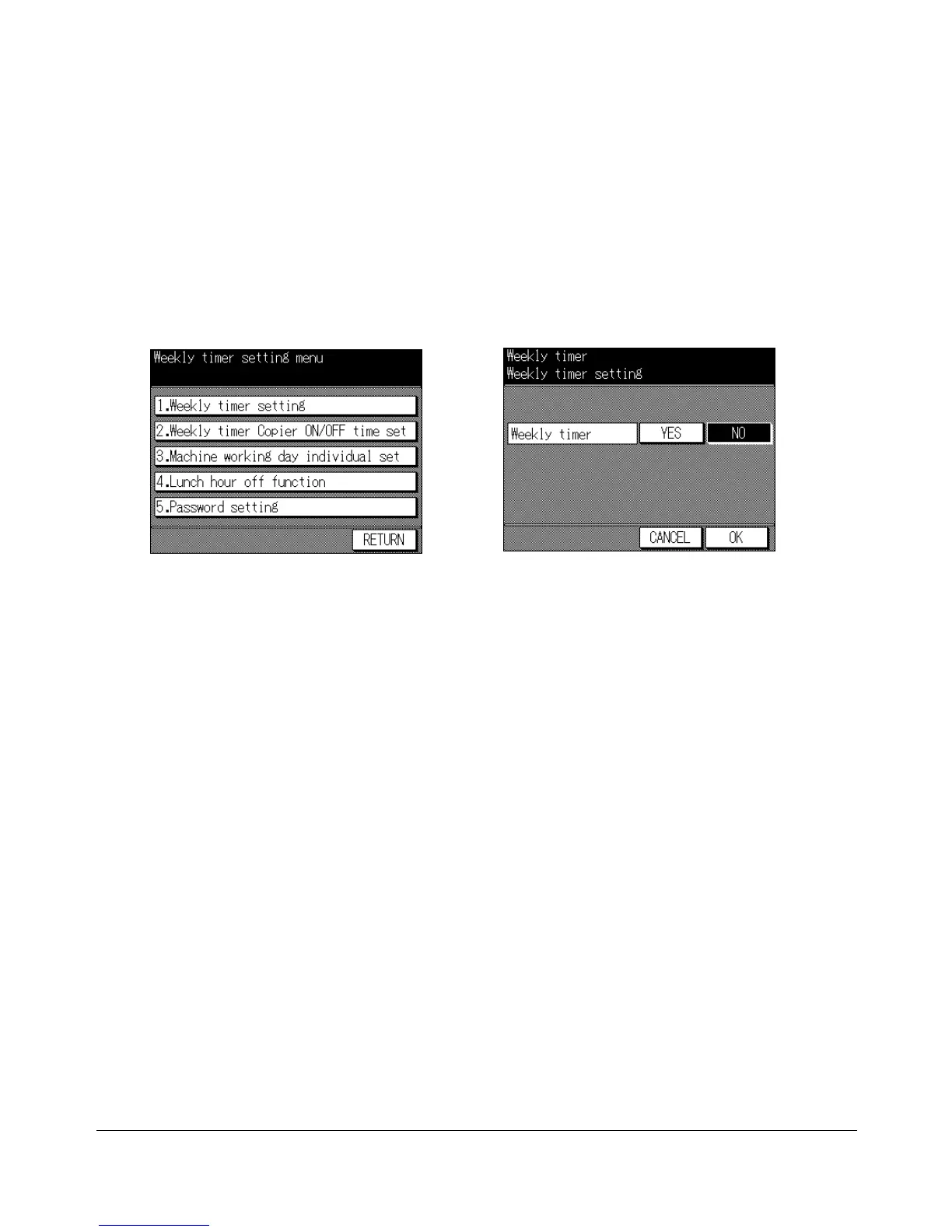
Weekly Timer Setting Menu Screen W.T. ON/OFF Setting Screen
1 Press [HELP] to display the Help Screen, then touch Key-Ope mode.
Enter a 4-digit key operator password, then touch OK to display the Key Operator
Mode Screen.
NOTE: If an invalid Key operator password is entered, continue by entering the valid 4-digit password.
2 Touch 9. Weekly Timer. Enter your 4-digit Weekly timer master key code, then touch
OK to display the Weekly Timer Setting Menu Screen.
NOTE: If an invalid Weekly timer master key code is entered, continue by entering the valid 4-digit code.
3 Touch 1. Weekly timer setting to display the Weekly Timer ON/OFF Setting Screen.
4 Touch YES to activate Weekly timer, or touch NO to de-activate Weekly timer.
The selected key will be highlighted.
5 Touch OK to complete the setting and return to the Weekly Timer Setting Menu
Screen. If other Weekly timer settings are required, select the desired menu item.
6 Touch RETURN to restore the Key Operator Mode Screen. If other key operator
settings are required, select the desired menu item.
7 If no further changes are required, touch RETURN to restore the Basic Screen to
perform copying operations.










 To Next Page