4-2 Paper Information
Paper Information
Positioning Originals on the Platen Glass
Positioning an Original for Manual Copying
Use the platen glass when originals are not suitable for use with the document feeder,
e.g., when size is incompatible, or when originals are folded, stapled, torn, or in
generally poor condition. When copying from the platen glass, Automatic Paper
Selection (APS) operates unless the setting is changed by the key operator.
Specifications
❒ All capacities are stated for 20 lb bond paper
❒ Max. original size: 11"x17" (280mmx432mm), sheet or book
❒ Max. book weight/thickness: 15 lb [6.8kg]/1.2" [30mm]
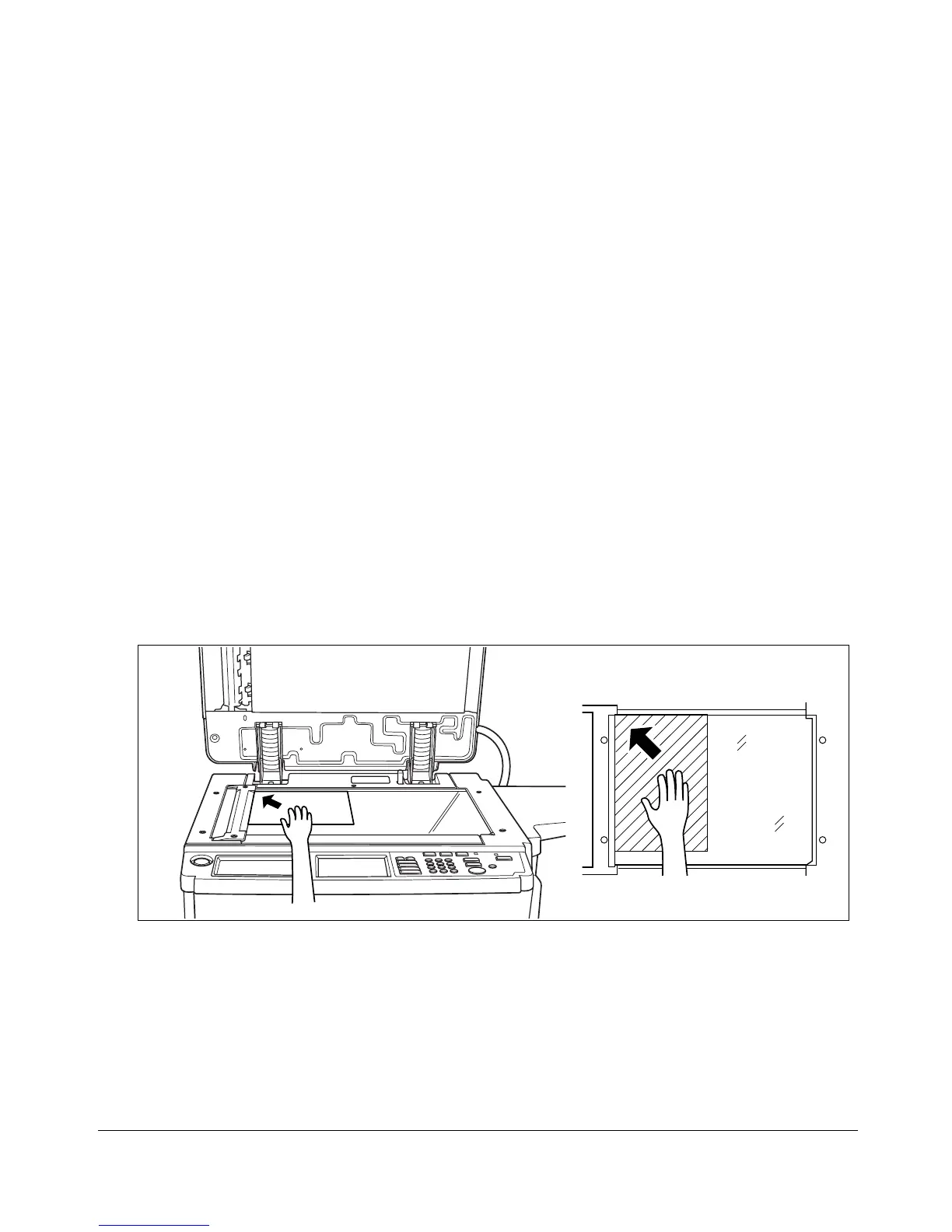
❒ Original placement: Face down in left rear corner of glass
❒ Orientation (portrait-landscape): Same as copy paper
1 Raise the document cover, as shown in the illustration below.
2 Place original FACE DOWN in the left rear corner, aligning the edge with the left
measuring guide.
3 Gently close the document cover, to prevent the original from shifting on the glass.
TIP:
To eliminate black copy marks on edges when copying from a book without selecting Book Copy mode, select
Frame/Fold Erasure or Non-image Area Erase in Application mode.










 To Next Page