2-6 Safety Information
Safety Information
Machine Installation and Power Requirements
CAUTION:
FAILURE TO HEED THE FOLLOWING CAUTIONS MAY RESULT IN BODILY INJURY AND/OR
MACHINE DAMAGE
❒ FIRE PREVENTION
Install machine away from flammable or volatile materials. Routinely check for abnormal
heat from power cord and/or plug.
❒ SHORT CIRCUIT FROM WATER DAMAGE
Do not install or operate this equipment outdoors near a lake, pond, or river, etc.; and do
not allow the machine to come in contact with splashes of rain, water, or any liquid.
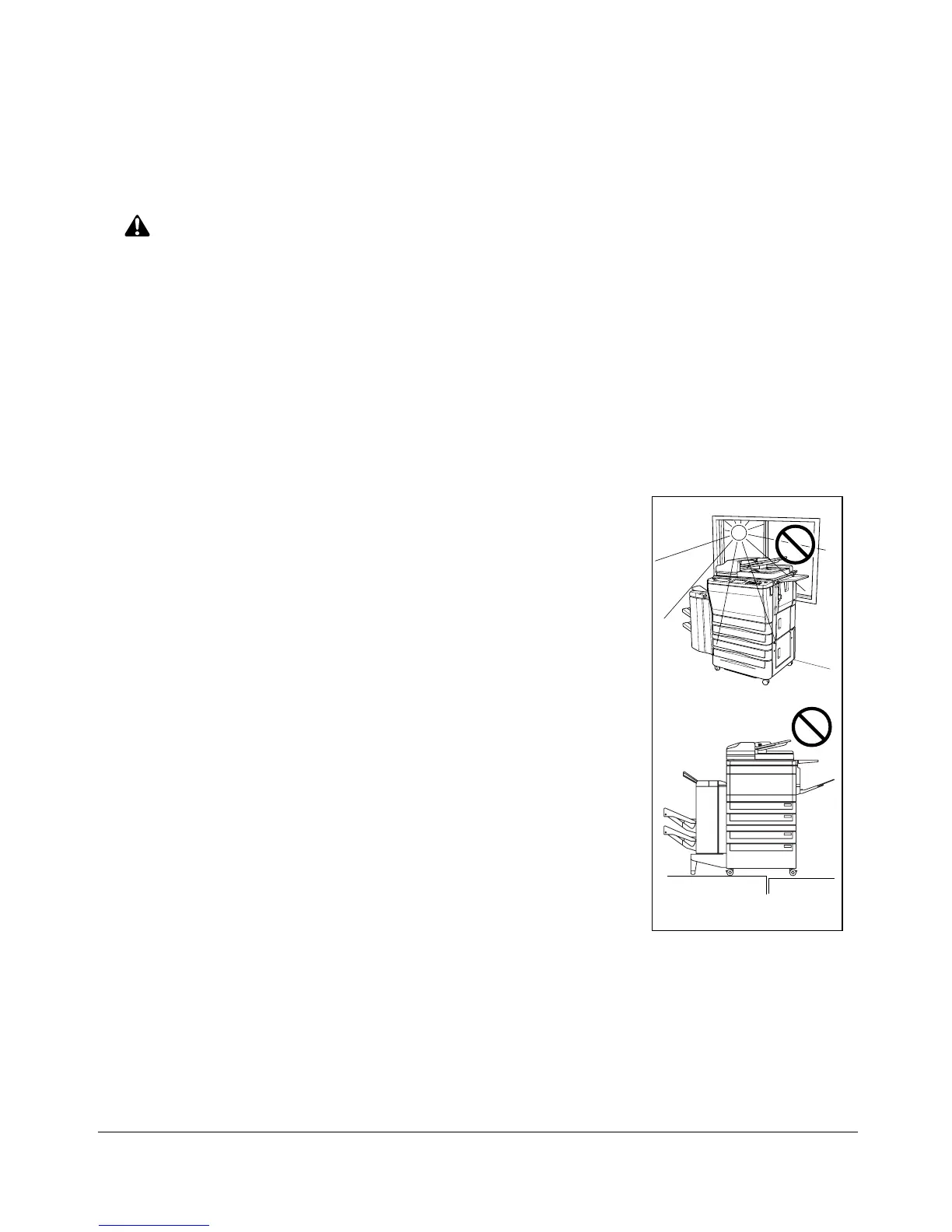
❒ TEMPERATURE AND HUMIDITY
Install the machine away from direct sunlight, heat sources
(stoves, heaters) and cold temperatures (air conditioners).
Avoid any environment that is outside 50°C~86°F
(10°~30°C), with 10~80% humidity.
❒ VENTILATION
Do not allow the machine to come in contact with dust or
ammonia gas, or fumes from printing or cleaning solutions,
etc.; otherwise, image quality will be poor. Install the
machine in a well-ventilated area, for comfort; otherwise, an
ozone odor will be detected during large copy runs. When in
use, the copier generates ozone in amounts too small to be
hazardous to the human body.
❒ VIBRATIONS
If the machine is constantly vibrated or jolted, trouble may
occur. Install the machine on a level, horizontal floor, free
from vibrations.
❒ SPACE ALLOTMENT
Install machine in an area with adequate space for performing copier operations;
replacing supply items; and for conducting preventive maintenance. See Site
Requirements, Section 3.
❒ MACHINE RELOCATION
Before moving the machine to another location, contact your Konica service
representative.
Temperature
Vibration










 To Next Page