6-6 Basic Operations
Basic Operations
Copy Mode (continued)
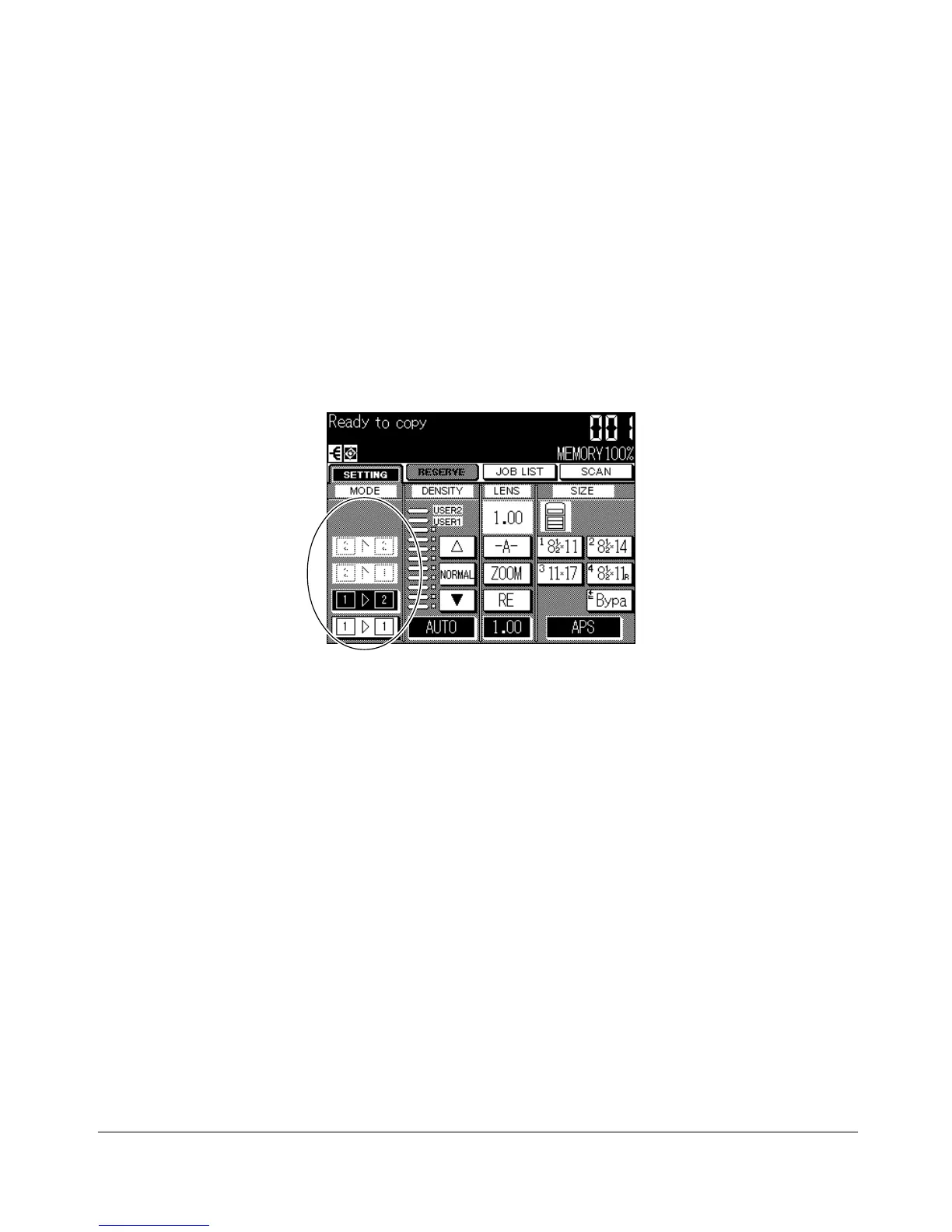
1-2 Copy Mode Using Platen Glass
When copying in 1-2 mode from the platen glass, use the Platen store mode. Refer to p.
4-2 for details on positioning originals.
❒ Incompatible Basic Copying Conditions: Using RADF
❒ Incompatible Applications: Transparency Interleave, Image Insert
1 Open the document feeder. The RADF indication on the Basic Screen will disappear
and the
xx
xx
xss
zz
zz
z and
xx
xx
xss
xx
xx
x keys will be dimmed to show inactivity.
2 Position original FACE DOWN on the platen glass, then close the document feeder.
IMPORTANT: PLACE AND SCAN ORIGINALS IN REGULAR ORDER OF PAGINATION.
3 Touch
zz
zz
zss
xx
xx
x, then make the desired copying selections.
Some function keys will appear dimmed if they are incompatible with other selections
made.
4 Enter the desired print quantity from the control panel keypad.
5 Touch SCAN on the Basic Screen. The original image will be stored into memory.
6 Repeat steps 1, 2, and 5 until all originals are scanned.
To delete the scanned data without printing, press [STOP/CLEAR].
7 Press [START] to print.
Basic Screen (with 1-2 mode selected)










 To Next Page