8-42 Applications
Applications
Non-Image Area Erase
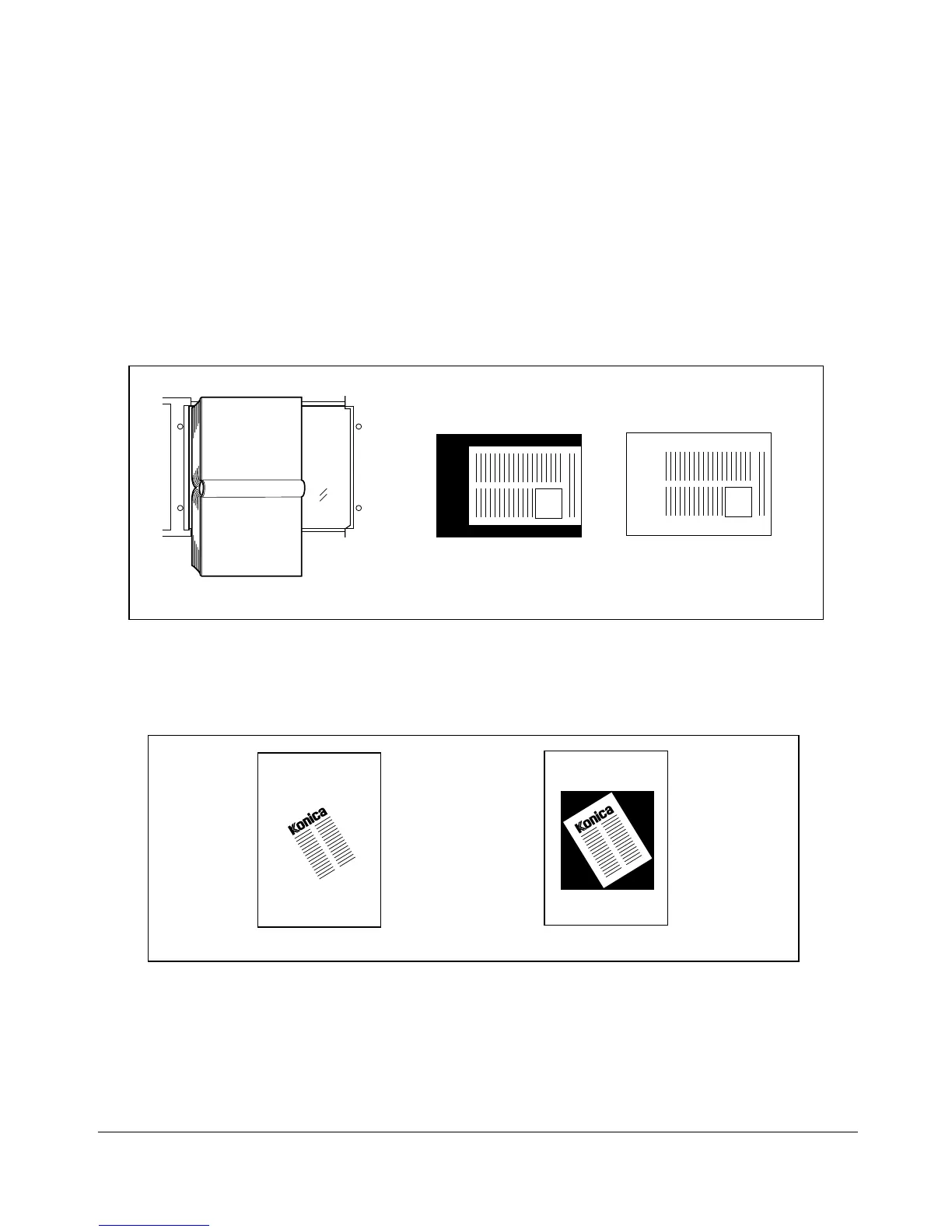
The Non-image area erase mode is used to copy non standard or special originals, such
as books, magazines, paste-ups, graphs, thin or thin materials, etc. from the platen
glass. The exposed glass area outside the borders of the original will not be copied.
This mode helps to preserve the condition of originals, improves copy quality, and
eliminates unnecessary toner consumption. Keep the document cover open throughout
the procedure.
The Non-image area erase has two modes; namely, Rectangular erase mode and
Oblique erase mode. The copier is initially set to Oblique erase mode. This initial setting
can be changed in Key operator mode. See p. 11-15.
Set original
General copying
Non-Image Area Erase
❒ Use the platen glass (RADF cannot be used). Keep RADF open throughout the procedure.
❒ Copy mode: 1-1 mode only (When using Platen store mode, 1-2 mode can be selected.)
❒ Original size: 11"x17" ~ 10mm x 10mm
❒ Image cutoff width: leading end 5mm, trailing end 4mm, top and bottom 2mm.
Oblique erase mode
Rectangular erase mode










 To Next Page