Maintenance & Supplies
12-4 Maintenance
Loading Paper (continued)
Programming Copy Size of Universal Tray
When changing the paper size of the universal tray as described in the previous page,
perform the procedure below to program the new size.
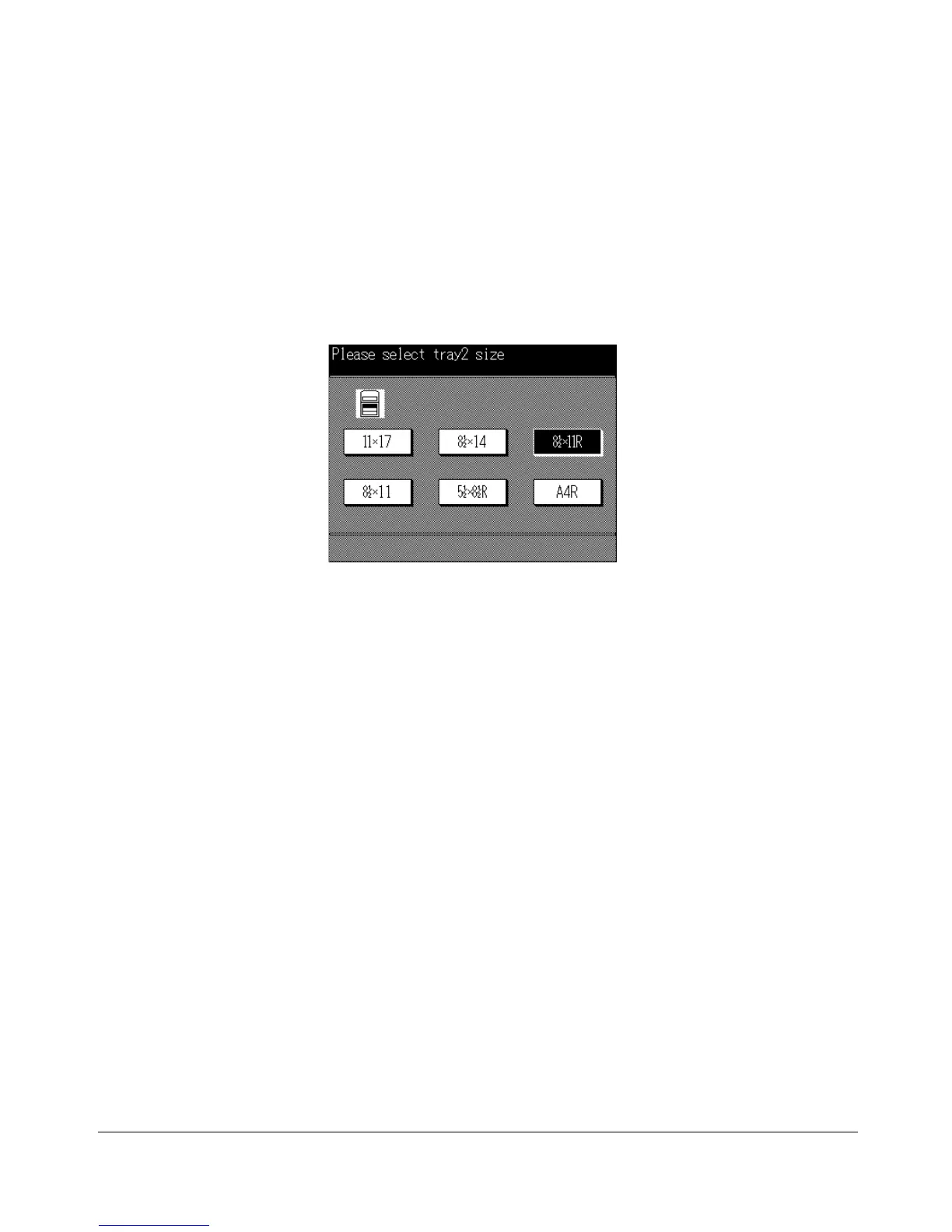
Universal Tray Size Selection Screen
1 When the paper size of the universal tray is changed, the Basic Screen will
automatically change to the Universal Tray Size Selection Screen.
NOTES:
1 The Universal Tray Size Selection Screen cannot be displayed if any screen other than the Basic
Screen is displayed.
2 Pressing [AUTO RESET] will restore the Basic Screen without the copy size programmed.
2 Touch the size key.
If the correct size is selected, the Basic Screen will be restored automatically.
If the selected size is incorrect, the machine displays the message “Please select
correct tray size” and will not return to the Basic Screen.
To Display Universal Tray Size Selection Screen
When “Univ” is displayed as the copy size indication on the Basic Screen, you can
display the Universal Tray Size Selection Screen to select the copy size.
1 Touch Univ. on the Basic Screen. The Universal Tray Size Selection Screen will be
displayed.
2 Select the correct size according to the step 2 mentioned above.










 To Next Page