6-28 Basic Operations
Basic Operations
Rotation (continued)
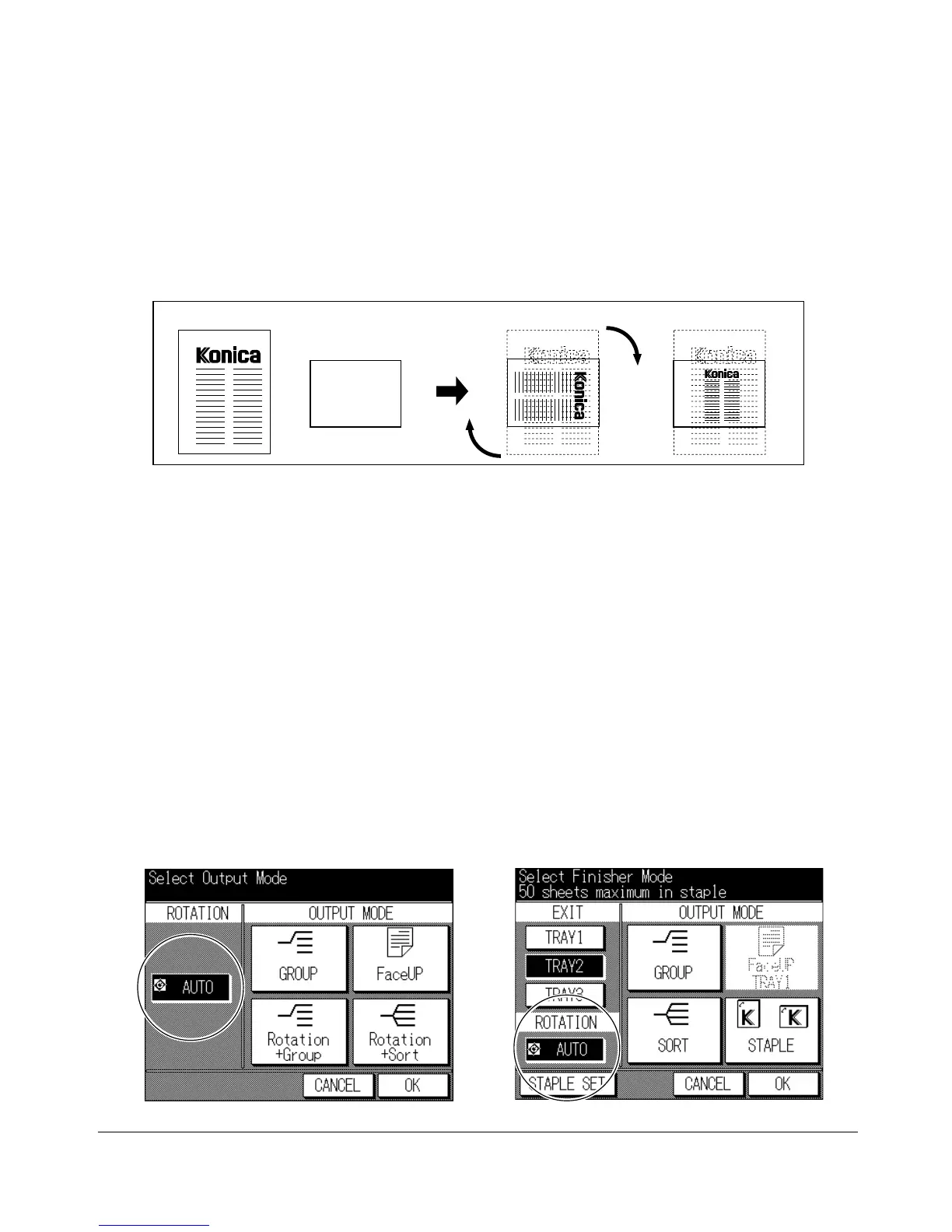
When the 5.5"x8.5" tray is selected and the copier detects that the original is placed in
portrait orientation, Rotation rotates the original image by 90° and the copy is made with
the appropriate AMS ratio to fit the portrait style of the copy paper.
Output Mode Screen (machine with Finisher)
To Release Automatic Rotation
The copier is initially set to activate the Rotation function automatically.
To release automatic Rotation:
Press [OUTPUT] to display the Output Mode Screen, then touch AUTO to deselect it.
The Rotation icon on the Basic Screen will disappear to indicate that the Rotation
function is canceled.
To resume automatic Rotation:
Press [OUTPUT] to display the Output Mode Screen, then touch AUTO to highlight it.
The Rotation icon will be displayed to indicate that the Rotation function is
reactivated.
Original Copy paper Rotation and AMS AMS only
Output Mode Screen (machine without Finisher)










 To Next Page