Basic Operations 6-31
Basic Operations
Interrupt Mode
Use the Interrupt mode to interrupt copying in progress to perform a simple job. When
interrupt copying is completed, the settings for the initial job restore automatically and
the Basic Screen displays. The [INTERRUPT] key can be used when the copier is
performing the following operations:
• Continuously printing the image stored in memory
• Scanning the originals into memory
• Scanning the originals into memory while printing in Reserve mode
• In PRINT mode
The Interrupt mode cannot be selected with the following copier conditions:
• The Basic Screen is not displayed.
• The Call for Sevice message displayes or a paper misfeed occurs.
❒ Incompatible: Reserve
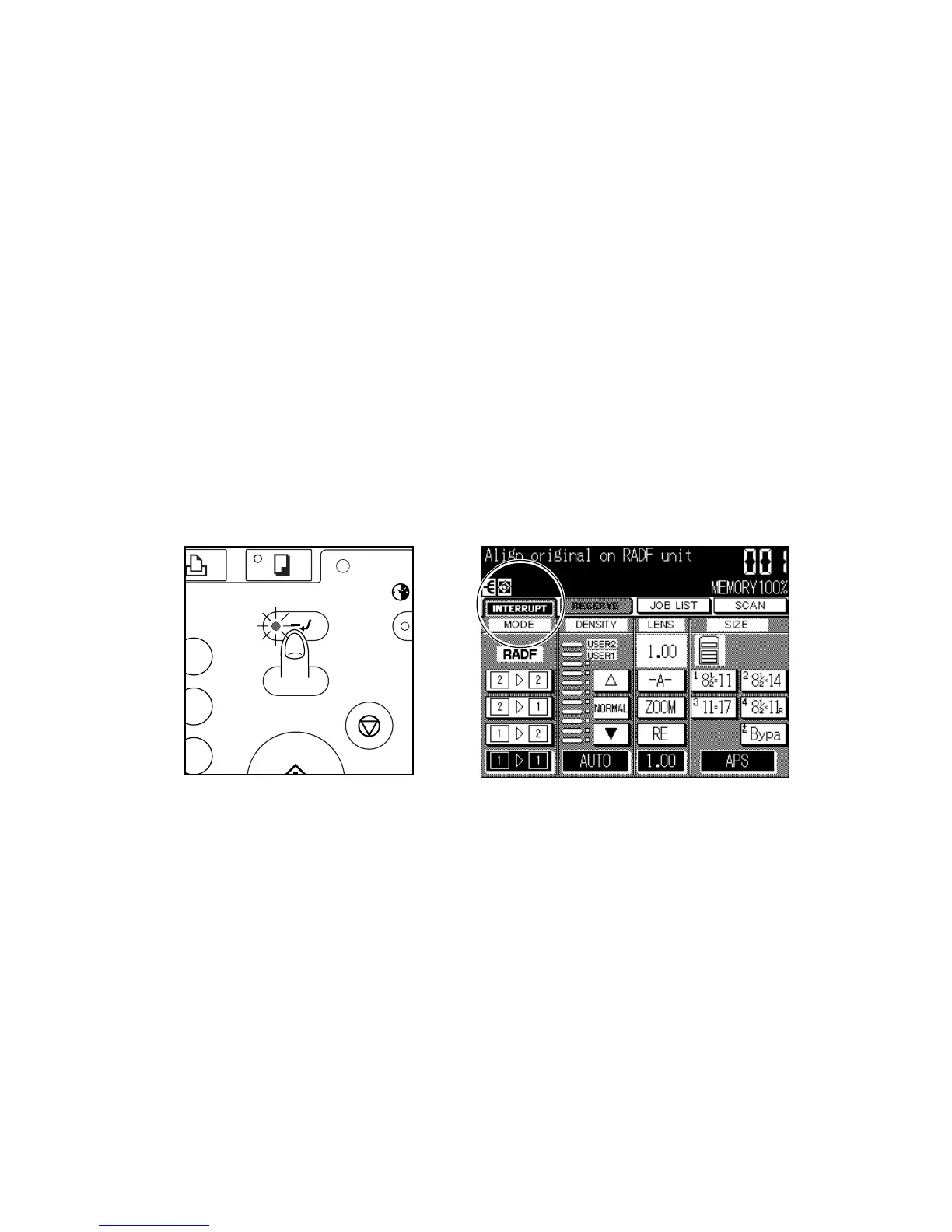
1 To stop the current copying job, press [INTERRUPT]. For particular jobs in progress,
copying will cease only after certain phases of the immediate operation are
completed, as indicated by LED conditions described below.
• Collectively printing image stored in memory
The [INTERRUPT] LED blinks until one set of the current job is printed. Then the
LED remains steady for the temporary job performed in Interrupt mode.
• Scanning originals into memory
The [INTERRUPT] LED blinks until scanning is completed for all originals placed in
the document feeder. Then, the LED remains steady for the temporary job
performed in Interrupt mode.
• Scanning originals into memory while printing in Reserve mode (see note 1)
The [INTERRUPT] LED blinks until the copier completes the current printing job,
scans all originals placed in the document feeder, and prints one set of the reserve
job. The LED remains steady for the temporary job performed in Interrupt mode.
2 The SETTING indicator on the Basic Screen will change to INTERRUPT.
Basic Screen
Control Panel
COPY
RINT
DATA
INTERRUPT
PROOF COPY
STOP / CLE










 To Next Page