6-8 Basic Operations
Basic Operations
Lens Mode
Automatic Paper Selection (APS)
APS detects the size of originals placed on the RADF or platen glass and automatically
selects and feeds copy paper of the same size, or selects an appropriate size according
to the magnification ratio selected.
If the appropriate copy paper is not loaded in any tray, no copying will be performed, and
a message will prompt you to load the appropriate paper.
❒ Original sizes detected are: 11”x17”, 8.5”x14”, 8.5”x11”, 8.5”x11”R, 5.5”x8.5”, 5.5”x8.5”R
❒ Incompatible Basic Copying Conditions: AMS, Change magnification
❒ Incompatible Applications: Book Copy, Repeat, AUTO Layout, Non-Image Area Erase
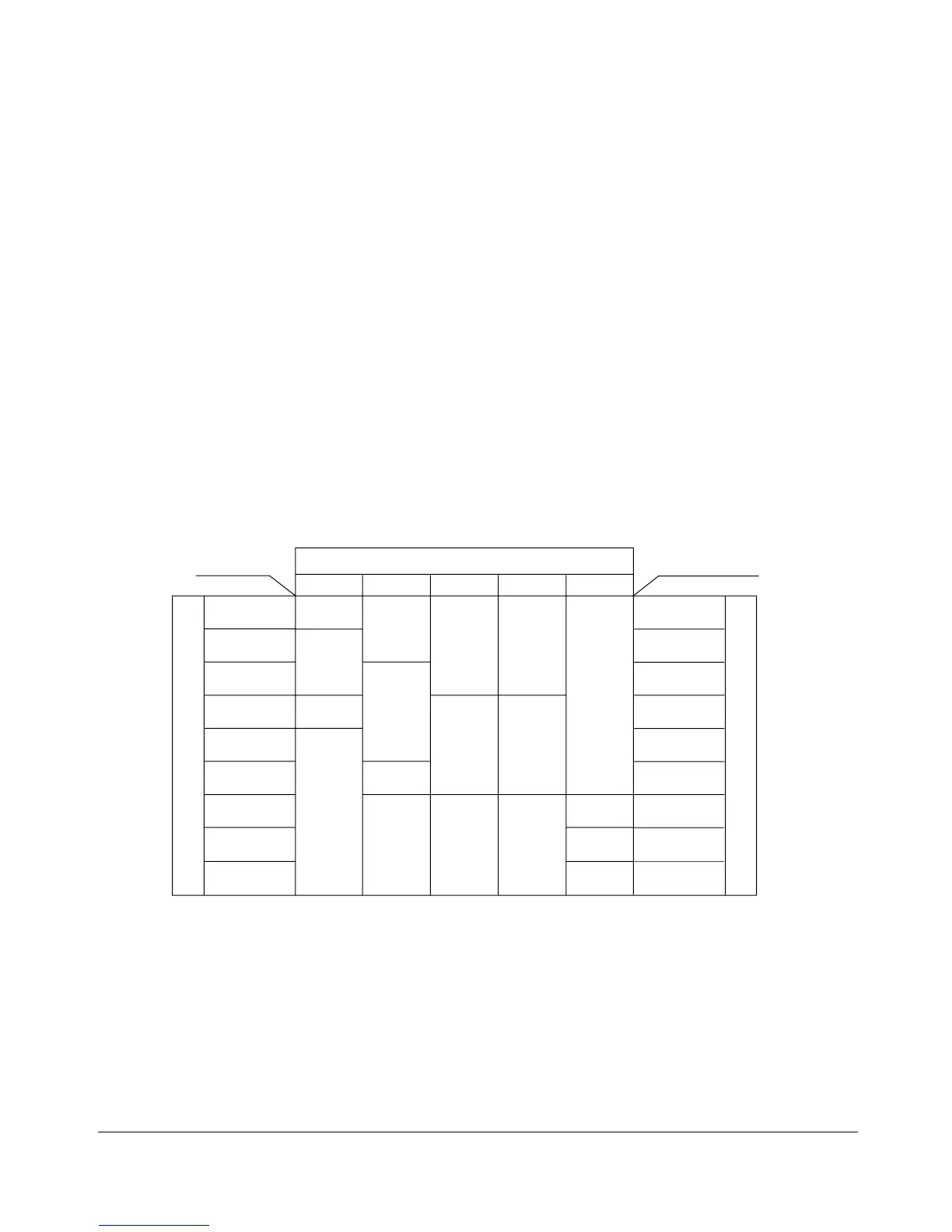
The relation of original size, magnification ratio and copy paper size is shown below.
Original size
11x17 8.5x14
8.5x14
5.5x8.5R
5.5x8.5R
5.5x8.5R
8.5x11
11x17 11x17
8.5x11R 5.5x8.5
5.5x8.5R
11x17
8.5x14
Copy size
Copy size
8.5x11
(8.5x11R)
8.5x11
(8.5x11R)
11x17
11x17
0.25 - 0.50
0.51 - 0.61
0.62 - 0.65
0.66 - 0.77
0.78 - 0.79
0.80 - 1.00
1.01 - 1.29
1.30 - 1.55
1.56 - 4.00
0.25 - 0.50
0.51 - 0.61
0.62 - 0.65
0.66 - 0.77
0.78 - 0.79
0.80 - 1.00
1.01 - 1.29
1.30 - 1.55
1.56 - 4.00
Magnification ratio
Magnification ratio
8.5x14
5.5x8.5R
8.5x11R
(8.5x11)
8.5x11R
(8.5x11)
8.5x11R
(8.5x11)
( ): Rotation functions










 To Next Page