3-8 Machine Information
Machine Information
Touch Screen
The touch screen is an LCD that displays interactive screens with touch sensitive keys
for making copy job selections. Selections are highlighted at the touch. The screens also
work with the conventional control panel keys.
CAUTION:
The touch screen of the control panel is covered with glass. Do not drop heavy items on the glass, or
put excess weight or pressure on it; otherwise the glass may break or become scratched.
After the power switch is turned on, the Konica name displays for approximately 10
seconds, until initial machine settings are established. Then, the message “Warming up”
displays on the Basic Screen for approximately 90 seconds, until the fixing temperature
is reached.
When the Basic Screen is displayed, the touch screen becomes interactive. The
interactive condition enables you to communicate directly with the copier system simply
by touching keys displayed on the screen; or by pressing conventional keys, as required.
In addition, the screens automatically display information regarding machine and
copying status. Additional help is available any time with the [HELP] key, which can be
pressed from any screen except the Job Memory or Key Operator Mode screen.
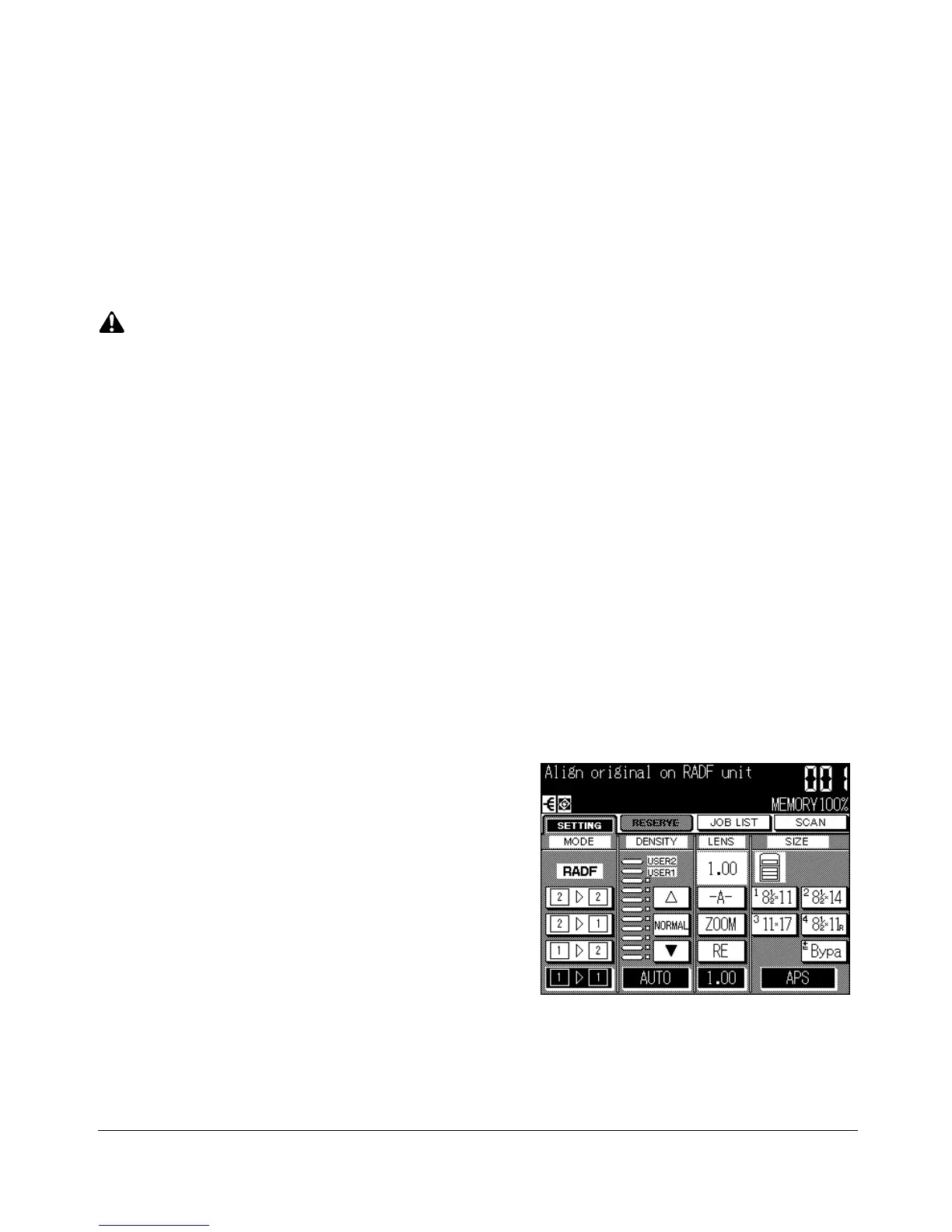
Basic Screen
The Basic Screen displays while warming up. The
initial settings are described on the next page.
Except for Print Quantity, all initial settings can be
changed by the key operator.
The following modes can be accessed from this
screen:
Copy Mode, Copy Density, Lens Mode, Copy Size.










 To Next Page