6-24 Basic Operations
Basic Operations
Store Mode (continued)
Platen Store Mode (continued)
5 Open the document feeder.
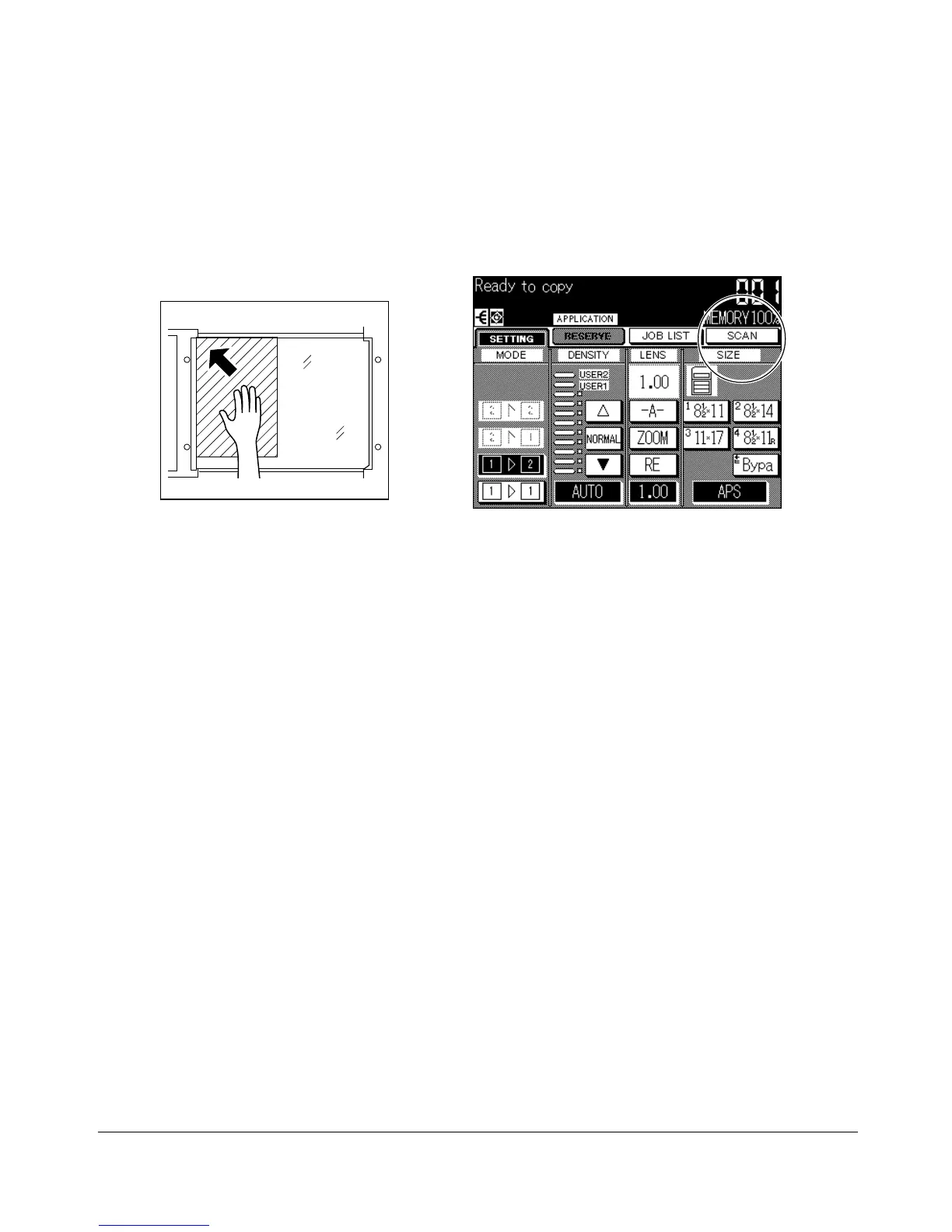
6 Place original FACE DOWN on the platen glass, then close the document feeder.
IMPORTANT: PLACE AND SCAN ORIGINALS IN REGULAR ORDER OF PAGINATION.
NOTES:
• For details on positioning original, see p. 4-2.
• For original and copy paper information, see Section 4.
• When Book copy, Non-image area erase, Auto detection mode of Repeat, or AUTO layout is selected,
keep the document feeder open throughout the procedure so that the selected function can operate
properly.
7 Touch SCAN on the Basic Screen to scan and store the data into memory.
8 Repeat steps 5 to 7 until all originals are scanned.
Memory indicator on the upper right of the Basic Screen allows you to check the
remaining memory.
NOTES:
• See p. 13-4 to p. 13-7 if memory overflow occurs.
• To delete the scanned data without printing, press [STOP/CLEAR].
9 Press [START] to print. All the data in memory will be output.
Basic Screen










 To Next Page