How to Perform a Study
Laborie NXT Pro Owner’s Manual LBL-00146 [C], MAN2010 35
NOTE: Before beginning the FreeFlow study, ensure that you have completed the tasks
outlined in the section Gathering Supplies and Equipment on Page 21
.
Starting the FreeFlow Study
Start the FreeFlow study as described in the section Starting a Study on page 33.
The FreeFlow study requires the use of the Urocap NXT and Bluetooth Dongle NXT. Ensure
that the Urocap NXT device is ready to use (i.e., fully charged with the beaker in place). For
information on preparing the Urocap NXT, refer to the section Preparing the Urocap NXT
on
page 23.
Performing a FreeFlow Study
3.2.2.1 Preview Phase
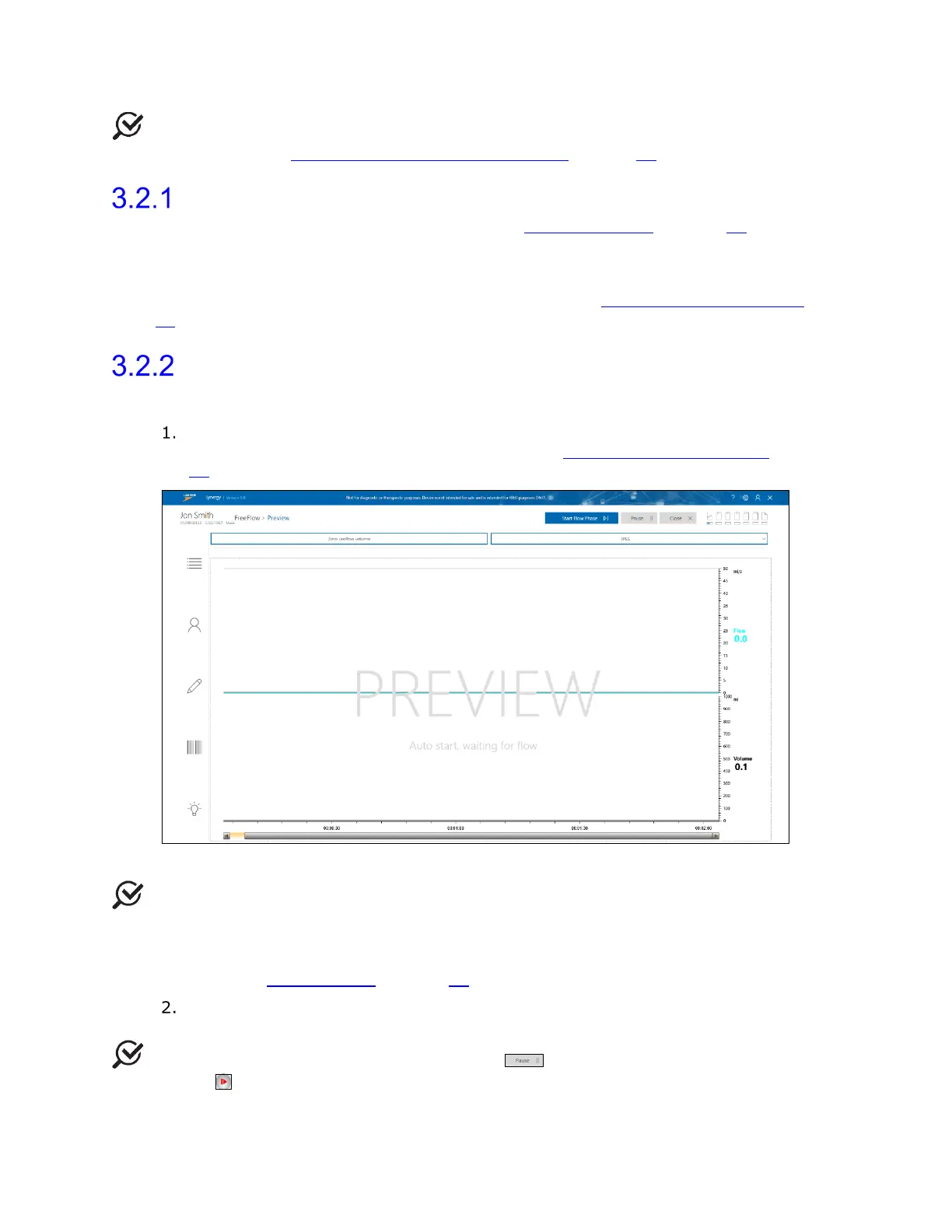
The Preview phase begins, as depicted in Figure 22. For information about the
icons in the Preview phase, refer to the section Procedure—Preview Phase
on page
65.
Figure 22: FreeFlow Preview Phase
NOTE: Questionnaires are available through the questionnaire drop-down menu and
can be completed at any time during or after the study. Scroll through the menu and select
the preferred study. A questionnaire window displays alongside the study window. Press OK
or Close to exit the questionnaire window. For an overview of the questionnaires available,
refer to the section Questionnaire on page 68
.
Click the Zero Volume button to prepare the Urocap NXT and then click the Start
Flow Phase button to start the study and move to the Flow phase.
NOTE: To pause the study, click the Pause ( ) button; to resume the study, click
the resume ( ) button.



 To Next Page