Synergy Software
Laborie NXT Pro Owner’s Manual LBL-00146 [C], MAN2010 64
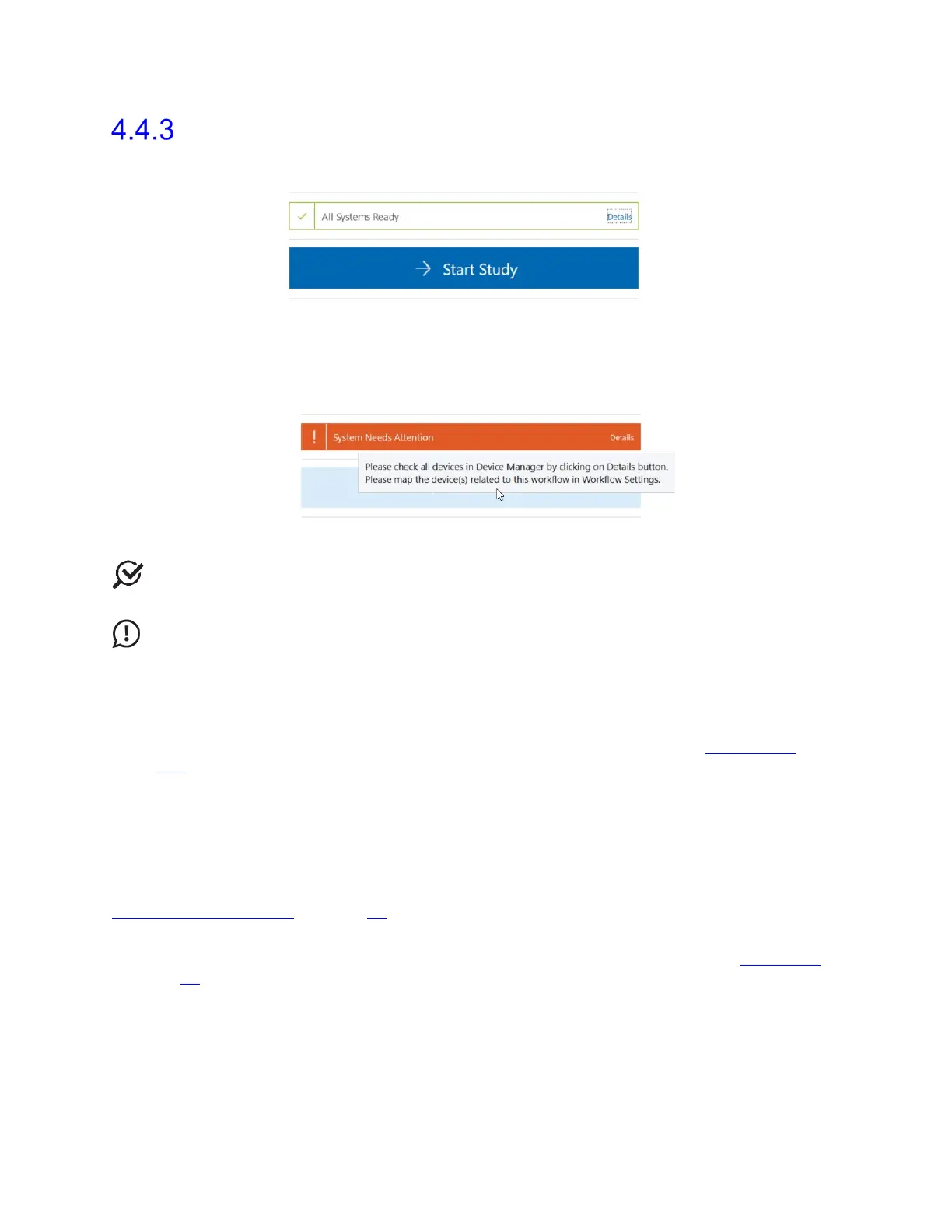
Start Study Button
Clicking the Start Study button initiates the Preview Study phase.
Figure 52: Start Study Button
After all study inputs are received, the button will change color to blue. If the button is gray,
it cannot be activated. Hover the pointer over the Start Study button to display a ToolTip
that will suggest troubleshooting options, as shown in Figure 53.
Figure 53: Start Study Button ToolTip
NOTE: Always ensure that the patient and study of choice are selected and that all
hardware channels and devices are linked before attempting to start a study.
IMPORTANT: Synergy will not allow you to start a study if the Roam NXT or Urocap
NXT have less than 15% battery charge available. To activate the Start Study button when
the device battery is below 15%, connect the device to the applicable charging hub.
Connect the Urocap NXT to power using the NXT Magnetic Pogo Pin Cable; Urodynamic
studies cannot be completed with the Urocap NXT seated within the NXT Hoop. For
information on using the NXT Magnetic Pogo Pin Cable, refer to the section Urocap NXT
on
page 110.
4.5 Workflow Steps
Studies in Synergy have standard workflow steps for users to complete. The standard
workflow steps are Procedure, Questionnaire, Report, and Review. These steps can be
customized and viewed through the Workflow Configuration window. Refer to the section
Customizing Workflows on page 59
.
The Procedure workflow step has a different phase breakdown depending on the type of
study selected. For a phase breakdown per study workflow, refer to the section Workflows
on page 58.
This section provides an overview of workflow steps, their phases, and their functions, from
the start to the completion of the study.



 To Next Page