How to Perform a Study
Laborie NXT Pro Owner’s Manual LBL-00146 [C], MAN2010 39
3.3.2.3 Filling Phase
Click the Start Filling Phase button. The Filling phase window opens.
NOTE: To pause the study, click the Pause button; to resume the study, click the
Resume ( ) button.
If necessary, the Pabd channel value can be set to equal the Pves channel value
by pressing the Equalize Pdet button.
Click the Pump On button to start the infusion pump and begin filling the bladder.
Click the Smart Pump Up or Smart Pump Down buttons to increase or
decrease the pump speed, respectively.
NOTE: To change the infusion bag, click the Change Infusion Fluid button. A pop-up
window opens, and the study pauses. If desired, you can update the Fluid Density setting
using the drop-down menu available on the pop-up window. Click OK to resume the study.
Fluid density options must be configured in the Workflow Configuration dialog box before
starting the study. Refer to the section Customizing Workflows on page 59
.
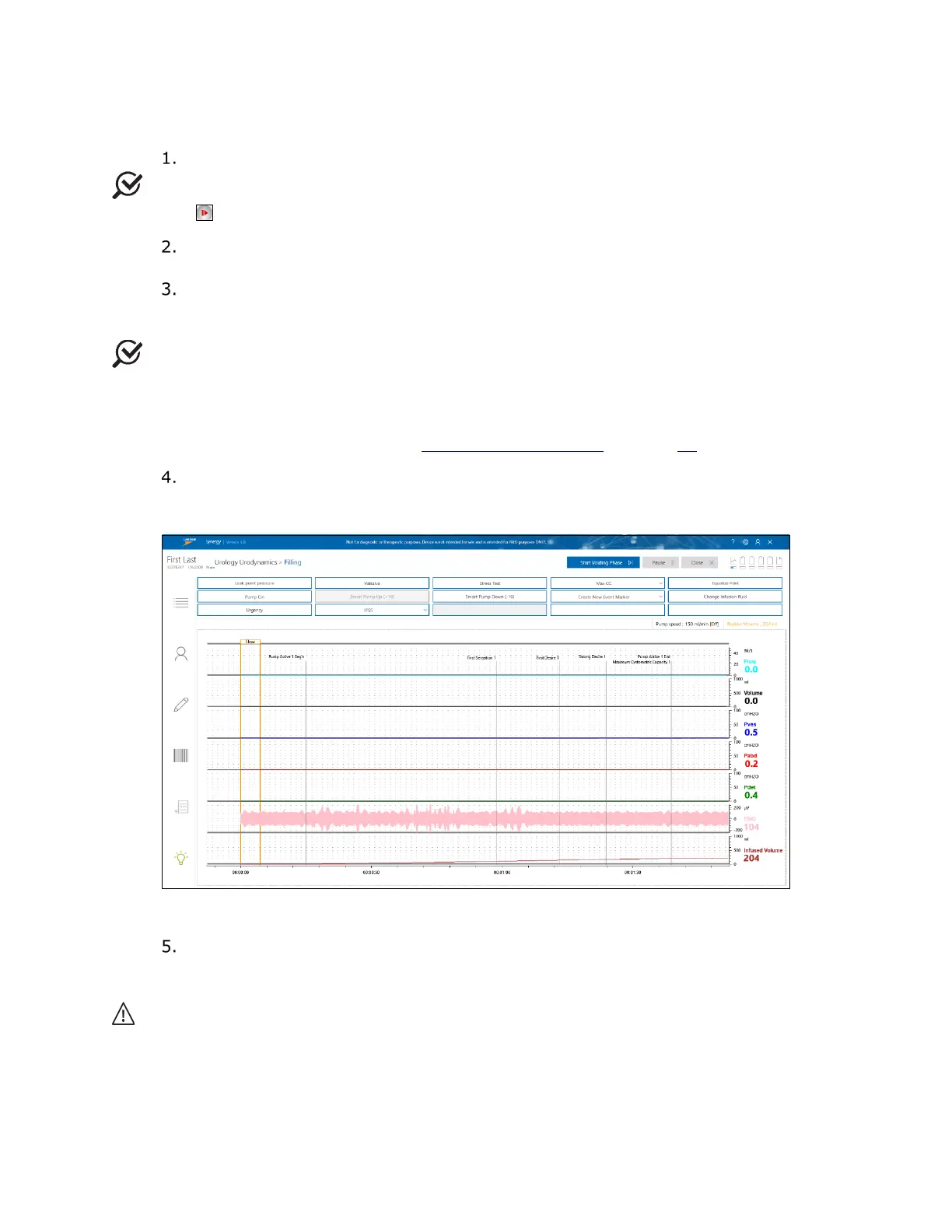
Encourage the patient to give feedback on sensation or urge. Mark relevant events
(First Sensation, First Desire, Strong Desire, etc.) by clicking the First
Sensation drop-down menu and selecting the relevant event. Refer to
Figure 26.
Figure 26: Pressure Flow Filling Phase
When the patient begins to feel discomfort or fullness, stop the infusion pump by
clicking the Pump Off button. To move to the next phase, click the Start Voiding
Phase button.
Caution: You can stop an infusion at ANY TIME by pressing the gray pump stop button
on the NXT docking station, by opening the pump door, or by disconnecting the filling tube
from the catheter or the water bag.



 To Next Page