Synergy Software
Laborie NXT Pro Owner’s Manual LBL-00146 [C], MAN2010 47
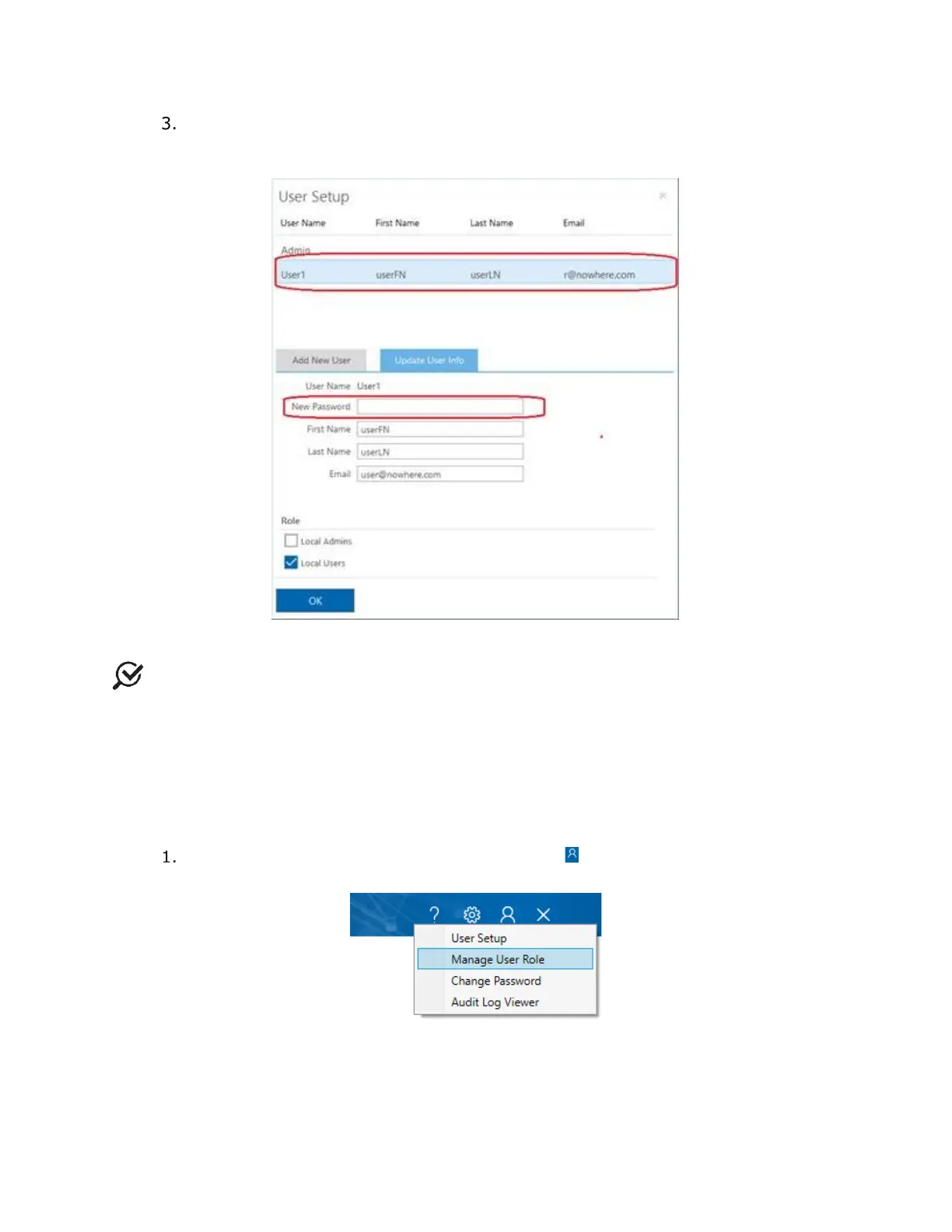
To reset the password of an active account, from the user list, select the existing
account. On the Update User Info tab, in the New Password text box, type the
new password and then click OK (
Figure 32).
Figure 32: Resetting a Password
NOTE: Local and Domain Users may reset only their own passwords. Local or Domain
Admin access is required to reset password information for other users.
4.1.2.2 Managing User Role
All Synergy account types have preset permissions that control which functions users may
access based on their roles. Local and Domain Admins can manage user role permissions
within the Manage User Role dialog box. Follow the instructions provided here for
managing user roles:
On the Synergy title bar, click the Admin icon ( ) and then select Mange User
Role (
Figure 33).
Figure 33: Accessing the Manage User Role Application



 To Next Page