Synergy Software
Laborie NXT Pro Owner’s Manual LBL-00146 [C], MAN2010 76
4.6.1.1 Pre-Test Quality Control
During the Preview phase of the Procedure workflow step, the Quality Control window
will display Pre-test Quality Control.
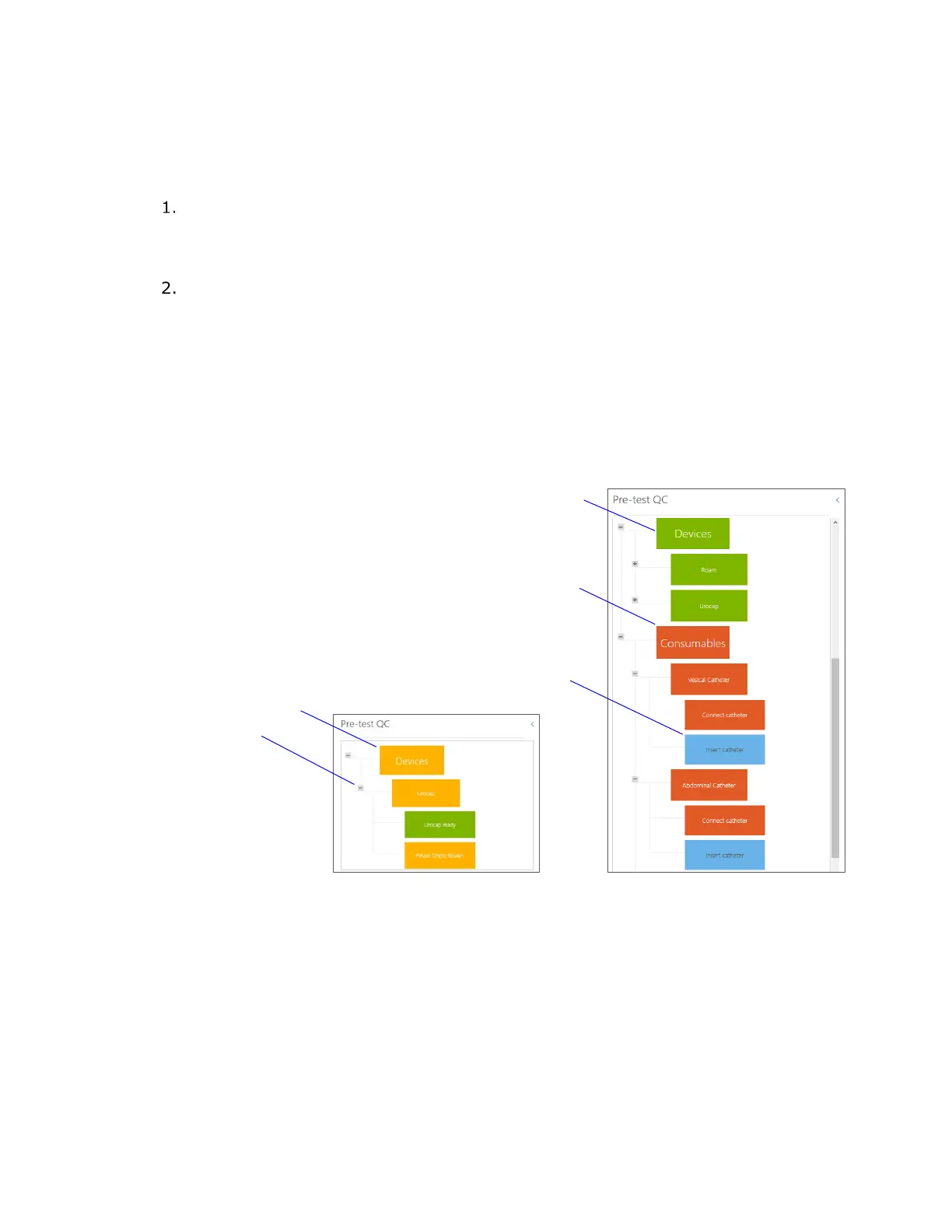
Pre-test QC displays the modules that must be completed to prepare the NXT
system for the recording phases of the study. You can expand and collapse each
module to show actions required for submodules by using the plus (+) and minus
(–) boxes.
The color of the module indicates its status. If a submodule requires attention, the
main module will reflect this in its assigned status (
Figure 66).
a. If the color of the module is red, action is required. Gray submodules
provide guidance on how to resolve requirements; for additional
information, hover the mouse pointer over the red modules.
b. An amber colored module indicates a recommended action.
c. Green indicates the completion of all actions for the setup of the module.
d. Blue submodules provide recommended actions regarding patient setup.
Figure 66 presents examples of the color coding of the modules in the Preview phase.
Figure 66: Pre-test QC
4.6.1.2 Protocol Guidance
During the Recording phases of the Procedure workflow step, the Quality Control window
will display Protocol Guidance. Two protocol fields are provided: Total Score and Phase
Score (Figure 67). The Quality Control icon will shift colors as the phase score evaluation
changes. The Protocol Scores are color coded in accordance with QC Score values. Green
signifies an excellent score, amber a good score, and blue a fair score.
Green Module and Submodules



 To Next Page