Synergy Software
Laborie NXT Pro Owner’s Manual LBL-00146 [C], MAN2010 70
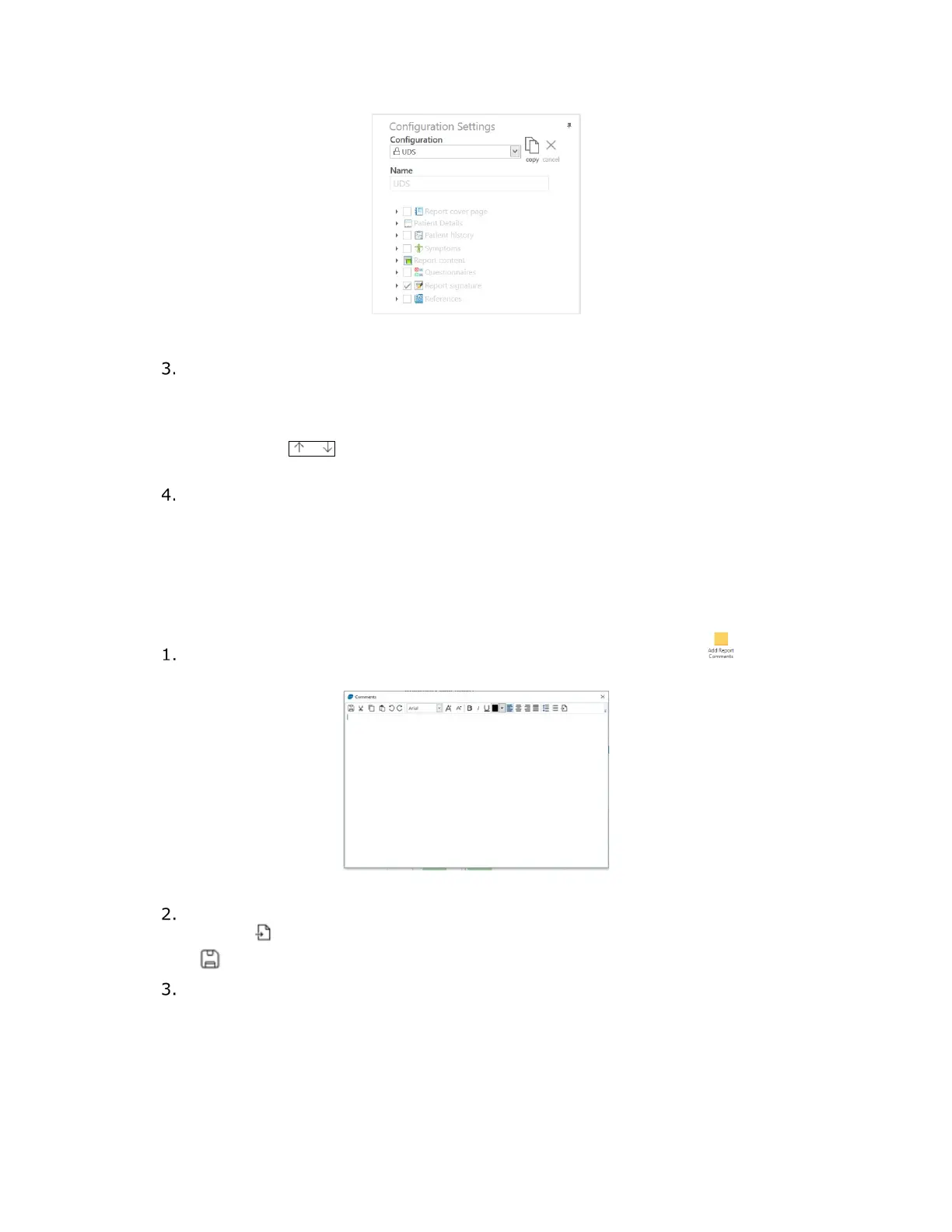
Figure 58: Configuration Settings—Editing the Report
To enable or disable various data fields, in the Configuration Settings panel,
select or clear the corresponding checkbox for the data field.
You can change the position of some data fields in the report by using the Up and
Down buttons. To move a data field, select the applicable field. An up arrow and
down arrow will appear beside the selection. Click the appropriate arrow to
move the data field to the desired location.
Click the Preview button to view any changes that were implemented. To
complete your modifications to the report, click the Apply Changes button. To
exit the Report workflow step, press the Finish button.
4.5.4.2 Adding Comments
Using this option, you can add comments as a section in the report. To add comments to
the report, perform the following steps:
In the report toolbar, select the Add Report Comments button ( ). The
Comments window opens (
Figure 59).
Figure 59: Comments Window
To import plain text from other documents, on the toolbar, click the Import
button ( ). Enter comments into the window and then click the Save button
( ).
Ensure that the Comments option checkbox is selected under Report content in
the Configuration Settings. To edit comments from the Configuration
Settings, expand the Comments option by clicking the right-facing triangle
adjacent to the title and then click the click to enter text! link (
Figure 60). This
opens the Comments window.



 To Next Page