Synergy Software
Laborie NXT Pro Owner’s Manual LBL-00146 [C], MAN2010 63
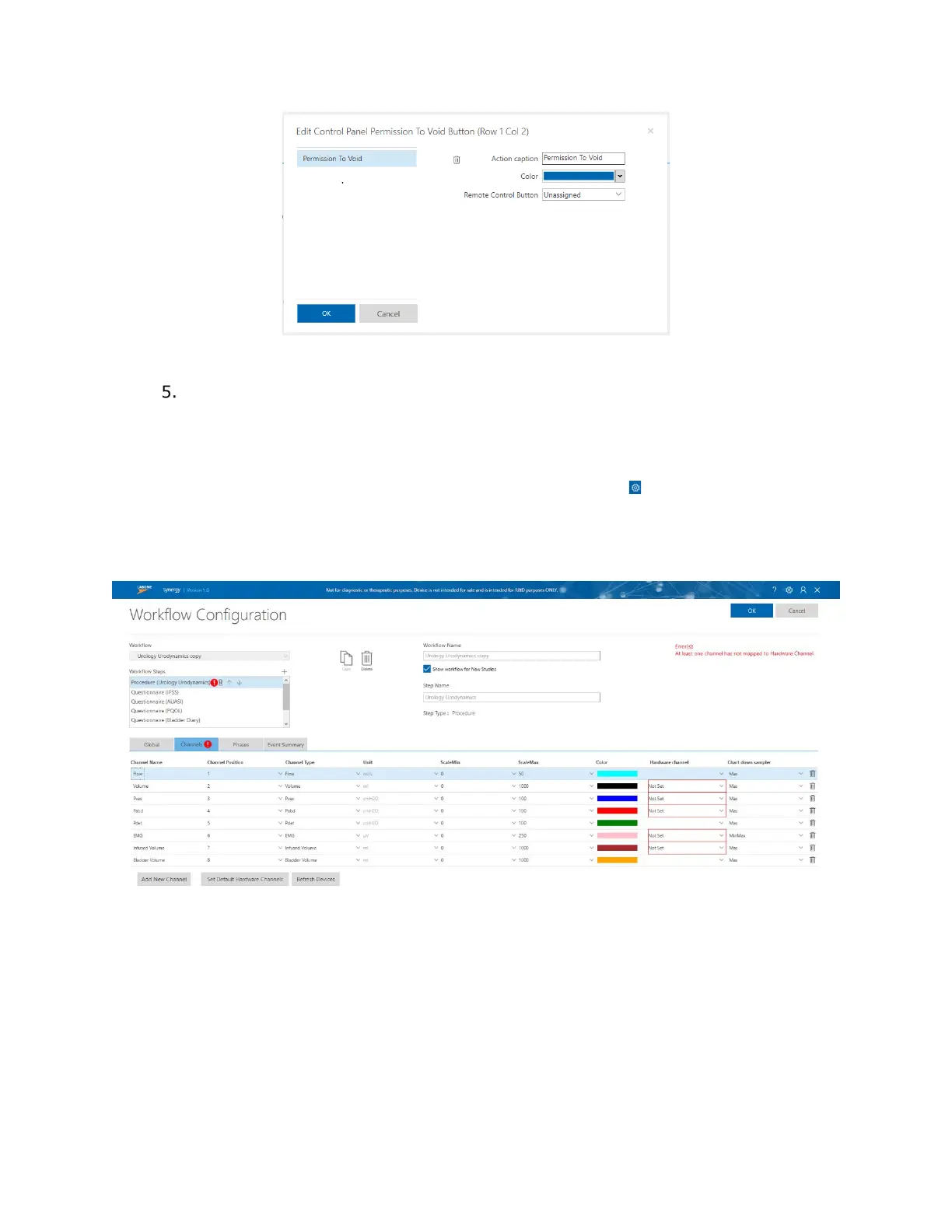
Figure 50: Edit Control Panel Button
To implement all changes to the custom workflow, at the top of the Workflow
Configuration window, click OK.
4.4.2.3 Accessing Hardware Channels
To access hardware channels, in the title bar, click the Settings ( ) icon and then click
Workflow > Editor. Select the required workflow and then navigate to the Channels tab.
If hardware channels are not set correctly, a red exclamation point icon will appear on the
Channels tab, as shown in Figure 51.
Figure 51: Workflow Configuration with Hardware Channel Error
To set hardware channels, first ensure that you select the required Workflow option from
the Workflow Steps drop-down menu. Click the Channels tab and confirm the presence of
all desired phases. Click the Set Default Hardware Channels button. Click OK to save the
changes and proceed to start the study.



 To Next Page