Maintenance and Service
Laborie NXT Pro Owner’s Manual LBL-00146, MAN2010 89
Organize and contain any cables and tubing to prevent trip hazards.
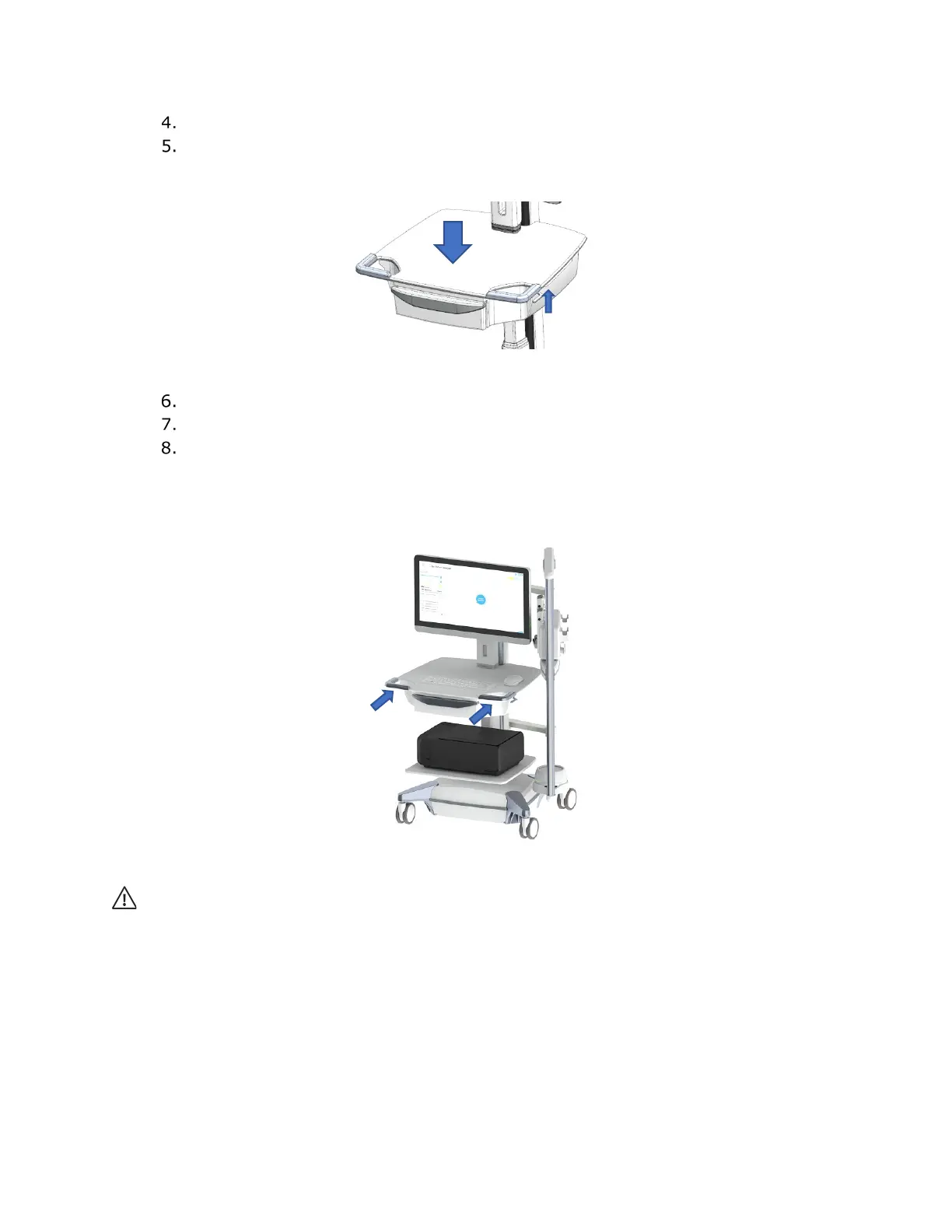
Adjust the worksurface to its lowest position by pulling the height adjustment
lever upward and applying gentle downward force on the worksurface until it
reaches minimum position (
Figure 72). Release the lever to lock the position.
Figure 72: Adjusting the Worksurface
Rotate the hoop as close to the cart as possible (Figure 72).
Swivel the monitors for maximum clearance when passing through doorways.
Unlock the castor wheels.
Maneuver the cart with two hands by grasping the cutout area on the keyboard tray, as
indicated in Figure 73.
Always maintain a clear view of the path forward.
Figure 73: Moving the NXT Pro in Transport Position
CAUTION:
To prevent any risk of damage to the cart:
• Do not lean on trays, accessories, monitors, the main tower, or the spine of any carts.
• Keep the monitor free of any obstacles.
• Do not move the cart while connected to the main power source.
• Do not move the cart while connected to separate accessories.
• Do not suspend extra weight or hang anything on the monitors.
• Ensure that the maximum weight on the printer shelf and worksurface does not exceed 10 kg.
• Ensure that the maximum weight on the mouse tray does not exceed 1 kg.



 To Next Page