Synergy Software
Laborie NXT Pro Owner’s Manual LBL-00146 [C], MAN2010 57
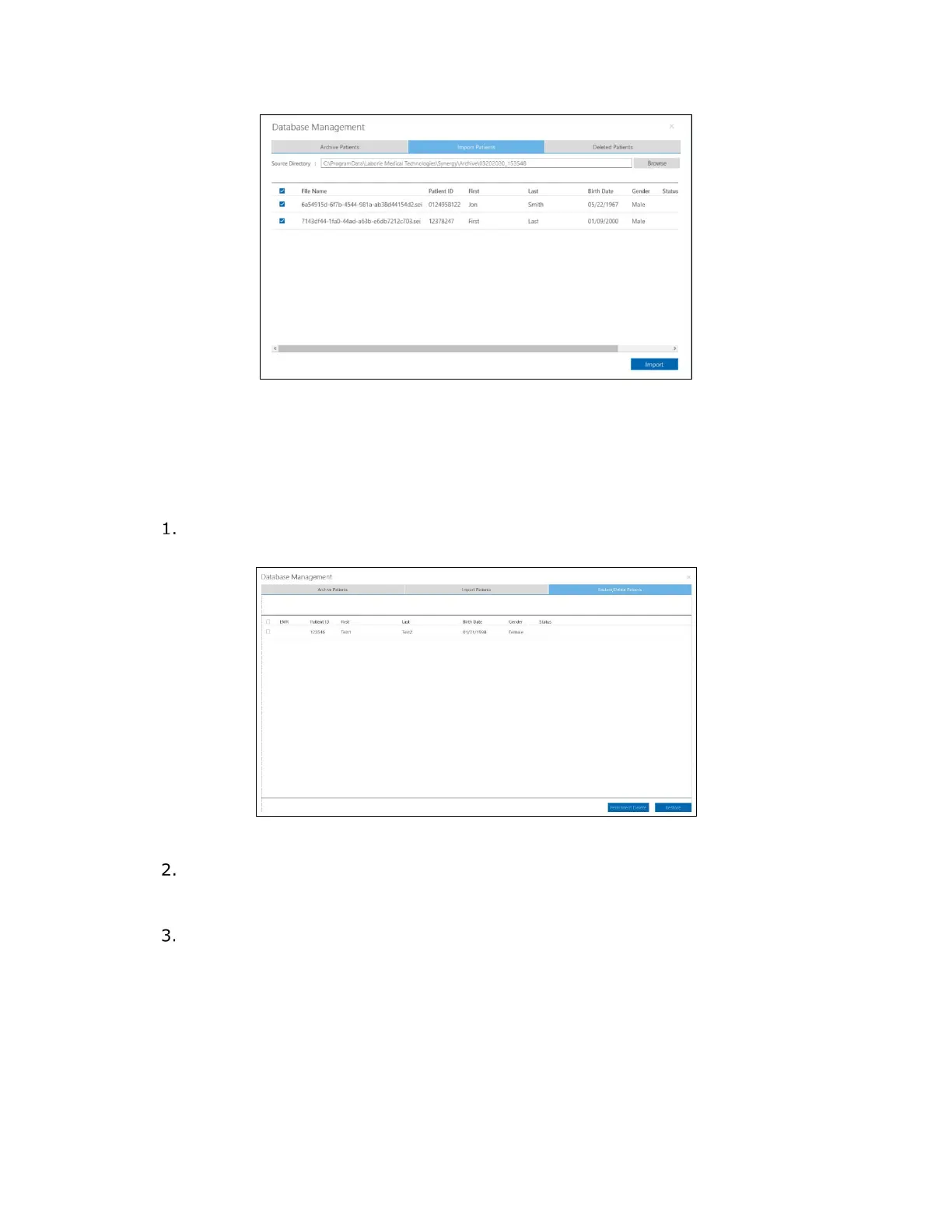
Figure 44: Database Management—Import Patients Tab
4.3.3.3 Restore or Permanently Delete Patient Data
When a patient is deleted from the Patients section, you can restore it from within the
Database Management window.
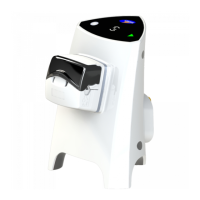
In the Database Management window, select the Restore/Delete Patients tab
(
Figure 45).
Figure 45: Database Management—Restore/Delete Patients Tab
Select the patients for data restore by selecting the corresponding checkboxes. To
select patients individually, select the specific checkboxes. To select all patients,
select the checkbox located in the column header row at the top of the table.
Click the Restore button. In the User Notification window that opens, click the OK
button to restore the selected patients or Cancel to exit.
To permanently delete patients in the Database Management window, select the
individual corresponding checkboxes or select all patients by using the checkbox at the top
of the column. Click Permanent Delete. Be careful when using this feature; this
information cannot be restored.


 To Next Page