Maintenance and Service
Laborie NXT Pro Owner’s Manual LBL-00146, MAN2010 90
5.3 Verifying Calibration
Laborie recommends that users verify calibration annually or when any module has been
shaken, dropped, or transported between sites, to confirm system accuracy.
IMPORTANT: NXT system modules do not require user calibration; the system modules
are provided precalibrated. If verification procedures reveal a calibration malfunction,
contact Laborie Service for a replacement device.
Urocap NXT—Verifying Calibration
To set up verification of calibration for the Urocap NXT, perform the following steps:
NOTE: To complete the calibration procedure, prepare one Laborie beaker and 500 ml
of tap water.
1. Log in to the Synergy software.
2. Connect the Urocap NXT to the Synergy software and set up the hardware channels.
5.3.1.1 Checking the Absolute and Relative Weight
To begin calibration verification, check the total weight measured on the Urocap NXT
without a beaker:
1. Place the Urocap NXT on a level surface and let it settle for 20 to 30 seconds.
2. On the title bar, click the Settings ( ) icon and then click System Settings >
Device Manager. The Device Manager window opens.
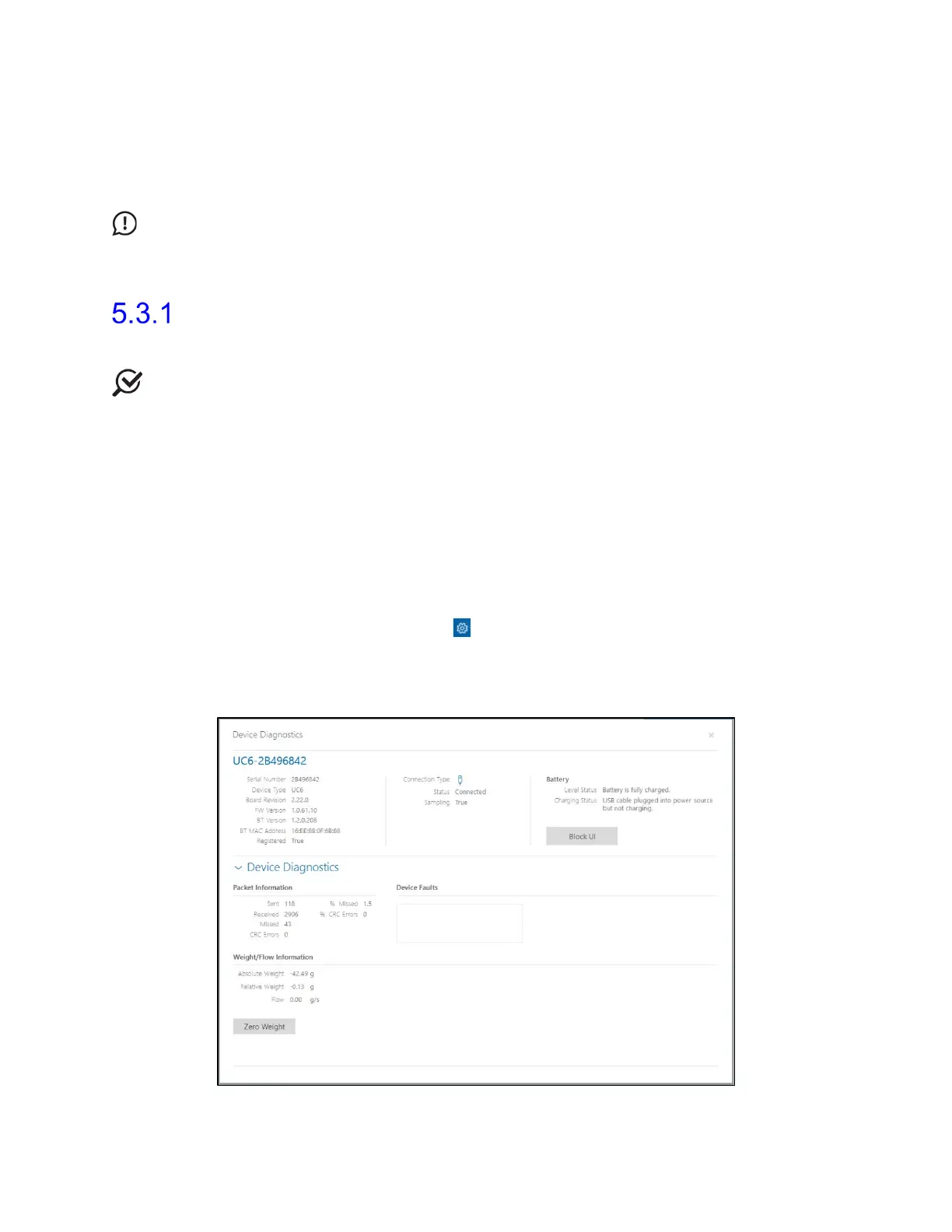
3. Click the Urocap NXT option and then click the Run Diagnostics button. The
Device Diagnostics window opens (Figure 74).
Figure 74: Urocap NXT—Device Diagnostics



 To Next Page