Synergy Software
Laborie NXT Pro Owner’s Manual LBL-00146 [C], MAN2010 49
To reassign the account role, on the Synergy title bar, click the Admin icon ( ),
select User Setup, and then click the Update User Info tab. Select the newly
created role and then press Save.
4.2 Sections and Icons in the Main Window
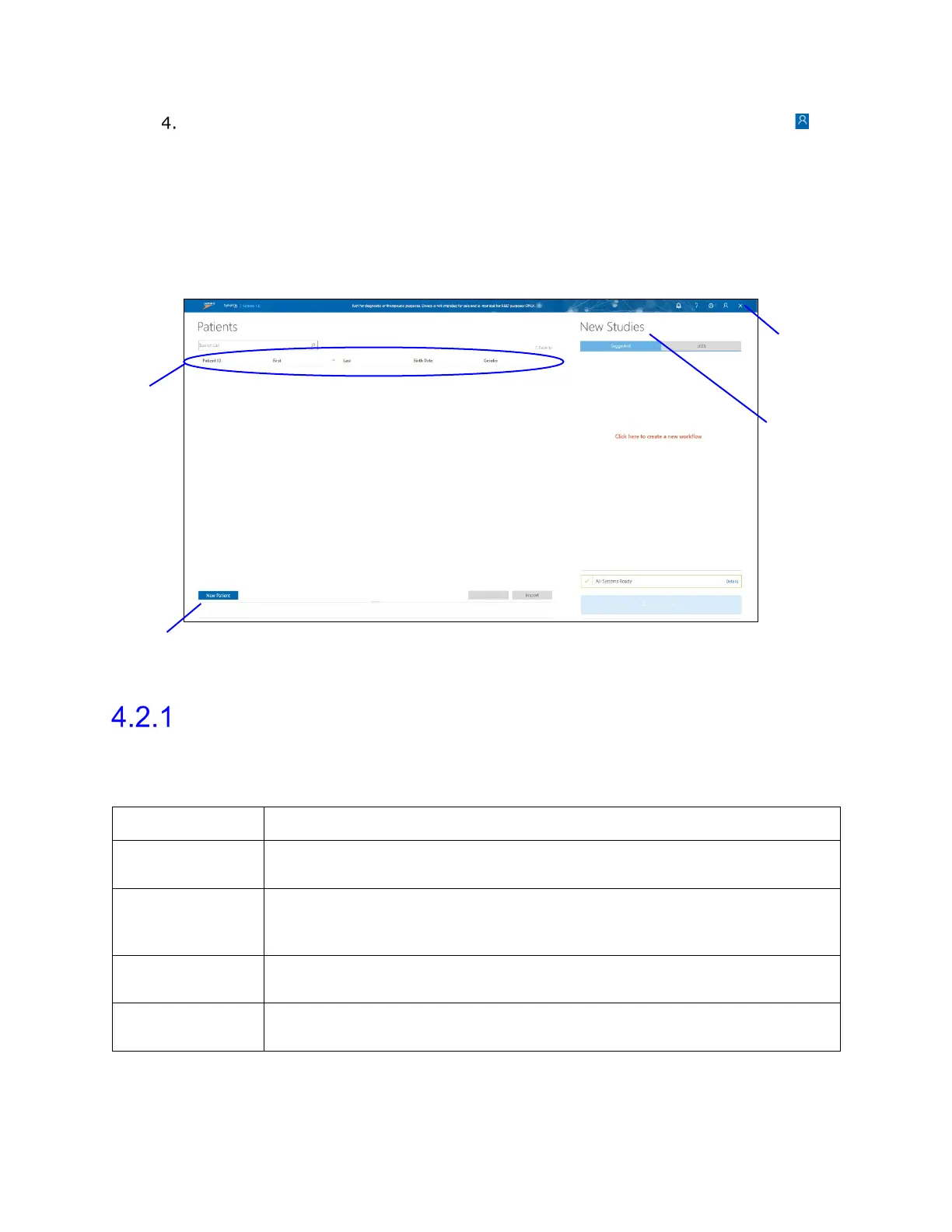
This section provides an overview of the various features accessible from the Synergy main
window, as presented in Figure 36.
Figure 36: Synergy Main Window Reading Guide
Overview of Sections
Table 2 provides a brief overview of the sections in the main window. Refer to Figure 36 for
the location of all sections described here.
Section Name Section Description
Patients Lists all patients. Here, you can add a new patient, delete patient, and
search for a required patient.
Patient details Edit the patient information, enter relevant medical history, select
symptoms, displays previously conducted studies, and allows you to
New Studies Displays all configured studies on the Suggested and UDS tabs,
Title bar Contains icons with which you can access Help file, Settings, Admin
Profile, and Close Application.
Table 2: Synergy Main Window Section Overview



 To Next Page