Synergy Software
Laborie NXT Pro Owner’s Manual LBL-00146 [C], MAN2010 71
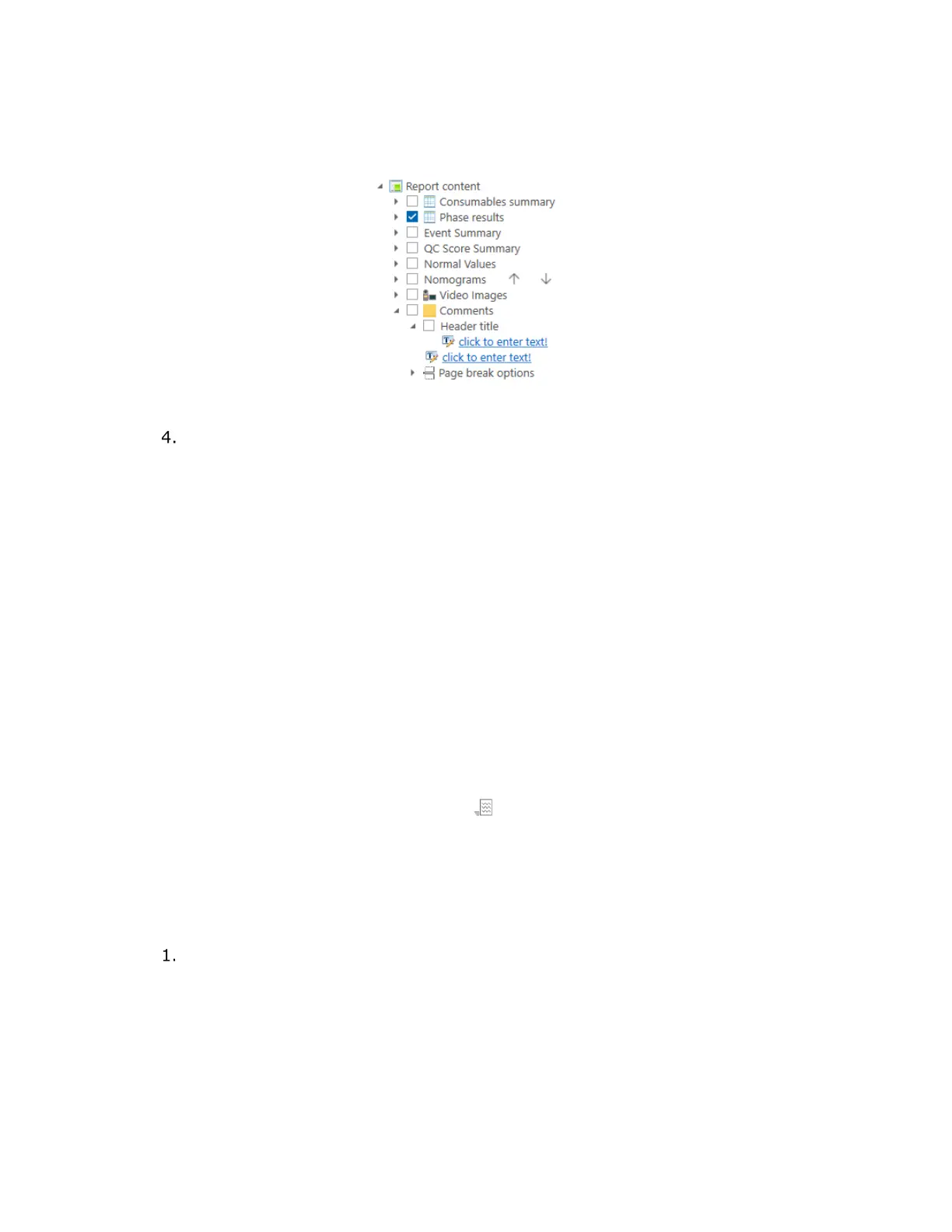
The expanded Comments option also includes a secondary option labeled
Header title. Expand this option and then select the click to enter text! link to
assign a heading to the comments section of the report.
Figure 60: Comments and Header Options
To save changes to the report, at the bottom of the Configuration Settings
panel, click Apply Changes.
4.5.4.3 Quick Results and Nomograms
Quick Results and nomograms generated by Synergy are intended for use as quick
references complementary to the complete study data.
• Study results are calculated from the data recorded by NXT system transducer
channels during the procedure; values are rounded to a single decimal place for
user viewing. Quick Results and nomograms are calculated using the raw data
collected during the study, not from the rounded values provided for ease of
reading.
• Nomograms are graphical representations of particular results from the
procedure.
• You can generate nomograms by expanding the Report content list item menu
(see Figure 60). Select the Nomograms option and then click Apply Changes
to add this feature to the report. Nomograms are intended as a summary
analysis only.
• You can view Quick Results and nomograms during the study on the Slide
Sidebar under the associated icon .
4.5.4.4 Normal Values
Normal Values is an option available for activation within report customization. The
Normal Values field is intended to provide an expected range of values for different events
that might occur during the study (Figure 61).
By default, the Normal Values option is not selected in the Configuration
Settings for the report.



 To Next Page