How to Perform a Study
Laborie NXT Pro Owner’s Manual LBL-00146 [C], MAN2010 36
3.2.2.2 Flow Phase
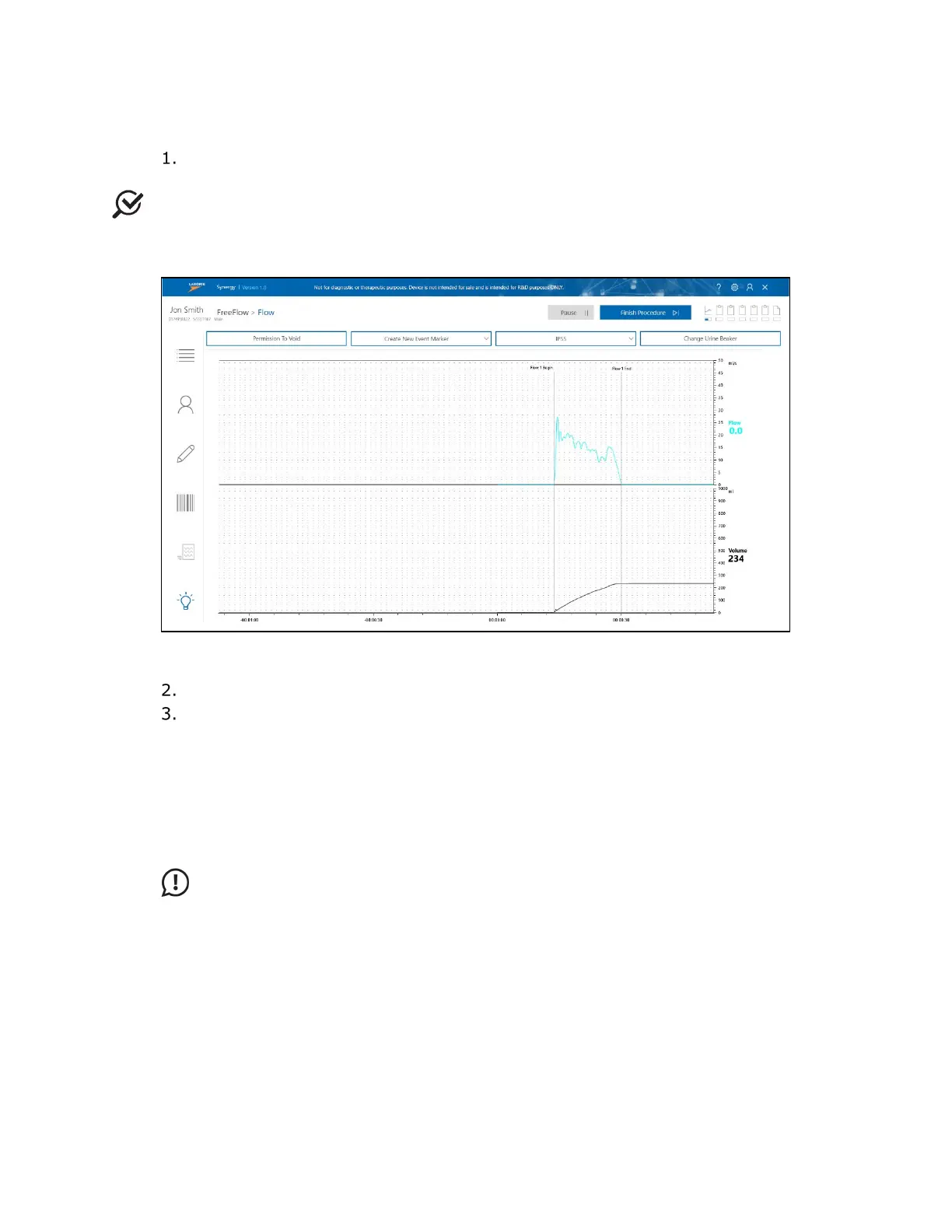
Instruct the patient to void. The Synergy application automatically begins to
record data when the transducer detects the start of the flow.
NOTE: To shift the position or empty the urine beaker during the Flow phase, click the
Change Urine Beaker button. A window will open, and the study will pause. After the
action is complete, click Continue on the window to resume.
Figure 23: FreeFlow Record Phase
The flow phase will stop 60 seconds after voiding ends.
The Post Void Residual window (Figure 24) opens. Select the preferred method
of capturing Post Voided Residual (PVR). PVR is the amount of fluid remaining in
the bladder at the completion of the voiding phase. Use of the PVR functions is at
the discretion of the supervising physician.
a. Calculated PVR automatically provides the difference between infused
volume and voided volume.
b. Drainage PVR allows the operator to pour drained fluid into the Urocap
NXT to measure PVR.
IMPORTANT: Do not empty the Urocap NXT beaker before adding PVR fluid
drained from patient bladder. If the beaker is filled to capacity, select the
Calculated PVR or Input PVR options.
c. Input PVR allows the operator to input the PVR measurement calculated
by a separate measurement device.



 To Next Page