Synergy Software
Laborie NXT Pro Owner’s Manual LBL-00146 [C], MAN2010 78
NOTE: For more information on creating report copies, refer to the section Reports
on
page 69.
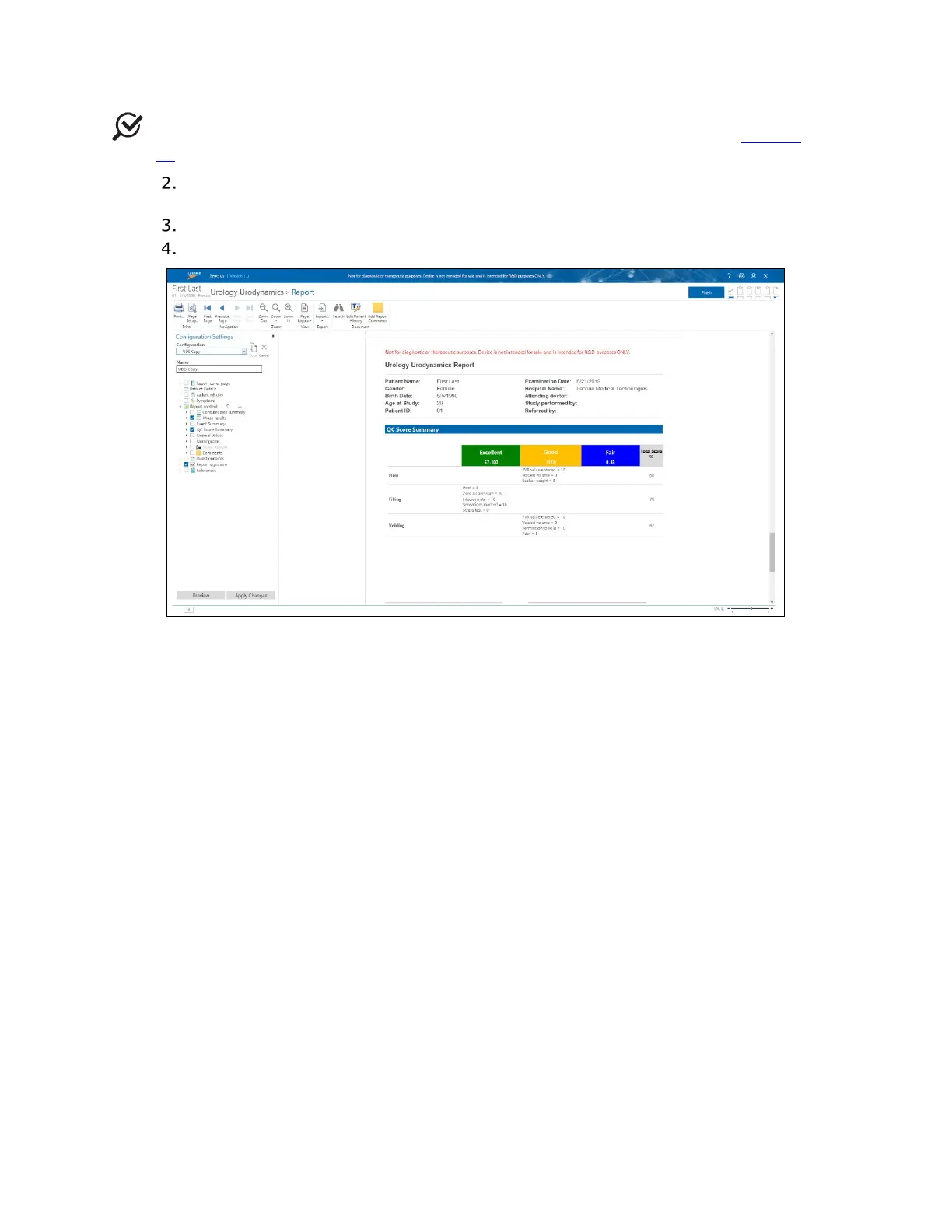
In the Configuration Settings panel, expand the Report content option by
clicking the right-facing arrow adjacent to the title.
Select the checkbox for the QC Score Summary option to enable this function.
To save changes to the report, click Apply Changes.
Figure 69: QC Score Summary
The QC Score Summary, accessible through the study report and Review phase, provides
an overview of points earned for each action per study phase. Table 8 explains how the QC
Score is allotted per phase.



 To Next Page