General Maintenance 61
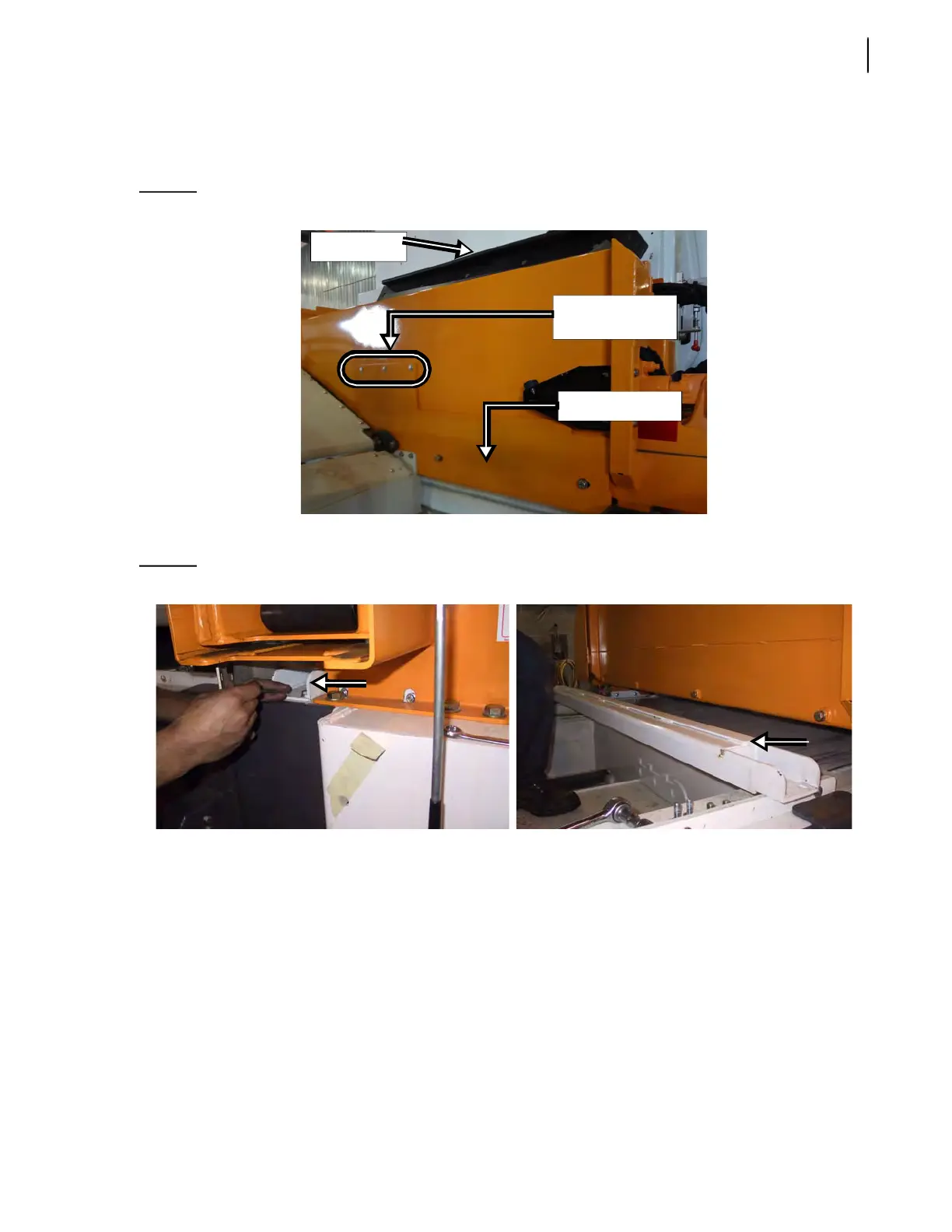
Also remove the 3 carriage bolts located at the center of the automated arm assembly (see Figure
3-46).
In order to access these bolts and remove them, lift the arm cover open.
Figure 3-46
Deflector panel
6. Remove the transversal beam by taking out the 4 bolts (2 on each side) that retain it.
Figure 3-47
Transversal beam
7. Remove the upper part of both side rails (one on each side of the hopper) [see Figure 3-48].
4 bolts are to be taken out to remove this section of the side rail.
Remove these 3
carriage bolts
Deflector panel
Arm cover



 To Next Page