3-4. Adjusting the steering wheel and mirrors
mirror by moving it up and down.
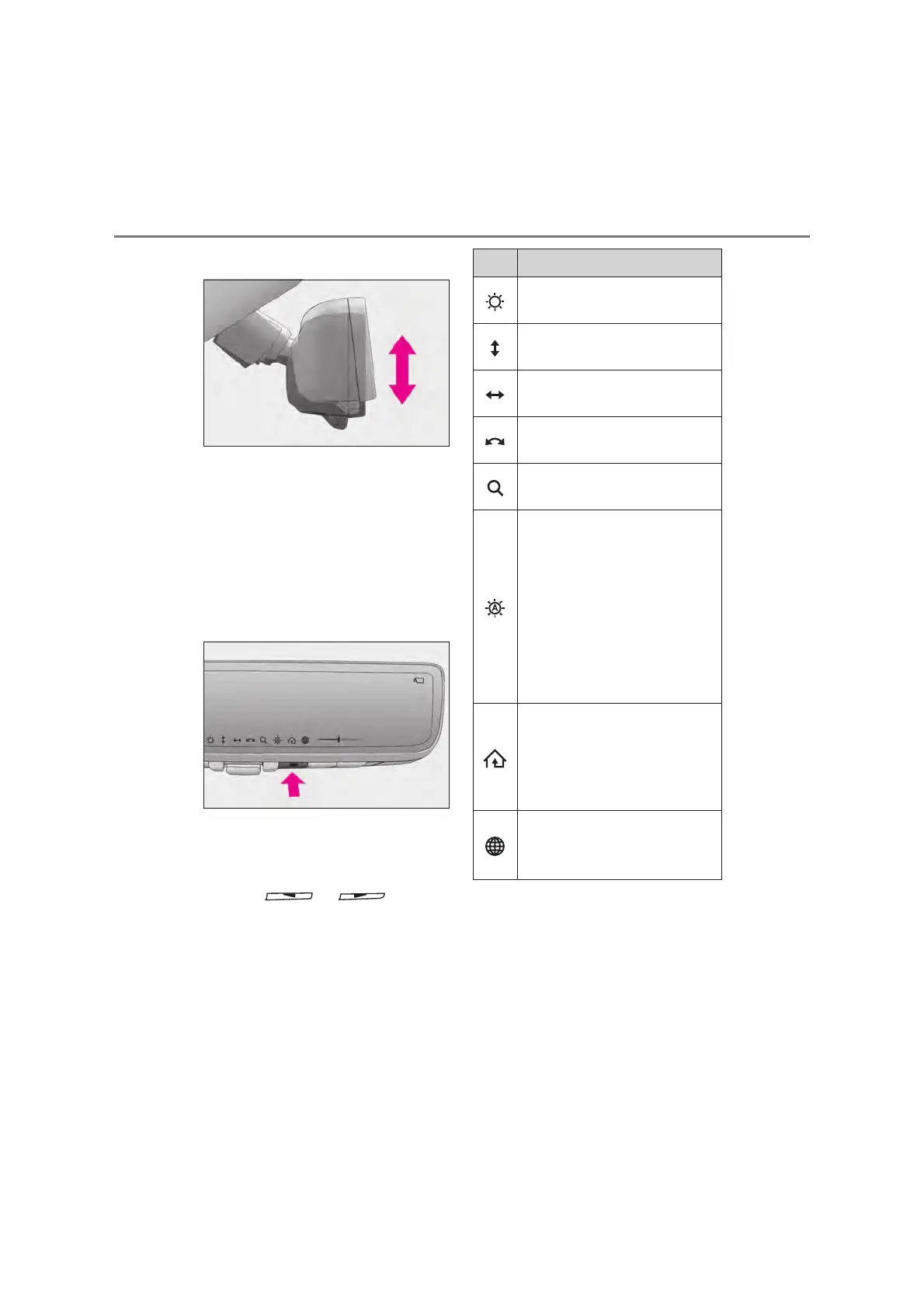
Q Display settings (digital mirror
mode)
Settings of the display in the digital mir-
ror mode, on/off operation of the auto-
matic anti-glare function, etc. can be
changed.
Press the menu button.
The icons will be displayed.
Press the menu button repeatedly
and select the item you want to
adjust.
Press or to
change the setting.
The icons will disappear if a button is not
operated for approximately 5 seconds or
more.
*
: This is a function for the optical mirror
mode, however, the setting can also be
changed while using the digital mirror
mode.
Q Enabling/disabling the automatic
anti-glare function (optical mirror
mode)
The automatic anti-glare function in the
Icons Settings
Select to adjust the brightness of
the display.
Select to adjust the area displayed
up/down.
Select to adjust the area displayed
to the left/right.
Select to adjust the angle of the
displayed image.
Select to zoom in/out the dis-
played image.
Select to enable/disable the auto-
matic anti-glare function.
*
Responding to the brightness of
the headlights of vehicles behind,
the reflected light is automatically
adjusted.
The automatic anti-glare function
is enabled each time the engine
switch is changed to ON.
Vehicles with garage door opener:
Select to display HomeLink
®
Training Tutorial to assist custom-
ers to train their garage door
opener system. (oP.505)
Vehicles with garage door opener:
Select to change the language of
the Homelink
®
Training Tutorial.



 To Next Page