3
3-4. Adjusting the steering wheel and mirrors
Before driving
optical mirror mode can be
enabled/disabled. The setting can be
changed in both the digital mirror
mode and the optical mirror mode.
X When using the digital mirror mode
oP.190
X When using the optical mirror
mode
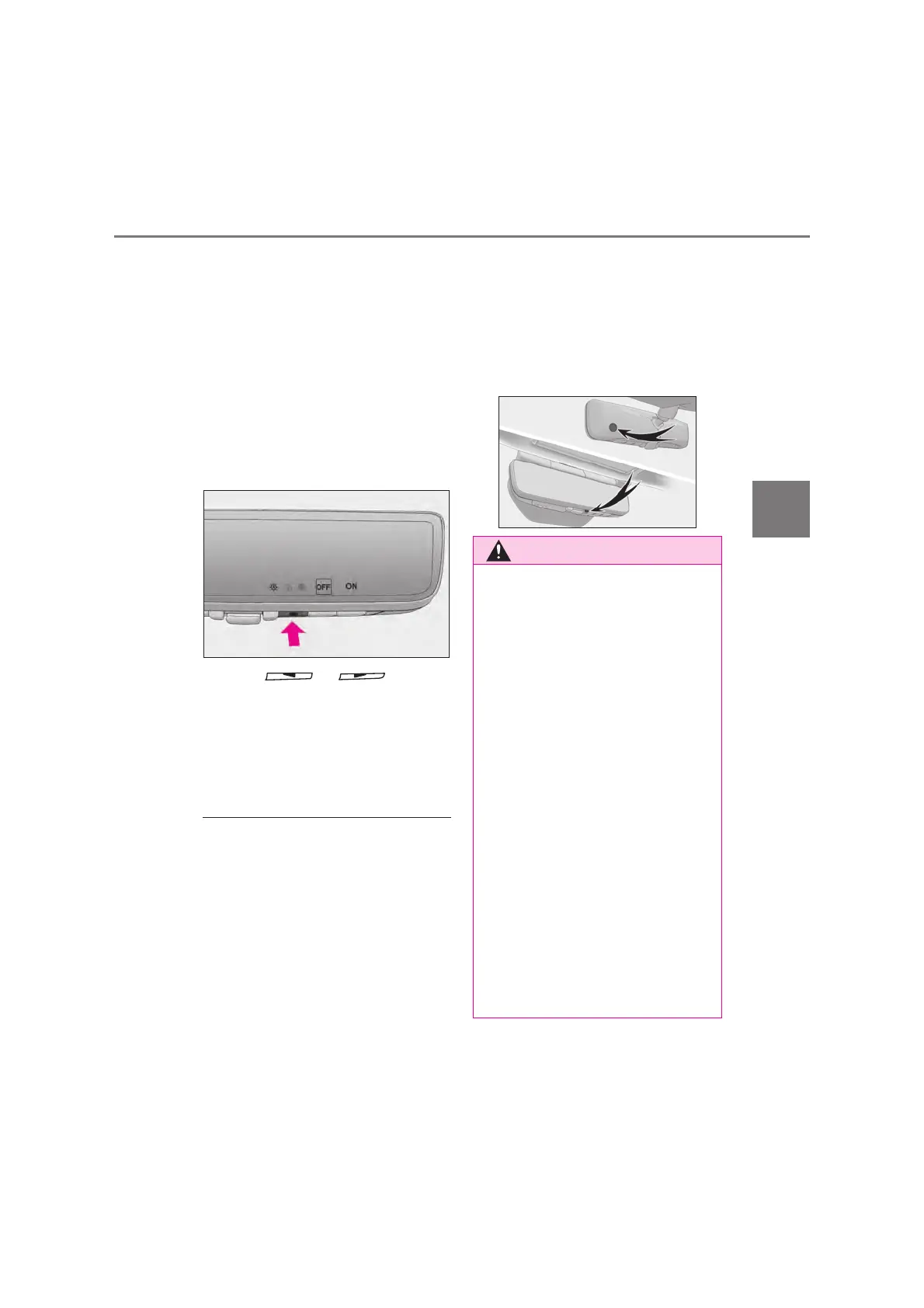
Press the menu button.
The icons will be displayed.
Press or to
enable (ON)/disable (OFF) the
automatic anti-glare function.
The icons will disappear if a button is
not operated for approximately 5 sec-
onds or more.
Q Adjusting the display (digital mirror
mode)
O The icons will disappear if a button is not
operated for approximately 5 seconds or
more.
O If the displayed image is adjusted, it may
appear distorted. This is not a malfunc-
tion.
O If the brightness of the Digital Rear-view
Mirror is set too high, it may cause eye
strain. Adjust the Digital Rear-view Mir-
ror to an appropriate brightness. If your
eyes become tired, change to optical
mirror mode.
O The brightness of the Digital Rear-view
Mirror will change automatically accord-
ing to the brightness of the area in front of
your vehicle.
Q To prevent the light sensors from mal-
functioning
To prevent the light sensors from malfunc-
tioning, do not touch or cover them.
Observe the following precautions.
Failure to do so may result in death or
serious injury.
Q While driving
O Do not adjust the position of the Digital
Rear-view Mirror or adjust the display
settings while driving.
Stop the vehicle and operate the Digi-
tal Rear-view Mirror control switches.
Failure to do so may cause a steering
wheel operation error, resulting in an
unexpected accident.
O Always pay attention to the vehicle’s
surroundings.
The size of the vehicles and other
objects may look different when in dig-
ital mirror mode and optical mirror
mode.
When backing up, make sure to
directly check the safety of the area
around your vehicle, especially behind
the vehicle.
Additionally, if a vehicle approaches
from the rear in the dark, such as at
night, the surrounding area may
appear dim.



 To Next Page