4-5. Using the driving support systems
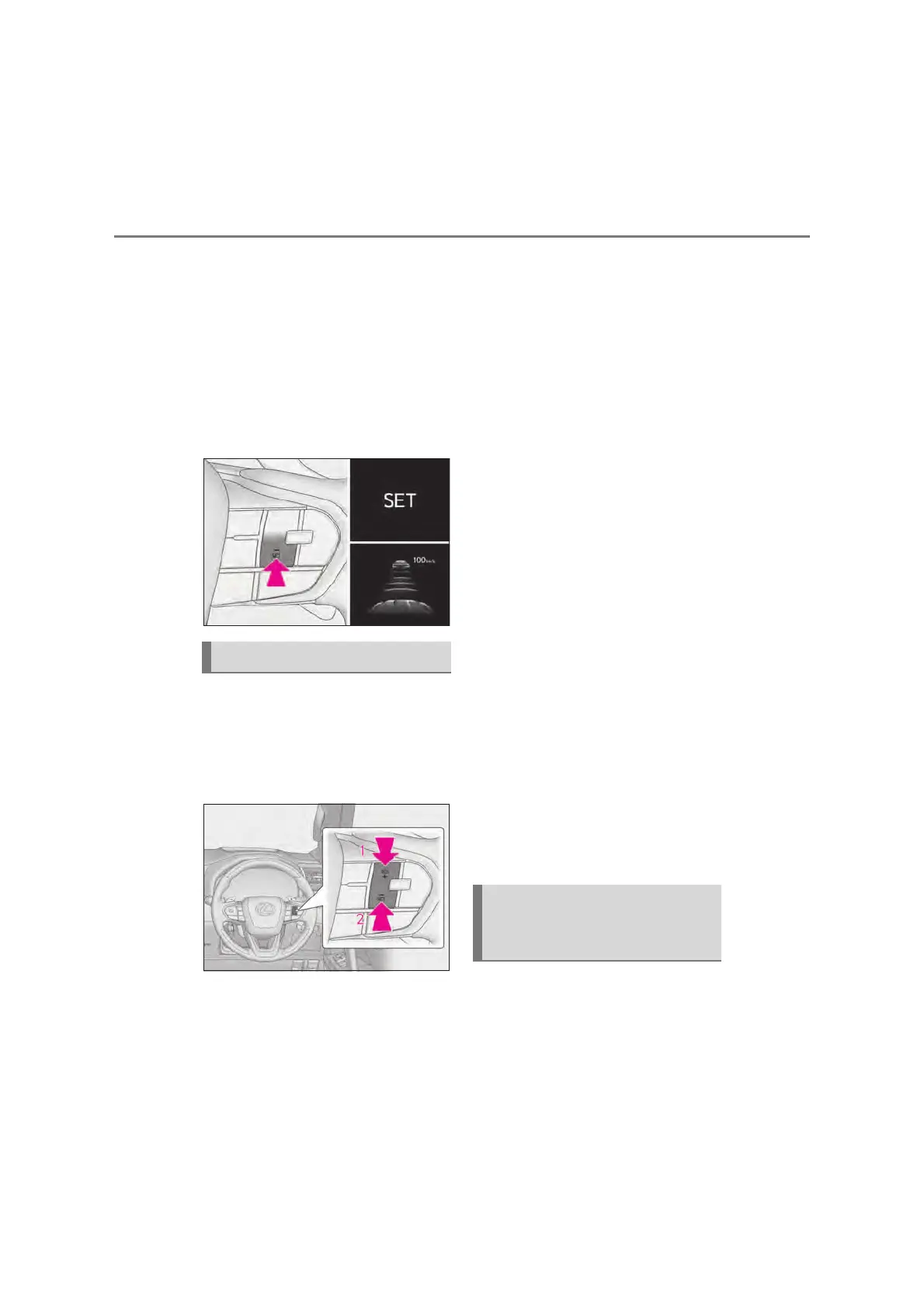
Accelerate or decelerate, with
accelerator pedal operation, to the
desired vehicle speed (at or above
approximately 30 km/h [20 mph])
and press the “-SET” switch to set
the speed.
Cruise control “SET” indicator will come
on.
The vehicle speed at the moment the
switch is released becomes the set speed.
z Adjusting the set speed by the
switch
To change the set speed, press the
“+RES” or “-SET” switch until the
desired set speed is displayed.
Increases the speed
Decreases the speed
Fine adjustment: Press the switch.
Large adjustment: Press and hold the
switch to change the speed, and release
when the desired speed is reached.
In the vehicle-to-vehicle distance con-
trol mode, the set speed will be
increased or decreased as follows:
Fine adjustment: By 1 km/h (0.6 mph)
*1
or 1
mph (1.6 km/h)
*2
each time the switch is
pressed
Large adjustment: Increases or decreases
in 5 km/h (3.1 mph)
*1
or 5 mph (8 km/h)
*2
increments for as long as the switch is held
In the constant speed control mode
(oP.300), the set speed will be
increased or decreased as follows:
Fine adjustment: By 1 km/h (0.6 mph)
*1
or 1
mph (1.6 km/h)
*2
each time the switch is
pressed
Large adjustment: The speed will continue
to change while the switch is held.
*1
: When the set speed is shown in “km/h”
*2
: When the set speed is shown in “MPH”
z Increasing the set speed by the
accelerator pedal
Accelerate with accelerator pedal
operation to the desired vehicle
speed
Press the “-SET” switch
Pressing the switch changes the vehi-
cle-to-vehicle distance as follows:
Adjusting the set speed
Changing the vehicle-to-vehicle
distance (vehicle-to-vehicle dis-
tance control mode)



 To Next Page